Trail Camera Battery Life Chart: Lithium, Alkaline and NiMH by Temperature
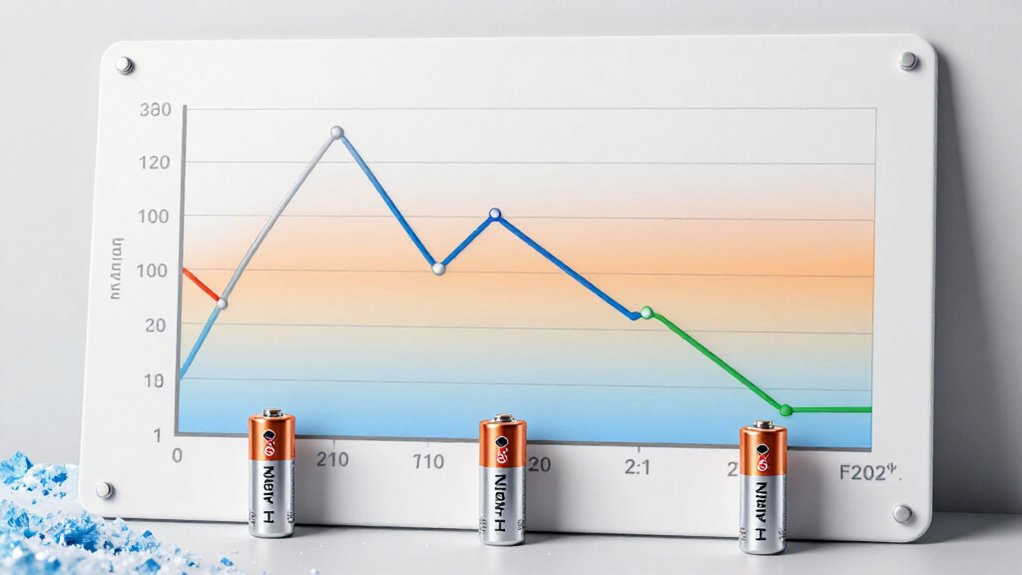
For longest trail-camera runtime at 0°F, choose disposable lithium AAs: they retain roughly 85–88% of room-temperature capacity near −20°C and hold voltage steadily. Alkalines can lose about 50% below freezing, with voltage sag reducing usable runtime.
NiMH tolerates cold better than alkaline, but its 1.2V cells may miss your camera’s cutoff.
Compare watt-hours, test your camera under load, and match cells. Temperature curves, capture patterns, contact care, and firmware checks refine your field plan further.
Compare Runtime at 0°F
At 0°F (−18°C), battery chemistry drives trail-camera runtime more than the rated capacity printed on the package. You should expect alkaline cells to deliver as little as half of their mild-weather usable capacity, which can sharply shorten deployment intervals. Disposable lithium cells provide the strongest runtime margin: at −20°C, they retain approximately 85–88% of room-temperature capacity, closely matching 0°F conditions.
You can also use NiMH rechargeables when rechargeability matters, because they generally tolerate cold better than alkaline. However, no specific 0°F capacity or runtime value supports a precise comparison. Rechargeable 1.5V Li-ion cells perform well near −20°C, but disposable lithium gives you more margin below that point. Your actual runtime still depends on camera draw, capture volume, video use, cell quality, and configured settings in practice.
AA Runtime by Temperature
AA trail-camera runtime changes sharply with temperature because cold reduces usable capacity and voltage under load. You’ll see the largest runtime loss with alkaline cells: below freezing, they can surrender about half of their usable capacity. Disposable lithium maintains output more consistently, retaining roughly 85 to 88% of room-temperature capacity at -20°C. NiMH handles cold better than alkaline, but avoid sustained heat above 40°C (104°F), where performance declines.
| Temperature | AA chemistry | Runtime expectation |
|---|---|---|
| Below 0°C | Alkaline | Up to 50% usable-capacity loss |
| -20°C | Disposable lithium | 85 to 88% retained |
| -30°C | XTAR Ultra3500D | About 90% retained |
| Above 40°C | NiMH | Performance can decline |
Use disposable lithium below -20°C; 1.5V lithium-ion rechargeables work well to about -20°C. Your camera’s draw, capture volume, and cell quality determine results; test your setup before deployment.
Milliamp-Hours Versus Watt-Hours
Milliamp-hours measure how much electrical charge a cell stores, but watt-hours show the energy your trail camera can actually use because they include voltage. Calculate watt-hours with Wh = mAh × average voltage ÷ 1,000. Therefore, a 2,000 mAh cell averaging 1.2 V delivers 2.4 Wh.
When you compare AA alkaline, NiMH, and lithium options, don’t rank them by mAh alone: their nominal voltages and discharge curves differ. Use Wh to estimate usable energy through the camera’s power converter, especially during high-current infrared-flash and video-recording bursts. Test data illustrate the distinction: a TenaVolt Li-ion AA produced 2.475 Wh at room temperature under a 500 mA load; another measurement reached roughly 2.7 Wh, particularly with higher loads. Record load and temperature alongside Wh for direct, consistent, valid comparisons.
Trail Camera Voltage Cutoffs
Your camera shuts down when its battery pack falls below its specified voltage cutoff, which may be about 5 V for a four-cell, nominally 6 V system. You must match battery chemistry to that threshold: four NiMH cells typically supply 4.8 V, while alkaline voltage declines gradually and cold weather can trigger an earlier cutoff. Check the cutoff specification and interpret the low-battery meter cautiously, especially with regulated 1.5 V Li-ion rechargeables that hold voltage until near shutdown.
Understanding Voltage Cutoffs
A trail camera’s voltage cutoff is the minimum battery-pack voltage required for operation; once supply voltage falls below that threshold, the camera shuts down even if the cells retain capacity. You must evaluate pack voltage, not just rated capacity, when selecting cells. Four 1.5V batteries nominally form a 6V pack; four NiMH cells typically deliver 1.2V each, or about 4.8V under working conditions.
As a result, a camera requiring more than 4.8V may reject NiMH cells despite their remaining energy. Alkalines begin near 1.5V per cell but decline during discharge. In some setups, they reach approximately 1.2V per cell after only one-fifth of their usage cycle, leaving capacity inaccessible. Before deployment, check manufacturer specifications and match chemistry to the stated operating-voltage requirement for reliable field performance.
Camera Shutdown Thresholds
Why can a trail camera report dead batteries while the cells still hold energy? Its shutdown threshold is the minimum supply voltage required for reliable operation, not a direct measure of stored capacity. With four 1.5-volt cells, your camera has a nominal 6-volt supply; some models stop operating near 5 volts.
Four NiMH cells typically deliver about 4.8 volts at their 1.2-volt working voltage, so they may fail immediately in a camera with a higher cutoff. Alkalines can reach roughly 1.2 volts per cell after about one-fifth of use, potentially causing shutdown while about 80% capacity remains. Lithium cells usually stay above the required voltage longer. Regulated 1.5-volt Li-ion AAs can appear full until abrupt shutdown, so your camera can’t estimate remaining charge accurately from voltage alone reliably.
Battery Chemistry Voltage Curves
Battery chemistry determines how long a trail camera can remain above its operating-voltage cutoff. Alkaline AA cells begin near 1.5–1.6 V each, but their voltage declines steadily during discharge. If your camera shuts down near 5 V, it can strand substantial alkaline capacity.
NiMH cells quickly settle near 1.2 V each, so a four-cell pack supplies roughly 4.8 V. A cutoff above that level can cause premature shutdown or incompatibility. Primary lithium cells hold voltage relatively flat for most of their discharge, extending usable runtime before their end-of-life drop.
Regulated 1.5-V Li-ion AAs maintain output but may switch off abruptly, so don’t trust the battery meter alone. During IR flash or cellular transmission spikes, load-induced voltage sag can cross the cutoff while energy remains.
Cold Weather Cutoff Effects
Cold temperatures magnify voltage-cutoff losses because they raise internal resistance and reduce the usable capacity of alkaline cells by up to about 50%. Your camera stops when pack voltage drops below its threshold, not when every cell is empty. In a four-cell system, models cut off near 5 V.
Alkalines can decline to 1.2 V per cell after about one-fifth of their discharge cycle, producing 4.8 V and stranding as much as 80% of rated capacity. Cold increases voltage sag under camera loads, so shutdown can occur sooner. Lithium cells hold voltage more effectively at low temperatures and reduce risk. Before deployment, verify the cutoff. Four NiMH cells supply only 4.8 V, so they may not operate. Test your pack at expected field temperatures.
Low-Battery Reading Accuracy
A trail camera’s low-battery warning usually reports pack voltage relative to its shutdown threshold, not the percentage of chemical capacity left in the cells. If your camera shuts off near 5 V, four alkaline AAs may reach about 1.2 V each after only 20% of their discharge cycle. The camera can consequently stop with 80% of alkaline capacity still available.
Four NiMH cells supply 4.8 V at their 1.2 V working plateau. A cutoff above 4.8 V can cause early shutdown or make NiMH incompatible. Regulated 1.5-V rechargeable AA lithium-ion cells create an issue: their output can hold the meter near full until protection disconnects them abruptly. Check your camera’s cutoff and chemistries. Treat percentage as an estimate, especially with steady-voltage batteries.
Adjust Runtime for Trigger Frequency
Trigger frequency is the primary runtime variable you can control: every event powers the sensor, captures an image or video, uses the flash or IR illuminator when needed, and writes data to the memory card. Track your average daily triggers and separate daytime from nighttime events. In one Browning Defender Pro Scout Max HD estimate, a daytime photo uses 31.3-watt-seconds, while a nighttime photo uses 34.5. At 15 daytime and 15 nighttime photos daily, you’ll replace batteries about every six months. Videos and cellular uploads raise consumption sharply; one example needs replacement roughly every two months. Reduce upload intervals and select photo mode to extend runtime. Estimate your schedule from battery capacity, trigger count, day/night mix, and energy per capture rather than ratings alone.
Mixed Chemistries Can Leak
Battery selection affects runtime and hardware reliability as much as trigger volume does: don’t mix alkaline, lithium, and NiMH cells in the same trail camera. Their voltage curves and discharge rates differ, so one cell can reach depletion while neighboring cells retain charge. This imbalance increases leakage risk and can corrode contacts, springs, and terminals. Install a matched set of the same chemistry and brand. Replace the whole set together rather than topping off a used set.
Before changing chemistry, verify your camera’s specifications. NiMH AA cells nominally supply about 1.2 V each, compared with 1.5 V for standard AA cells, which may affect low-battery thresholds or operation. Inspect cells and contacts. Remove leaking cells immediately, clean corrosion, then fit a fresh matched set.
Snowy Owl Nest Monitoring
For snowy owl nest monitoring in sub-freezing conditions, use battery chemistry rated for the actual temperature: alkaline cells can lose up to half their capacity, raising the risk of missed captures or camera shutdowns. Choose disposable lithium AAs when site temperatures approach −20°C; they retain roughly 85 to 88% of room-temperature capacity at that point. If forecasts reach −40°C, use XTAR Ultra3500D cells, rated to that limit.
Rechargeable 1.5V lithium-ion batteries work well through about −20°C, but disposables provide more stated margin below it. NiMH performs better than alkaline in cold, yet its 1.2V output may not meet your camera’s operating threshold. Before deployment, run the camera, batteries, trigger sensitivity, image mode, and schedule together for 24 to 48 hours. Review capture counts and low-battery behavior, then install a matched, charged set.
Clean Corroded Battery Contacts
Even cold-rated cells can’t deliver reliable power through contaminated terminals, so inspect your trail camera’s battery contacts every few months. Corrosion raises electrical resistance, causing voltage drop under nighttime trigger loads. Remove all batteries before you begin, then examine each spring and flat terminal under bright light.
- Rub a clean rubber eraser across dry residue until the metal looks bright.
- For stubborn film, wipe contacts with isopropyl alcohol on a lint-free swab.
- Let every contact air-dry completely; moisture can create another conductive path.
- Install one matching battery type and brand, then test startup, triggering, and image capture.
If the camera still fails, inspect terminals for pitting or weak spring pressure; cleaning removes surface residue but can’t repair damaged metal or restore depleted cells reliably.
Verify Camera Firmware Version
Firmware can affect trigger reliability, power management, and cold-weather performance, so verify your camera’s installed version before troubleshooting further.
Open the manufacturer’s menu guide or support page, then locate the version screen for your exact model. Record the installed number and compare it against the latest listed release; similar housings can use incompatible firmware files.
- Picture a frosted camera menu: note the version digits before changing anything.
- Match the model label, not the case color, to the download page.
- During updates, keep fresh batteries installed and don’t interrupt power.
- After restart, reopen the menu and confirm the new number.
This verification isolates firmware variables before you interpret battery-life results across temperatures. Then continue testing contacts, cells, settings, and field conditions in a controlled sequence.
Conclusion
To maximize trail camera uptime, you should match battery chemistry to temperature, energy demand, and your camera’s voltage cutoff. Lithium AAs deliver the strongest cold-weather runtime, while NiMH cells provide predictable rechargeable performance when you verify watt-hours, not just milliamp-hours. Reduce trigger frequency, avoid mixing chemistries, and inspect contacts for corrosion. Before deploying near a snowy owl nest, confirm firmware and test your exact setup. You’ll get more reliable captures and fewer service trips overall.
Game Camera Range & Detail Calculator
Turn a game camera's MP, horizontal FOV and distance into frame width, pixels on the animal and the max range for your own detail minimum.
Which Trail Camera Do I Need? Use-Case Quiz
Five-question quiz that matches your use, signal, power and visits to a cellular, Wi-Fi or SD-card trail camera, with shelf matches.
Trail Camera Flash Type Selector
Answer three questions to rank no glow, low glow, infrared, white flash and color night vision trail cameras for your use.
Trail Camera Mount Height & Tilt Calculator
Turn your camera's mount height, aim-point height and distance into a tilt angle, line-of-sight distance and a printable setup card.
Trail Camera SD Card Size Calculator
Estimate how many days your trail camera SD card lasts and the smallest card size that covers the time between your camera visits.
Free Browser Trail Camera Photo Viewer
View SD card trail camera photos in your browser, sorted by EXIF capture time and grouped into events. Nothing is uploaded.
Trail Camera App & Firmware Finder
Find the official phone app for your trail camera brand, filter by connection and platform, and see how that brand updates firmware.