Do Cellular Trail Cameras Require a Subscription? Free Tiers and Paid Plans Explained
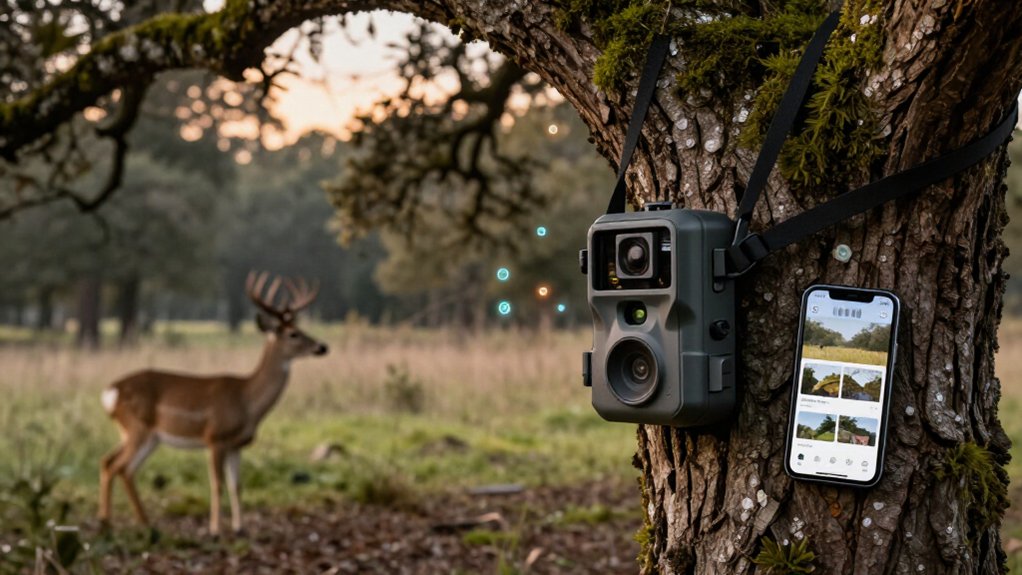
You’ll usually need a cellular data plan to receive trail-camera photos, alerts, video downloads, or live views. Without one, your camera can still record to a Micro SD card, but you must retrieve footage manually.
Some models include introductory data, such as the TC32’s 100 MB first-month allowance, while paid monthly and annual plans support uploads.
Unlike Wi-Fi cameras, cellular models work from routers if coverage is strong. Next, compare costs, caps, and signal considerations.
Most Need Activated Data Plans
Most cellular trail cameras require an active data plan to transmit photos, videos, alerts, or live views to your phone. Without activated service, they typically still record to an SD card, so you must retrieve footage at the camera. Your subscription covers cellular data usage rather than ownership or operation of the device.
You don’t need home Wi-Fi, and you don’t need a phone plan from the same carrier; the camera only needs usable coverage on one of its supported networks. For example, Campark’s TC32 includes a built-in SIM, works with major U.S. networks, and provides 100 MB during its first month. You manage later service in the UCon app. Select by use: occasional images use less data than HD live viewing or downloads.
Carrier Data Enables Photo Delivery
An active carrier data plan lets a Cellular Trail Camera use its built-in SIM to send captured photos, videos, and motion alerts through a supported network to your phone or laptop. It can connect to AT&T, Verizon, or T-Mobile, and your phone doesn’t have to use the same carrier. Unlike a Wi-Fi camera, it doesn’t require home internet; however, its installation site needs signal on a compatible network.
Without service, it records to its SD card, but you’ll retrieve card yourself. Plans meter image transmissions or provide monthly or annual data allowances. Occasional photos consume little data, whereas video transfers, high-resolution downloads, and live viewing consume more. Choose an allowance based on trigger frequency, media type, and how often you’ll check the camera.
Voopeak TC32 Plan Setup
For the Voopeak TC32, insert a compatible microSD card, power on the 4G LTE camera, and follow the UCon app prompts to activate it and link it to your account. Unlike cameras that require a carrier-specific SIM or a new line on your phone account, the TC32 uses its built-in SIM. Before activation, confirm that your installation site receives usable AT&T, Verizon, or T-Mobile coverage, because the camera needs a supported network to send images and communicate with UCon.
The activation process includes 100 MB of data and cloud storage for the first month, letting you verify connectivity and transmission performance. After that introductory period, use UCon to monitor data use, recharge service, and maintain the camera’s connection. Retain local storage backup when needed.
Free, Monthly, and Annual Plans
You get 100 MB of data and cloud storage in the TC32’s first month, but you’ll need a paid plan to continue remote delivery afterward. A $19.99 monthly unlimited plan gives you flexibility for seasonal or changing use. If you need year-round coverage, six-month, annual, and two-year plans lower your effective monthly cost.
Free Tier Limits
Most cellular trail camera “free” tiers function as short trial allowances rather than ongoing service. The Voopeak TC32, for example, includes 100 MB of cellular data and cloud storage during its first month. That allowance supports modest remote photo transmission, but it isn’t designed for sustained high-volume use. Live HD viewing and video downloads consume data far faster than still-image alerts, so your free allocation may disappear quickly.
After the trial data expires, remote delivery stops unless you activate a paid data plan. The camera can still record photos and videos locally to its Micro SD card, preserving capture capability. However, you’ll need to visit the camera and retrieve files yourself. Compare free-tier data with your expected image frequency, resolution, streaming, and download activity to determine whether the allowance meets your monitoring needs.
Monthly Plan Flexibility
Cellular trail camera plans typically range from limited free trial data to monthly and longer-term unlimited subscriptions, letting you match service to how long you’ll monitor a site.
A free tier can cover initial setup and testing: the TC32, for example, includes 100 MB of data and cloud storage in its first month. After that, you’ll need an active plan for remote image delivery.
Monthly service suits seasonal scouting or temporary property monitoring, because you can activate unlimited TC32 data at $19.99 per month and stop when the deployment ends. For longer monitoring windows, the unlimited options include six months at $99.99, one year at $169.99, and two years at $299.99. Check the camera’s app for terms and whether you can change plans or pause.
Annual Plan Savings
Annual plans can lower your effective monthly cost when a cellular trail camera stays active year-round. For example, TC32’s U.S. unlimited service costs $19.99 for one month, $169.99 for one year, and $299.99 for two years. The annual plan averages about $14.17 monthly, versus $19.99 on month-to-month billing, so it suits continuous monitoring.
You should compare more than the headline rate. A free first-month allotment, such as TC32’s 100 MB, only covers starter use; ongoing remote delivery needs a paid plan. Estimate photo volume, video captures, and live-view sessions, because video and frequent viewing increase data demand. Before committing, review current app pricing, renewal conditions, and available plan options, which can change. Choose annual billing only when your expected use makes its commitment worthwhile.
Camera-Site Network Coverage
Before deployment, test carrier signal strength at the exact camera site, since coverage can vary across your property. Compare supported networks and choose the one with the strongest usable LTE signal; it doesn’t need to match your phone’s carrier. Without cellular coverage, your camera can still record to Micro SD, but it can’t send remote alerts, media, or live-view footage.
Checking Carrier Signal Strength
Test coverage at the exact camera site, because a carrier’s map can’t account for signal loss from trees, hills, buildings, or terrain. Before mounting the camera, test supported-network service where you’ll place it, not merely at the property entrance or on a nearby road. The Campark TC32 uses 4G LTE and supports AT&T, Verizon, and T-Mobile in the United States, so select the supported option with a stable, usable signal at that location.
Your phone’s carrier doesn’t determine the camera’s choice; the camera connects independently. Wi-Fi isn’t required for cellular transmission, but alerts and remote photo delivery require cellular service at the camera. Without usable signal, it can still record to a Micro SD card, but you’ll retrieve the card yourself in person there.
Comparing Network Compatibility
Network compatibility depends on the carrier signal at your camera site, not on your phone’s provider or nearby coverage claims. Cellular trail cameras use mobile networks, not Wi-Fi, so your camera can transmit from remote property only through a supported carrier with usable local service. Choose the model or network option that matches the strongest carrier available there. The Campark Voopeak TC32 includes a SIM and supports AT&T, Verizon, and T-Mobile; it doesn’t require a separate SIM or phone-plan line.
| Site network status | Camera result |
|---|---|
| Strong supported LTE | Remote images and alerts work |
| Weak or unsupported signal | Delivery may fail or stop |
| No usable signal | Micro SD recording continues; remote features unavailable |
This distinction determines whether a subscription can deliver data from that location.
Testing Coverage Before Deployment
Verify coverage at the exact mounting location, because a supported carrier’s signal can vary sharply across the same property. Before installation, test the camera at its intended height and orientation, especially near timber, hills, or remote boundaries that can weaken LTE reception. The Campark TC32 uses 4G LTE and supports AT&T, Verizon, and T-Mobile in the United States; confirm that at least one of those networks works at the site.
Don’t treat your phone’s service as conclusive: your phone may use another carrier, while the camera can be configured differently. Cellular trail cameras don’t require Wi-Fi, but they do require usable cellular service for image delivery, live viewing, and instant alerts. If testing shows marginal coverage, relocate the camera before choosing a data plan.
Remote Deer Stand Monitoring
Remote deer stand monitoring lets you receive motion-triggered photos, videos, and alerts on your phone without relying on Wi‑Fi, provided the camera has usable AT&T, Verizon, or T-Mobile coverage and an active data plan.
Without a subscription, your camera still stores footage on its Micro SD card, but it can’t deliver remote captures or alerts. Voopeak TC32 activation includes 100 MB free during the first month; afterward, you manage service in the UCon app. These U.S. options compare time against cost.
| Option | Cost | Use case |
|---|---|---|
| First month | 100 MB free | Activation |
| 1 / 6 months | $19.99 / $99.99 | Short/season |
| 1 / 2 years | $169.99 / $299.99 | Long term |
Remote viewing reduces stand trips, fuel use, and human scent, so you can assess activity before deciding when to hunt.
Poor Signal Drains Batteries
Weak cellular coverage makes a trail camera spend more energy searching for a connection and retrying photo uploads than it would in a strong-signal location. Before you install it permanently, verify usable coverage from a network the camera supports at the exact site. With weak or absent service, the camera may still record images to its Micro SD card, but it can’t reliably transmit them.
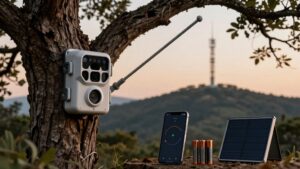
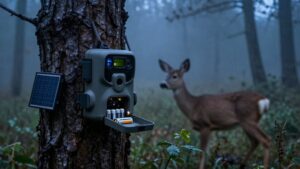
Compared with a camera placed in solid coverage, one in an unreliable remote area can require more frequent battery inspections or recharge trips. The TC32 can reduce those visits with its 7,800mAh rechargeable battery and 4W solar panel, provided the panel receives adequate sunlight. Test signal at the mounting point, because terrain and trees can change local service conditions.
Wi‑Fi Is Not Cellular
Coverage matters because cellular and Wi-Fi cameras use different connections. A cellular trail camera transmits through a supported mobile carrier, letting you receive images from remote property without home internet or nearby Wi-Fi. It still needs an active data plan for remote photos, video, alerts, and live viewing. A Wi-Fi model, by contrast, must reach a usable wireless network; outside that range, it generally can’t send anything to you.
- Check carrier coverage at the camera’s exact installation point.
- Choose the strongest supported network, not necessarily your phone’s carrier.
- Expect SD-card recording when cellular service isn’t available.
- Plan an in-person visit to retrieve footage stored locally.
Wi-Fi convenience suits sites near a router, while cellular suits isolated stands and fields. Network type determines remote delivery.
Set a Daily Photo Cap
Set a daily photo cap based on how frequently you need cellular updates, since each transmitted image counts toward data use and may affect subscription cost. A low cap suits routine scouting and limits billed transmissions; raise it when you miss movement patterns, feeding periods, or security events. The limit governs cellular uploads, not capture: your camera can store extra images on its SD card for later on-site review.
Treat live view and video downloads separately, because they consume far more data than periodic still photos. In the UCon app, review the TC32’s plan, current usage, and transmission controls. Then adjust the daily cap or move to a different plan as seasons, animal activity, camera placement, or monitoring priorities change with evolving data needs.
Conclusion
Cellular trail cameras usually need a data plan to send photos, while Wi‑Fi models don’t offer the remote reach. You can start with a free tier, but paid monthly or annual plans provide higher photo limits and more reliable monitoring. Before you subscribe, verify carrier coverage at your camera site, since weak signal can drain batteries.
Match your plan’s daily photo cap to activity around your deer stand, and you’ll control costs without losing captures.