Cellular Trail Camera vs Regular SD-Card Camera: Which Should You Buy?
Buy a cellular trail camera if you need remote alerts, fewer site visits, and lower disturbance on public land. It stores captures locally before uploading, but LTE signal, cold, compression, data plans, and higher power use affect delivery.
Choose a regular SD-card camera if you want lower costs, dependable local files, and full-resolution originals, and can check it yourself. The trade-offs below help you match trigger performance, placement, security, and power to your scouting routine.
Cellular Alerts vs SD Retrieval
Cellular trail cameras send photos or videos to your phone through a cellular network, so you can monitor activity without visiting the camera. You gain remote alerts, but signal quality and carrier speed govern delivery. A typical upload takes one to three minutes, and extreme cold can extend that window.
Schedule transmissions at intervals when you want more dependable notifications; each event requires triggering, saving, reconnecting, and sending. SD-card models require a site visit, yet they work independently of coverage and avoid transmission delays.
| Option | Best condition | Practical result |
|---|---|---|
| Cellular | Strong signal | Remote phone alerts |
| Cellular | Weak signal | Unreliable delivery |
| SD card | Remote areas | Retrieve images in person |
| Cellular | External antenna | Potential signal improvement |
Choose cellular for timely checks, SD cards for coverage-free reliability.
LTE Uploads vs Onboard Storage
An LTE trail camera captures each event to internal memory or an SD card before it attempts a network upload. That local write means you don’t lose normal captures merely because service is weak; poor coverage mainly delays or prevents delivery to your app. Uploads commonly take one to three minutes and can take longer in extreme cold.
A regular SD-card camera stops at local storage, while an LTE unit adds network speed, signal strength, and transmission settings to the workflow. If you force immediate uploads, it may send fewer files; a daily scheduled upload can improve throughput and reliability. Use a high-quality, fast SD card to shorten write delays. Also compare modes: normal uploads use less power than live streaming, which drains batteries.
Trigger Speed and Detection Range
Upload speed affects when you see an image, but trigger speed and detection range determine whether the camera captures it at all.
Both cellular and regular SD-card cameras depend on the same motion sensor, so evaluate trigger performance before you focus on connectivity. A camera must detect movement, trigger, capture, and write the file; cellular models then transmit it, which means live viewing isn’t truly instant.
Don’t buy on a headline trigger claim alone. Field testing found Browning’s Defender Vision Pro LiveStream didn’t match its advertised 0.5-second speed. Place either type within its effective cone: one test reached roughly 120 feet by day and 100 feet at night. Beyond that, you’ll get late frames or misses. At night, IR output and animal movement also matter.
App Pairing vs Card Checks
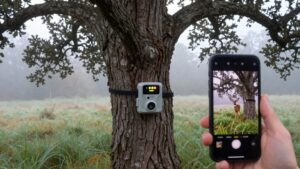
The main tradeoff is convenience versus fieldwork: a cellular camera requires one-time pairing through its dedicated app, then sends images and accepts setting changes over the network, while a regular camera requires you to visit the site, remove its SD card, and review files manually.
After pairing, you’ll adjust capture settings and receive photos on your phone, reducing many routine site visits. However, uploads depend on the trigger-to-phone chain and commonly take one to three minutes per image, longer in extreme cold. Schedule transmissions at intervals or a set daily time to improve delivery reliability; immediate sending can lower successful uploads. Use a quality, newer SD card anyway: fast local writes help prevent missed transmissions caused by older, slower cards. Card checks remain physical.
Remote Sites With LTE
For remote sites, verify that the camera’s carrier, such as AT&T, Verizon, or T-Mobile, has reliable LTE at the exact placement location before you buy. Unlike a regular SD-card camera, a cellular unit can miss uploads in hunting dead zones.
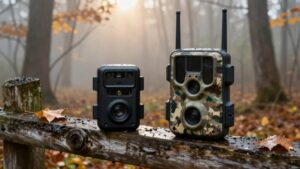
Even with strong service, delivery isn’t instantaneous: the unit triggers, saves the file to its SD card, connects to LTE, then transmits it. Better signal improves upload success and delivery timing. If coverage is marginal, mount an external antenna higher and use a roughly 10-foot cable to improve stability. You can also schedule transmission intervals rather than send every capture immediately, reducing connection bottlenecks. With dependable 4G, solar power, and a fast SD card, you can monitor a site remotely for longer with near-real-time phone updates.
Monthly Data Plan Fees
Cellular trail cameras add a recurring data-plan cost that regular SD-card cameras don’t have, since the app can’t receive remote photos or videos without paid mobile service. Your monthly bill depends less on the camera itself than on what it uploads and how often it connects.
Photos-only plans generally consume far less data than video uploads, while immediate transmission uses more than scheduled reports or timed intervals. A high-traffic feeder, trail, or gate can trigger enough captures to exceed a plan sized for a quiet site. Estimate expected activity, then choose a tier that fits it.
To control fees, send fewer files at fixed times or intervals. If you monitor only seasonally, a prepaid SIM can avoid paying during unused months under a contract.
Theft Exposure and Camera Placement
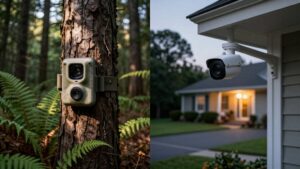
Although cellular cameras can send images before someone removes them, they face the same theft and vandalism risks as regular SD-card models. You’ll still need to mount either type high on a sturdy tree or post and fit it with a lockable security housing when possible.
For cellular units, balance concealment with signal. Mount the camera above eye level when practical; an external antenna and roughly 10-foot cable can help you position it where service remains dependable. Route antenna and charging cords tightly along the support, then secure them against animal damage and pulling.
If you use a master camera, place it at the strongest signal location. Conceal and anchor external power gear and wiring, eliminating ground-level grab points that invite tampering or theft.
Image Resolution and Compression
You’ll see similar advertised megapixel ratings on cellular and SD-card trail cameras, but resolution alone doesn’t determine the image quality you receive. An SD-card model can record full-resolution files continuously, while a cellular camera may compress images or limit uploads to fit network speed and data constraints.
For dependable high-detail captures, assess both the camera’s native resolution and how reliably it writes to the SD card and transmits files.
Resolution Differences Explained
Image resolution alone doesn’t determine the detail you’ll see on your phone. Both cellular and SD-card trail cameras can capture high-resolution files, so a listed megapixel count isn’t a direct winner. An SD-card camera typically preserves the full image for you to review later, while a cellular camera may send an app preview that differs from the original stored on its card. That distinction matters when you need to inspect antler points, ear tags, or distant animals.
For practical setup, treat sensor resolution and delivered resolution as separate specifications. Cellular transmission can require one to three minutes per photo, longer in severe cold, so settings balance detail against reliable delivery. Use a fast, current SD card to help the camera save and prepare full-quality files.
Cellular Image Compression
Cellular trail cameras compress photos before upload, so a 46MP capture won’t necessarily appear as sharp in your app as the original file on the SD card.
That difference matters. Cellular networks limit throughput, so cameras trade file size and detail for delivery speed, often taking one to three minutes per image or video. If you request bursts of full-quality captures, compression and upload scheduling can create a queue, delaying alerts. Set the camera to send fewer, higher-value images, then retrieve the full-resolution originals from the SD card later. A regular SD-card camera skips this transmission trade-off and preserves its files locally. You should use a fast, quality SD card: quicker writes help the camera process high-quality captures without letting the compression-and-upload pipeline fall behind.
Public-Land Deer Monitoring
On public land, a cellular camera lets you monitor deer remotely, while an SD-card model requires in-person checks that can increase disturbance.
You’ll need to balance that advantage against theft risk by using concealed, secure placement and testing cell signal at the mounting site. Timed uploads, reliable power, and fewer physical visits help you track activity without changing deer behavior.
Remote Public-Land Monitoring
When you’re monitoring deer on remote public land, a cellular trail camera can send photos or videos to your phone app over 4G, reducing the scouting trips that leave scent and add pressure on heavily hunted ground. Compared with an SD-card camera, it lets you assess movement without returning to pull cards.
However, weak coverage can interrupt uploads, so verify carrier signal and use an external antenna mounted higher, with roughly 10 feet of cable, when needed. Schedule transmissions at intervals instead of uploading nonstop; this can improve delivery quality when cellular speed limits restrict image flow.
Choose external-battery compatibility or solar charging for multi-week deployments, since transmission drains power quickly. Match your SIM data plan to activity; busy trails can quickly exhaust it.
Theft Risk And Camera Placement
Remote access also changes the theft equation: a cellular camera lets you monitor activity without repeatedly visiting a public-land setup, whereas an SD-card camera may sit unattended until your next card pull. That visibility helps you recognize a missing unit sooner, reducing theft-by-absence, but it doesn’t make the camera theft-proof.
On public land, avoid trailside placement and low mounting heights. Put camera above reach, angle it downward, and use cover without blocking its detection zone. Choose a lockable mount, security box, cable lock, or tamper-resistant hardware when the model supports it. A cellular unit with an external antenna needs protection: route its 10-foot cord along the tree or post and secure the antenna. If wildlife knocks it loose, communication fails and camera becomes unattended.
Check Frequency And Disturbance
A cellular trail camera lets you check deer activity on a set app schedule without repeatedly walking into a public-land bedding area or travel corridor. Set uploads minutes or hours apart instead of expecting every trigger to arrive instantly. Most cellular units need roughly one to three minutes to transmit a photo, and extreme cold can extend that delay. Scheduled delivery gives you more consistent reporting while reducing human scent, noise, and trail pressure.
With a regular SD-card camera, you must physically retrieve images, which can educate mature deer and alter movement on heavily hunted ground. Before relying on short intervals, verify signal strength; poor coverage slows delivery regardless of settings. Avoid livestreaming or constant app refreshes when possible, since they consume more battery.
Solar Panels Extend Remote Runtime
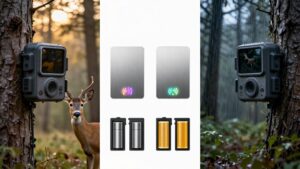
Solar panels give cellular trail cameras a practical runtime advantage by recharging their batteries between transmissions, which reduces site visits compared with battery-only SD-card cameras. Because cellular units must trigger, store images, connect, and transmit, they consume more power than local-storage models.
- Use solar for long deployments where service trips are costly.
- Mount the panel where it receives dependable daily light.
- Expect weaker charging under canopy, cloudy, or rainy conditions.
- Confirm whether your camera charges internal batteries or needs external power.
Pair solar with lithium batteries in cold weather, and you’ll usually achieve longer unattended monitoring than an SD-card camera running on batteries alone.
However, you should size expectations to image volume, signal strength, and winter daylight, since each factor changes camera energy balance.
Conclusion
Choose a cellular trail camera when you need immediate alerts, remote monitoring, and fewer trips to LTE-covered sites. You’ll trade higher purchase costs, data-plan fees, compression, and theft exposure for faster decisions.
Choose an SD-card camera when you can check cards regularly, want full-resolution files, and prefer lower operating costs. Both can deliver strong trigger speed and detection range. Match placement, solar support, security, and your scouting schedule to the camera’s strengths in each situation.
Solar Trail Camera Battery & Panel Sizer
Estimate how long a trail camera battery lasts and the minimum solar panel watts it needs, from your own battery, current draw and sun-hour figures.
Cellular Trail Camera True Cost Calculator
Add plan fees, overage and activation to the camera price to see the true total cost, cost per camera-year and break-even of a cellular trail camera.
Trail Camera SD Card Size Calculator
Estimate how many days your trail camera SD card lasts and the smallest card size that covers the time between your camera visits.
Free Browser Trail Camera Photo Viewer
View SD card trail camera photos in your browser, sorted by EXIF capture time and grouped into events. Nothing is uploaded.