Do Bird Feeder Cameras Require a Subscription? Free vs Paid AI Features
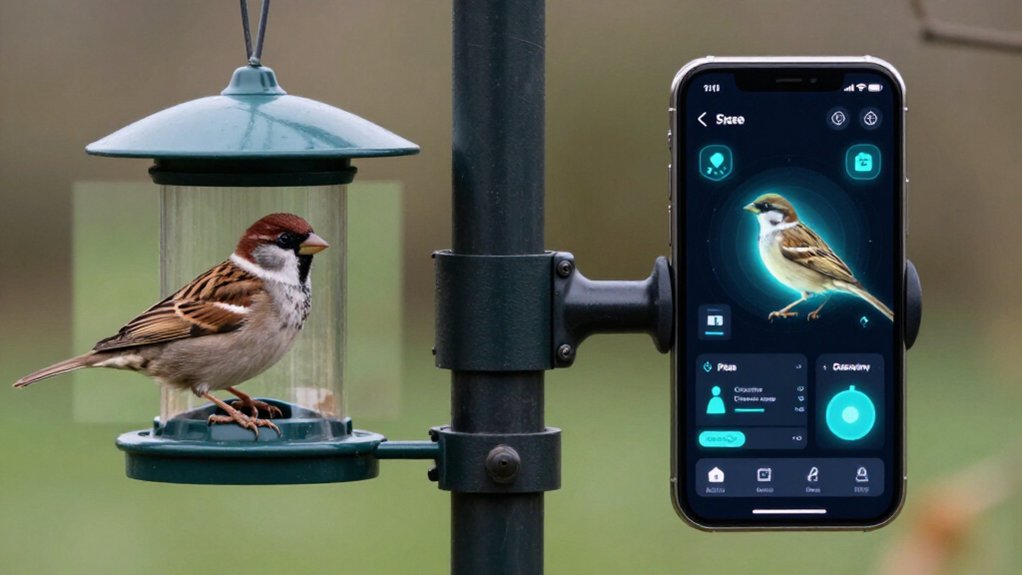
You usually don’t need a subscription to use a bird feeder camera: you can view live video, receive motion alerts, and save clips locally.
However, AI species identification may be trial-only, capped, or tied to a monthly plan, while cloud history commonly costs extra.
Lifetime AI can avoid recurring ID fees but may not include retention or sharing tools.
Compare AI terms, storage windows, and multi-camera pricing when buying.
More details below show how costs and features diverge.
AI Identification May Cost Extra
Many bird feeder cameras let you watch live video, record clips, and receive motion alerts without a subscription, but their AI bird identification often follows a different pricing model. You may get a trial, a capped number of identifications, or access only through a membership. That distinction matters: core camera operation can remain free while bird visits consume AI allowances.
Compare labels. “Lifetime free AI” means identification remains included without recurring charges; it doesn’t include recordings, tools, or sharing privileges. By contrast, a $5 monthly AI plan costs $60 annually and $180 across three years. That recurring total can outweigh a feeder-price difference. Before buying, verify whether bird ID is permanently included or membership-only, then check its usage limits and device-sharing terms separately too.
Cloud Storage Often Requires Payment
Local recording can keep a bird feeder camera useful without a subscription, but cloud video history and remote playback often move behind a paid plan after a trial or limited free tier. Compare retention, not AI claims: lifetime identification can still leave you paying to preserve clips, revisit older footage, or download recordings.
| Access | What you keep | Cost signal |
|---|---|---|
| Local microSD | You manage clips | No recurring fee |
| Cloud plan | App history and playback | $5/month = $300/5 years |
Check the rolling window and capacity. Birdfy Feeder Rookie, for example, offers roughly 30 days’ rolling storage plus 5GB permanent space. At $5 monthly, retention totals $60 yearly and about $300 over five years, potentially exceeding hardware cost.
Local microSD avoids recurring fees; cloud favors app convenience overall.
From Finch Visit to Alert
Storage determines how long you can revisit a clip, but the alert pipeline starts the instant a finch triggers the feeder’s motion camera. Your feeder detects activity, records or opens live view, and pushes an app notification to your phone. Those baseline steps often remain subscription-free, so you can check the visitor and replay the event without paying for identification.
AI adds a separate analysis layer: it examines the clip and labels the bird, ideally as a finch. Compare the manufacturer’s terms carefully. Some include lifetime species ID; others place it behind optional plans, trials, or credits. Even “free AI” may cover only identification, while advanced app tools cost extra. Retention also affects how readily you can verify an alert and its AI result.
Local SD Card Storage
With local SD storage, you save clips directly to a compatible microSD card instead of paying for cloud-history tiers. You’ll trade recurring fees for upfront card capacity and maintenance, while retaining subscription-free access to recordings and, on some models, higher-frame-rate capture.
Check automatic-recording behavior, back up important footage, and account for the card’s finite space and device-only failure risks.
How Local Storage Works
Instead of relying solely on a cloud timeline, a feeder with local storage writes video clips directly to an inserted microSD card. You access recordings without depending on cloud retention rules, and local writing can better support demanding modes such as 120FPS slow-motion.
| Storage path | What you manage |
|---|---|
| microSD card | Physical installation |
| Local clips | On-card playback |
| High-frame-rate video | Device recording |
However, SD recording and app services aren’t the same layer. You may keep clips locally while AI bird identification or remote history remains tied to a plan. Check the feeder’s supported card specification, some reach 512GB, such as the Kiwibit Bird Feeder 2 Pro, and format the card before use. You’ll also need to remove or manage it yourself periodically.
Costs and Capacity
Local microSD storage shifts much of a bird feeder camera’s ongoing cost from a recurring cloud fee to a one-time card purchase. You pay upfront for capacity, rather than adding a monthly storage charge, and many cameras still handle live view and basic recording without a plan. A larger card extends the amount of captured footage you can retain locally; Kiwibit models, for example, support up to 512GB.
Capacity also affects performance choices. If you want the Kiwibit Bird Feeder 2 Pro’s 120FPS mode, you need local SD storage. That requirement makes the card part of the camera’s real operating cost, not merely an optional accessory. Still, compare storage and AI separately: a card doesn’t automatically open subscription-linked species identification depth or advanced analytics.
Access, Backup, and Limits
A microSD card expands how much footage you can access and retain on the camera, but it doesn’t replace every cloud or app-based function. With a model such as Kiwibit Bird Feeder 2 Pro, which supports cards up to 512GB, you can keep more local history and reduce dependence on paid cloud retention. You may also enable storage-specific functions: Kiwibit lists 120FPS slow motion for SD-card recordings.
That capacity doesn’t automatically extend your in-app clip history or cloud backups. Those limits remain controlled by the service plan, regardless of what the card holds. Likewise, “lifetime” AI identification through FeatherPal can be subscription-free while depending on that app rather than covering recording workflow. Before buying, compare microSD playback, app history, backup duration, and AI access.
Free Trial Length Varies
Free AI bird-ID trials can range from a few days to several months, so you’ll want to compare each feeder’s terms rather than assume they match. Check whether the trial includes unlimited identifications, cloud storage, or only a capped number of AI requests. You should also verify the expiration trigger, such as activation or account sign-up, and what features remain once the trial ends.
Typical Trial Periods
Because “free AI bird ID” can describe a temporary entitlement rather than a permanent feature, compare each feeder’s trial terms before you treat subscription-free identification as part of the purchase. Trial clocks can differ sharply: one system may offer days, while another provides weeks.
Confirm when the clock starts, at activation, account creation, or first identification, and whether unused time expires automatically. Also check whether the app counts AI credits per identification attempt; a nominally longer trial can deliver fewer useful IDs under frequent backyard traffic.
Before you buy or gift a feeder, inspect the app’s expiration notice and auto-renew language. You should also verify that trial access doesn’t force an account with ongoing billing. Compare these mechanics, not just marketing labels, when estimating AI costs.
What Trials Include
Trial access doesn’t always mirror the full paid experience: a feeder may provide AI species identification for only a few days, several months, or a fixed pool of recognition credits. That distinction determines whether you’ll get ongoing value or just a product demo.
Some apps let you identify every captured bird during the trial, while others meter scans through credits. You should also compare the no-cost cloud allowance: video history may cap recordings by days or gigabytes even when identification is active. Read the exact entitlement for your model.
“Lifetime AI” generally means bird ID remains included after purchase; “free trial” can mean AI later requires a plan. Look for terms such as trial-only, use-limited, or subscription required. You’ll avoid assuming features stay included.
Checking Trial Expiration
The expiration date determines whether today’s bird-ID experience represents a lasting feature or a short-lived preview. Trial periods vary by feeder brand and app, so open the entitlement or feature screen and confirm the exact days or months. Don’t assume “no subscription for AI” means permanent access; check for “Trial,” “Included,” or “Lifetime,” then screenshot the status.
| App label | After expiration | What you retain |
|---|---|---|
| Trial | Paid AI or ID cap | Often clips/history |
| Included/Lifetime | AI continues | Check cloud limits |
Compare AI access separately from cloud storage: you may still watch recordings while identifications stop or become capped. Before buying, verify whether expiration removes IDs entirely or merely limits volume. That distinction determines the real long-term cost and prevents surprises in your post-trial budget planning decisions.
Share cardinal clips with family by choosing a feeder whose app lets you save, replay, and send recordings without tying core access to a recurring plan. Compare sharing controls before you buy: some apps grant guests live viewing only, while others let them open saved clips without separate logins or premium accounts. If AI identifies birds, check whether cardinal labels remain lifetime-free; subscription-gated identification can strip useful tags from older clips or limit recognition counts.
Test the free tier over several days to confirm that it reliably records, tags, and exports repeat visits. Models with microSD playback offer a stronger fallback than cloud-only designs, because you can retrieve and share footage locally when cloud storage windows or account permissions restrict access. You’ll keep control.
Wi‑Fi Outages Stop Alerts
Reliable clip sharing also depends on the connection staying up: during a Wi-Fi outage, most smart feeders can’t send motion alerts or upload new video to the app. Some models keep recording to a microSD card, so you retain visits locally, but cloud playback and notifications remain paused until Wi-Fi returns. Reconnection behavior varies: one feeder may backfill delayed clips and alerts, while another reports only motion detected after it reconnects.
Cloud-run AI adds another dependency; species IDs can arrive late even when your camera captured the bird. A subscription won’t fix this network bottleneck. For resilience, choose dual-band 2.4 GHz/5 GHz support and local storage. Then test setup: turn off router, restore it, and check whether alerts, uploads, and identifications recover as expected.
Subscriptions Do Not Improve Resolution
A subscription won’t add pixels, HDR, or faster frame rates to your bird feeder camera: 2K, 4K, 1080p, lens angle, and maximum FPS come from its sensor and hardware. You’ll pay for AI identification or longer cloud history, not sharper footage.
- 2K or 4K defines capture detail; a plan can’t alter it.
- Higher FPS depends on processing and storage; it isn’t a membership perk.
- A 5MP still camera can remain equally sharp on free access.
- Local SD recording may support modes cloud tiers don’t.
Kiwibit’s Lifetime AI Included models illustrate the divide: 4K HDR and 1080p high-frame-rate capture are product specifications, while AI can be bundled without recurring fees. Compare sensor resolution, field of view, and recording limits first; then judge cloud and identification services separately.
Check Multi-Camera Plan Pricing
Before you add a second feeder, audit the plan’s camera and user limits, not just its “no subscription” label. Verify three separate layers: multi-camera linking, cloud recording history, and AI bird identification. A system may let you view two cameras free while charging for longer archives or species recognition. Check whether a second feeder triggers a higher tier, and whether household members count against user caps.
For AI, confirm whether identification is permanently included or tied to a trial, monthly recognition allowance, or Plus/Pro account covering every camera. Compare recurring $5/month: $60 yearly, $180 over three years, $300 over five. Subscription-free AI can reduce multi-feeder cost. Still, distinguish optional cloud tools from core free live view, alerts, and playback across both cameras at no cost.
Conclusion
You don’t always need a subscription for a bird feeder camera: local SD recording and live viewing usually remain free. However, you’ll often pay for cloud history, AI species IDs, smart alerts, and easier family sharing.
Compare trial periods and multi-camera pricing before you buy, especially if you monitor several feeders. A plan won’t improve video resolution or overcome Wi-Fi outages. Match paid features to how often you’ll review clips, identify visitors, and share discoveries.
Deer Feeder Timer & Hopper Runtime Calculator
Enter your feeder timer settings and your own measured feed rate to get lb per feeding, lb per day, days between refills and a printable schedule.