How Many Pictures Can a 32GB SD Card Hold in a Trail Camera?
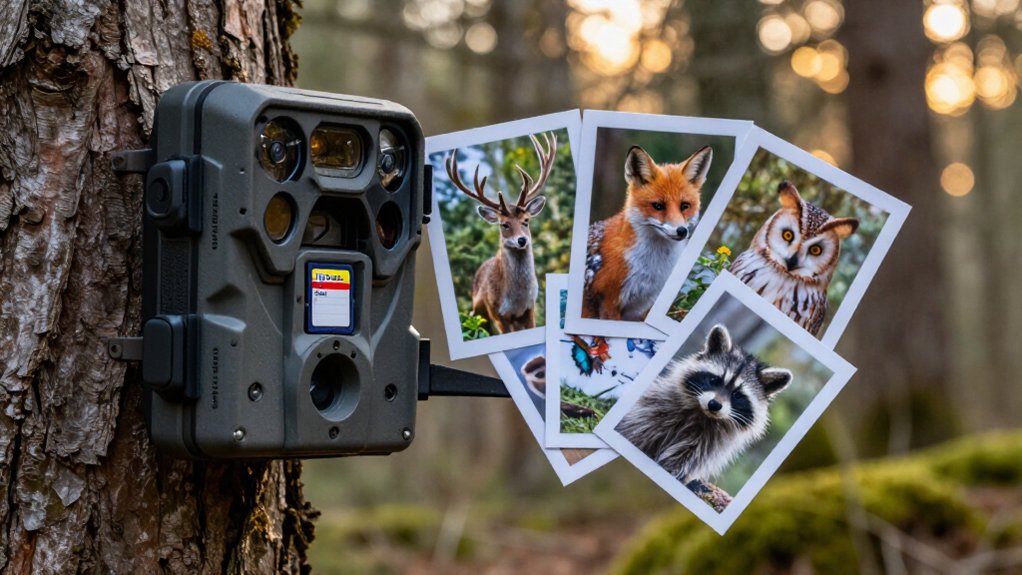
A 32GB SD card will typically hold about 7,600 12MP JPEG photos in your trail camera, based on roughly 29GB formatted usable space.
Your total drops with Fine or Extra Fine quality, detailed scenes, RAW files, burst mode, and triggers.
For multi-shot captures, divide the photo total by your shots per event.
Confirm your camera supports 32GB SDHC/SDXC media, format it as FAT32, and test it before deployment.
The details below help you plan intervals.
Roughly 8,000 12MP Images
A 32GB SD card can typically store roughly 7,600 to 7,700 12MP JPEG photos, about 7,629 under average compression settings, not a guaranteed 8,000. Treat that figure as a planning baseline for your trail camera, not a fixed limit.
Image count depends primarily on the JPEG quality and compression your camera applies. Extra Fine files preserve more detail but consume substantially more space than Standard JPEGs; the difference can approach threefold. If your camera offers a more efficient photo format or lower quality setting, you’ll fit more images, though you may sacrifice detail or compatibility.
Check your trail camera’s manual and test its selected resolution and quality before deployment. Use a conservative estimate when setting capture intervals or extended monitoring periods. Busy sites can fill cards faster.
32GB Formats to 29.8GB
Expect a marketed 32GB SD card to provide only about 28.8 to 29.8GB of usable storage in your trail camera. The difference occurs because manufacturers label capacity in decimal bytes, while computers calculate gigabytes in binary; formatting and the file system also reserve space. Plan from roughly 29GB, not the package label, so your capacity estimate stays conservative.
| Storage | Estimate |
|---|---|
| Advertised capacity | 32GB |
| Usable planning capacity | ~29GB |
| 12MP JPEG estimate | ~7,629 photos |
At this level, JPEG count still changes with image detail, megapixel setting, and Standard, Fine, or Extra Fine quality. RAW uses much more room: at 12MP, cards may hold only about 762 uncompressed files in a worst-case estimate. Check your camera’s actual file format before deploying it. This prevents early premature card-full surprises outdoors.
Nighttime Deer Capture Example
For a realistic nighttime deer setup, plan below the ~7,629-photo 12MP JPEG estimate when your camera uses Extra Fine quality or records detailed infrared scenes with deer fur, vegetation, and textured backgrounds. Your capacity depends on each file’s compression result, not just resolution. Bright IR illumination, sharp fur, branches, leaf litter, and cover preserve more image information, often producing larger JPEGs than sparse, low-detail scenes.
Check the card after several nights rather than relying on a fixed total. If you select Fine or Standard JPEG, you’ll generally fit more captures, but inspect results for acceptable detail. Extra Fine reduces your storage margin, especially where deer repeatedly cross a busy frame. RAW changes the calculation dramatically: a 12MP card may hold about 762 RAW files. Use the camera’s remaining-space indicator and swap cards before your planned check interval.
JPEG Versus Burst-Mode Storage
A 32GB card gives you only about 28.5 to 29.8GB of usable space, so each JPEG’s resolution and quality setting directly sets your photo capacity.
A 12MP JPEG setup may store roughly 7,629 images, while 8MP may hold about 11,444, but Fine or Extra Fine files can use up to three times more space than Standard JPEGs. When you enable burst mode, each trigger writes multiple back-to-back images, so you’ll fill the card far sooner and need a fast U3/V30 card to keep up.
Single JPEG File Sizes
Single JPEG capacity depends on megapixels, compression quality, and what the camera sees. Your 32GB card usually provides only 28.8 to 29.8GB after formatting and file-system overhead, so don’t calculate from the full advertised capacity.
As practical JPEG baselines, expect roughly 7,629 photos at 12MP, 11,444 at 8MP, or 22,888 at 4MP. These are estimates, not fixed limits. A camera set to Fine or Extra Fine preserves more image data than Standard, increasing each file’s size; the difference can approach threefold. Consequently, your card may hold about one-third as many Extra Fine images as Standard images at the same resolution. Scene content also matters: grass, branches, fur, shadows, and detailed backgrounds compress less efficiently than plain, low-detail scenes. Check actual file sizes after testing.
Burst Sequences Consume Space
Burst mode can fill a 32GB card much faster than single-shot operation because the trail camera saves every frame as a separate image file, not as one combined event. At 12MP, a card that holds roughly 7,629 standard JPEGs can lose capacity quickly when each trigger records several frames. Ten images per detection use the same space as ten independent events, so frequent animal activity rapidly reduces your remaining count.
JPEG compression keeps burst storage manageable compared with RAW, but it doesn’t make a sequence free. In a worst-case 12MP uncompressed RAW workflow, a 32GB card holds only about 762 files; a few dozen multi-frame events can consume much of it. Also, near-identical frames from vegetation or moving animals may compress less efficiently, lowering real-world JPEG totals.
Camera Settings Affect Capacity
Camera settings determine whether your 32GB card stores thousands of photos or fills after only a few hundred captures. At 12MP, you might fit roughly 7,629 JPEGs, but compression and quality settings change that estimate substantially. Standard JPEGs use less space than Extra Fine files, and the latter can cut capacity by as much as threefold. If your camera offers RAW, expect files roughly five to ten times larger than JPEGs; thousands can become hundreds.
Burst mode multiplies storage use because each trigger saves several separate files. Shorten the burst, or choose single-shot operation, when you need longer deployments. Also base calculations on about 28.5 to 29.8GB of usable capacity, not the card’s labeled 32GB. Check your camera’s manual for typical file sizes before selecting resolution and trigger settings.
Trigger Frequency and Multi-Shot Settings
Each motion trigger creates new files, so frequent activity can fill your 32GB card far faster than a low-traffic setup. If you select a 2 to 5 photo burst, multiply expected trigger events by shots per trigger instead of assuming one image per detection.
Time-lapse mode can consume storage quickly too, since it records on a fixed schedule whether wildlife appears or not.
Trigger Frequency Impact
Frequent wildlife activity can fill a 32GB SD card far sooner than its headline photo capacity suggests, because every trigger writes one or more files to the card’s roughly 28.5 to 29.8GB of usable space.
At a quiet site, a longer trigger interval limits repeat captures and makes monthly storage use predictable. At busy feeders, trail junctions, or water sources, animals can create back-to-back events, producing in days what light activity creates in weeks. Set your trigger interval for expected traffic, then test the camera where you install it. Review actual file counts and remaining space after several days rather than relying on a generic capacity estimate.
Frequent events demand sustained writes; use a reliable UHS-I U3/V30 card to reduce missed captures during heavy activity periods.
Burst Mode Photo Counts
Burst mode multiplies storage use because one motion trigger saves several JPEGs instead of one. If your camera records five frames per trigger, a 32GB card that normally stores about 7,629 12MP JPEGs provides room for only about 1,500 five-photo events. Divide the card’s estimated single-image capacity by the selected burst count to estimate trigger events.
Higher resolution and Extra Fine JPEGs can use up to three times the space of Standard files, and every additional burst frame compounds that demand. In active locations, repeated bursts fill the card far faster than a simple photos-per-GB figure suggests. Choose one to three shots when you need longer deployments; reserve five to ten shots for fast-moving subjects or when sharp-image odds matter most. Check your settings.
Time-Lapse Storage Use
Time-lapse mode uses the same storage math as burst mode, but its schedule, not animal movement, sets how quickly the card fills. You’ll use storage faster as you increase frames per hour or choose multiple images for every scheduled trigger. A 32GB card offers 28.5 to 29.8GB usable capacity, so don’t plan around its advertised size.
At 12MP JPEG, it holds roughly 7,629 photos, yet RAW capture or a higher quality setting reduces that count substantially. Calculate your run time by dividing photo capacity by your hourly images: scheduled triggers per hour multiplied by shots per trigger. Double the multi-shot setting, and you’ll roughly halve recording time. For time-lapse deployments, especially when you can’t check the camera for a month, use a 64GB card for safer capacity.
Weeklong Backyard Bird Monitoring
For a week of backyard bird monitoring, a 32GB SD card will usually give you enough room, holding roughly 1,000 to 6,000 typical bird photos before it fills. Plan from about 29GB usable space, not advertised capacity; formatting overhead reduces what you can store.
At 12MP, a card holds about 7,629 JPEGs, although Fine or Extra Fine compression lowers that total. Check camera resolution, burst settings, and photo-quality option before deployment. Feeders can generate thousands of triggers, especially when wind moves branches or birds visit. RAW capture can cut capacity to roughly 762 12MP files.
If you use RAW, high-resolution JPEGs, or frequent bursts, carry a 64GB card or swap cards midweek. For ordinary JPEG monitoring, 32GB should cover the full week comfortably in most cases.
Some Cameras Reject SDXC Cards
Capacity isn’t the only limit: some trail cameras reject SDXC cards, which usually start at 64GB, even when the card works normally in a computer or card reader. Many models support SD or SDHC media and impose a 16GB or 32GB ceiling. If you exceed that limit, the camera may display “card not supported,” fail to format the card, or repeatedly attempt and fail to save images.
Don’t assume SDXC support just because a camera accepts an SD card. Check the manual or product page for its card standard and maximum capacity before you buy. Match the specified SD, SDHC, or SDXC category exactly. If the camera can’t initialize the card, replace it with a supported type and capacity, then format it in the camera.
Counterfeit Cards Misreport Capacity
Counterfeit and low-quality SD cards can falsely report 32GB, or far more, to your trail camera while containing much less usable flash memory. Although a genuine 32GB card offers roughly 28.5 to 29.8GB after overhead, a fake may reach its real limit far sooner. Your camera might appear to record normally, then overwrite data, stop saving, or display “card full” during an unattended run.
- Picture checking a bait site weeks later and finding the newest files missing.
- Expect corrupted images or incomplete video clips when writes extend beyond actual flash.
- Consider recycled, low-endurance flash: photo bursts and video can exhaust it quickly.
Buy recognizable brands from reputable sellers. Before deployment, use a trusted capacity-testing tool to confirm the card’s real writable space and expose reporting fraud.
Format FAT32 Before Deployment
Even a genuine 32GB card can fail in the field if its file system doesn’t match what the trail camera expects. Format the card to FAT32 before deployment, because many trail cameras require it for reliable detection and write performance.
Formatting erases everything, so back up needed photos and videos first. It also resets the file-system state, reducing problems caused by leftover files or prior recordings. Confirm your camera’s supported capacity limit: formatting won’t make an oversized or otherwise incompatible card work. Many models top out at 32GB.
After formatting, install the card in the camera and take a short test recording. Verify it saves and plays back correctly before leaving it at the site for an extended, unattended deployment in changing weather conditions.
Conclusion
You can expect a 32GB trail-camera card to store about 8,000 standard 12MP JPEGs after formatting leaves roughly 29.8GB usable. Your actual total changes with night images, resolution, compression, burst settings, video, and trigger activity. Test your camera’s SDXC support, use a genuine card, and format it as FAT32 when required. For busy deer trails or bird sites, check cards weekly and carry a spare to prevent missed captures during peak movement periods each year.