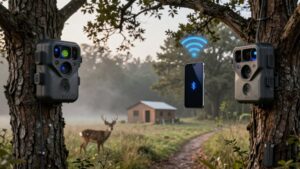
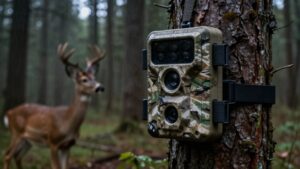
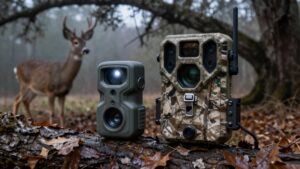
SD Card Viewer vs Card Reader for Trail Cameras: Which Is Better in the Field?
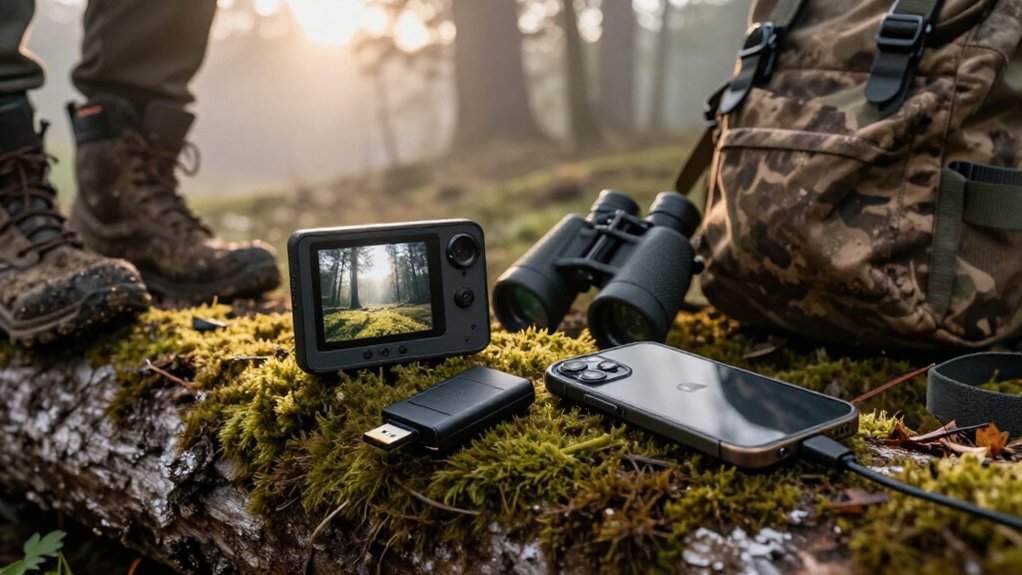
Choose a USB-C card reader if you carry a compatible phone or tablet: you’ll get a sharper screen, file saving, and no Wi-Fi or app requirement.
Choose a dedicated SD viewer when cold, wet, or gloved hands make a screen and controls more practical. Neither is faster with 1080p video; card and interface speed matter.
Check SDHC/SDXC limits, storage, batteries, and keep gear dry before heading out. The comparisons ahead can refine your field setup.
Built-In Screens vs Smartphones
A built-in trail-camera viewer lets you review photos and video right at the camera site, so you don’t need a phone, app, or cellular signal. You can carry a compact 4.3-inch LCD or a tablet-style 7-inch unit; the bigger panel helps you judge antler points, fur detail, and framing without squinting at your phone. Use zoom and brightness controls under cover, because direct noon sun can wash out some viewer screens.
| Setup | What you see | Field image |
|---|---|---|
| Built-in | 4.3-inch LCD | Pine-shadow check |
| Built-in | 7-inch screen | Tailgate-sized view |
| Smartphone | High-resolution display | Bright feather detail |
| Smartphone | Pocket screen | Gloved-hand comparison |
Your smartphone offers a sharper display. It’s practical when you already carry one; high resolution reveals feather edges on distant birds in dim timber at dusk.
Viewer Playback, Reader Transfer
Choose a dedicated viewer when you need to check trail-camera photos or video at the site without depending on a phone. A unit such as the Stealth Cam CRV-43X lets you use its 4.3-inch LCD, zoom in, and play recorded sound through its speaker or 3.5mm jack. It gives playback at the camera, so you can decide whether to move it or leave it.
- Bring a viewer for standalone checks and direct media playback.
- Bring a reader when you want to copy, save, or share files on another device.
- Match formats and connectors before leaving home.
The Stealth Cam 4-in-1 reader accepts standard and microSD cards and connects to phones. USB or USB-C models connect tablets and laptops. Readers transfer files; viewers play media.
1080p Video Load Times
For 1080p trail-camera clips, load time comes down to the SD card’s read speed, the reader or viewer interface, and the device doing the playback—not whether it’s labeled a viewer or reader. A USB 3.0 or 3.1 reader moves clips faster than USB 2.0, but only when your phone, tablet, or computer supports that connection speed. A phone-connected reader uses your phone’s display and storage; a dedicated viewer plays footage on its screen.
Don’t treat screen size or card capacity as a speed rating. The Stealth Cam CRV-43X accepts cards up to 64 GB, while Moultrie’s viewer supports up to 16 GB, yet neither limit predicts video load time. Before field review, confirm camera-card compatibility and use a fast-interface reader for quicker checks.
When you’re checking cards in cold or wet conditions, a dedicated viewer can simplify navigation because its on-device screen and controls avoid the need to operate a phone touchscreen. The CRV-43X’s 4.3-inch display, scrolling, and zoom give you a direct way to inspect shots at the camera site. The Stealth Cam Picture and Video Viewer adds a touchscreen and brightness control, though touch operation may still be awkward with gloves.
- Pick buttons or controls you can locate by feel.
- Test inserting cards, scrolling, zooming, and deleting while gloved.
- Keep connections dry and secure before powering up.
A phone reader remains plug-and-play for viewing, saving, sharing, or deleting files, but you’ll handle both an adapter and phone. Before hunting season, rehearse setup with field gloves.
SDHC/SDXC Support by Device
Card capacity can determine whether your viewer or reader works at all. Check specifications before you buy or pack gear. The listed Stealth Cam viewer handles SD cards up to 64 GB, while Moultrie tops out at 16 GB and the Wildgame VU70 at 32 GB.
Those limits also hint at format support: SDHC cards generally run from 4 to 32 GB, whereas 64 GB and larger cards are usually SDXC. Don’t assume a USB-C reader solves the issue. The Cabor reader is described as working with most trail cameras. Check the reader and your phone, tablet, or computer. Format cards in the camera when possible, and test them before deployment.
Battery Replacement and Upgrade Costs
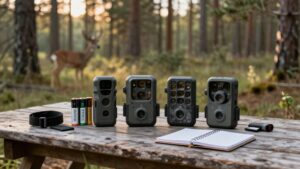
Battery power adds a recurring cost to dedicated trail-camera viewers. The Stealth Cam CRV-43X and Moultrie viewer each use four AAA batteries, while the Wildgame Innovations VU70 needs four AA cells. Before you commit, check what those batteries cost locally and whether stores near your hunting area stock them.
- AAA-powered viewers keep replacements compact, but you’ll buy eight cells for two full changes.
- The VU70’s AA requirement may offer easier sourcing, depending on your area.
- Rechargeables can lower repeat spending, though battery-life and cycle figures aren’t provided.
A USB card reader draws power from your phone, tablet, or computer, so you don’t maintain a separate viewer battery supply. Match battery type and replacement expense to how often you review images afield.
Weather Seals and Screen Durability
Field durability matters just as much as replacement-battery cost if you review images at the truck, blind, or trailhead. A purpose-built viewer with a rugged case usually handles field use better than an exposed phone dongle, which can fail without warning. The Stealth Cam CRV-43X uses rugged ABS plastic, so it should better tolerate routine handling.
Don’t treat any listed viewer or card reader as rainproof. Keep it dry, use it under cover, and don’t set it on wet tailgates or mud. Check maker specifications before outdoor use. The CRV-43X’s 4.3-inch screen has brightness control, but direct sun can wash it out. Shade it before reviewing.
Photo Deletion and Storage Tradeoffs
You can delete obvious blanks and misfires in the field with a dedicated viewer, while a phone reader typically relies on your phone’s file tools. Check available space before pulling cards from multiple cameras, since phone storage or viewer memory can fill quickly. Transfer keepers first, then format the SD card in the camera only when you’re ready to erase everything.
In-Field Photo Deletion
In-field deletion helps you reclaim card space without ending a scouting trip, but it requires a deliberate workflow. A dedicated viewer such as the Stealth Cam CRV-43X lets you inspect files and remove unwanted photos or videos at the stand. It accepts cards up to 64 GB. A phone-connected reader gives you another option: you can save keepers to your phone, then delete copies from the card.
- Review images at full zoom before deleting.
- Transfer every keeper before formatting anything.
- Check your viewer’s deletion controls before leaving home.
Not every viewer clears a card the same way. Moultrie viewers delete individual images, not every file at once, so clearing a card may require formatting it in the camera. Formatting erases everything, so verify your saved files.
Storage Capacity Considerations
Storage planning determines whether deleting files in the field actually solves your problem. A basic card reader sends files to your phone or tablet, so available device storage sets the limit. A dedicated viewer may include onboard memory, but verify its capacity before treating it as backup space.
Also match the viewer to your card size: the Stealth Cam CRV-43X handles up to 64GB, Moultrie supports 16GB, and Wildgame VU70 accepts 32GB. The VU70 can copy one card to another, letting you archive images before deletion. Check whether deletion works individually or in bulk. Before formatting a card for full capacity, transfer every image you want to keep; formatting erases its contents. Carry spare cards for cameras that capture frequent high-resolution video at night.
Backcountry Use Without Service
Without cell service, you can review trail-camera photos in the field with either a dedicated viewer or a compatible phone-and-reader setup. Bring spare AAA batteries for a battery-powered viewer, or fully charge rechargeable gear before leaving. Check your card format and capacity against the device’s limits before the trip.
Offline Photo Access
When you’re off the grid, both SD card viewers and phone-connected card readers let you pull up trail-camera photos directly from the card—no Wi‑Fi or cellular signal required.
A standalone viewer with its own screen keeps review simple when you don’t want to depend on your phone. A compact phone reader saves space, but it must match your device and connector.
- Confirm card type and capacity before hiking; some viewers, such as the Stealth Cam CRV-43X, accept SD cards only up to 64 GB.
- Use a USB-C reader with an iPhone 15 or newer, or an Android phone that supports OTG.
- Prefer a dedicated 4.3-inch LCD viewer if you want to inspect images without unpacking your phone.
Test the setup at home before deployment.
Power And Battery Needs
Power is the deciding factor in the backcountry: a phone-based card reader drains your phone, so carry a charged phone and a power bank if you’ll review many images.
For a dedicated viewer, plan around its battery type. The Stealth Cam CRV-43X uses four AAA cells, while the Wildgame VU70 uses four AA cells. The seven-inch Wildgame Trail Pad Swipe also runs on four AAA batteries, and extended sorting can exhaust them. Pack fresh spare cells in a dry case, and start with installed batteries tested. A rechargeable viewer cuts disposable battery use, but fully charge it before departure and know how you’ll recharge it. With no service, cellular access isn’t needed; match power reserves to your expected review time and trip length outside.
Field Device Compatibility
Service availability doesn’t determine whether you can review trail-camera cards in the field; connector type, card capacity, and battery reserve do. A Cabor USB-C reader works offline, plug-and-play, without an app, but your USB-C iPhone 15+, OTG-compatible Android, laptop, or tablet must accept it.
- Confirm connectors: USB-C won’t fit Lightning directly; dual USB/USB-C readers broaden options.
- Match capacities: Moultrie handles 16 GB, Wildgame VU70 32 GB, and Stealth Cam CRV-43X 64 GB.
- Pack power: your phone needs charge, while the CRV-43X’s self-contained 4.3-inch screen runs on four AAA batteries.
Before hiking in, test the exact card, reader, and host device together before every remote trip. A dedicated viewer eliminates phone-screen and connector dependence; a reader saves gear only when your phone is compatible and charged.
Best Pick: USB-C Card Reader
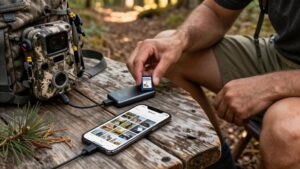
A USB-C card reader is the best choice for fast trail-camera checks if you already carry a compatible phone or tablet. Plug it into your device, insert the trail camera’s SD or microSD card, and review files on a larger, sharper screen than a dedicated viewer provides. You can save, share, or delete images and videos before leaving the property.
Choose a plug-and-play reader that matches both your card format and USB-C port. It works without Wi-Fi or a third-party app, which keeps checks simple at remote sets. iPhone 15 or later and Android devices with USB OTG support can use it. It’s cheaper than a dedicated viewer, but pack a charged phone or tablet and keep the reader handy in your field kit.
Conclusion
For quick checks at the camera, you’ll appreciate a built-in viewer’s simple playback and glove-friendly controls. But for faster transfers, sharper phone viewing, and easier file management, carry a rugged USB-C SD card reader. It handles SDHC/SDXC cards, works without cell service, and avoids draining a trail camera’s batteries during long review sessions. Keep the reader weather-protected, don’t delete originals until you’ve backed them up, and use your camera screen only for essential field checks.