What Kind of SD Card Do Trail Cameras Use? Class, Speed and Brand Picks
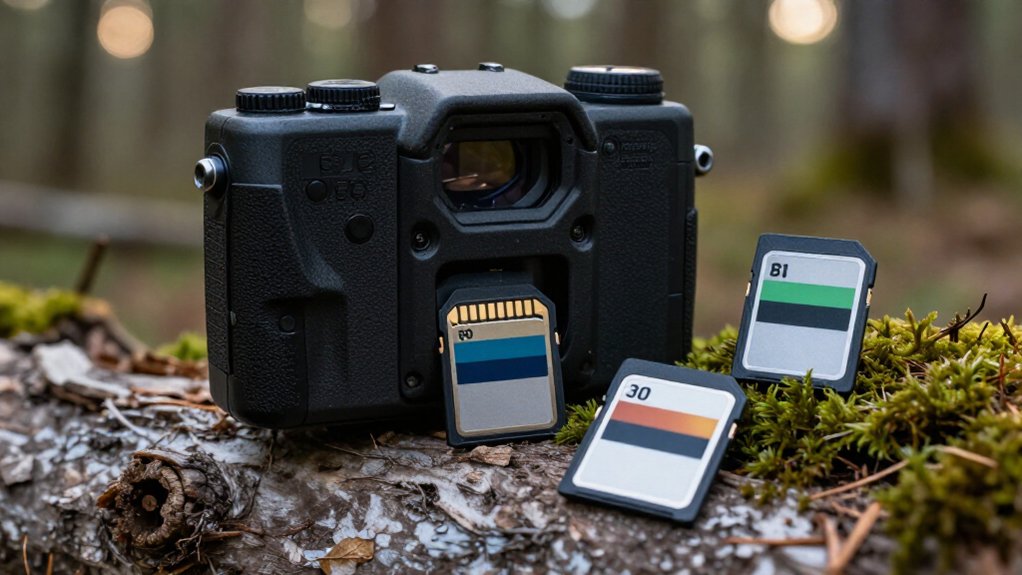
You’ll usually want a full-size 16GB or 32GB SDHC card rated Class 10, which guarantees 10MB/s minimum writes. For burst photos, time-lapse, or video, choose U3/V30 media from Kingston, SanDisk, or Lexar; don’t judge cards by read speed alone.
Check your camera manual for its firmware-set capacity and SDHC/SDXC support, format the card in-camera, and buy from authorized sellers to avoid counterfeits.
Next, you can match capacity, speed, and setup to your camera more confidently.
Use Class 10 SD Cards
Use a Class 10 SD card to give your trail camera the minimum 10 MB/s write speed it needs for dependable photo and video recording.
Choose cards marked “Class 10” rather than older C4-class media, which can cause missed captures, recording interruptions, or erratic operation in the field. For better sustained performance, you’ll often get stronger results from a Class 10/U3 or V30-rated card, especially in cameras that shoot bursts or longer clips.
Buy from established manufacturers with field-ready product lines, such as Kingston Industrial SD or microSD cards, instead of unverified generic options. If your camera shows a card error, freezes, or stops triggering, reformat the card in the camera and verify its rating before replacing it. Check the camera maker’s approved-card list before shopping online.
Class 10’s 10MB/s Minimum
Class 10 refers to an SD card’s minimum sustained write speed: 10 MB/s. That rating is the floor your trail camera needs to save ordinary triggered still photos reliably, without pauses or card-error messages. Choose a genuine Class 10 card from SanDisk, Lexar, or Kingston, and verify the label rather than relying on a vague “high-speed” claim.
For high-resolution video, rapid multi-shot bursts, or busy trigger settings, a U3/V30 card gives you more write headroom. A card that falls below its claimed rating can miss saves or cause errors. If your camera acts up, reformat the card in the camera first, then confirm its genuine Class 10 performance and compatibility with your model before you deploy it on an important scouting trip this season.
32GB Cards Fit Most Cams
A 32GB SD card fits most trail cameras because many models cap supported capacity at 32GB. Still, check your camera’s manual or specifications before buying, since capacity limits vary by model.
For photo-focused wildlife monitoring, 32GB usually stores weeks or months of images, depending on trigger frequency, resolution, and activity. Video consumes space much faster, but 32GB remains a practical middle ground when you want longer deployments without constant card swaps. Match capacity with dependable write speed: choose a UHS-I card marked U3 or V30 to help your camera save bursts and video reliably.
For outdoor use, buy a reputable industrial-grade option, such as Kingston’s Industrial line, rather than a no-name card. Before deployment, format the card inside your trail camera to reduce recording errors.
SDHC vs. SDXC Compatibility
SDHC cards run from 4GB to 32GB, while SDXC starts at 64GB and uses a different file system. If your Browning, Moultrie, or Bushnell trail camera specifies a 32GB maximum, use SDHC rather than assuming it’ll read SDXC.
Check your model’s manual, since format support, not just card capacity, determines compatibility.
Storage Capacity Differences
Storage capacity compatibility comes down to whether your trail camera supports SDHC or SDXC cards. SDHC cards typically top out at 32GB, while SDXC cards start at higher capacities, such as 64GB and 128GB.
Don’t assume a 64GB SanDisk Extreme or Samsung PRO Plus card will work simply because it’s a standard SD card. Some cameras cap storage at 32GB; others accept SDXC but specify a maximum capacity. Check your manual or manufacturer’s specifications before buying.
For garden wildlife monitoring, 32GB to 64GB usually gives you practical room for photos and clips. Choose 128GB only after confirming SDXC support at that capacity. If your camera accepts SDXC, pair capacity compatibility with its required speed rating, often U3/V30, to maintain reliable video recording in use.
Trail Camera Format Support
Before buying a card, check whether your trail camera supports SDHC, SDXC, or both. SDHC cards top out at 32GB, while SDXC models usually start above 32GB. Although both use the same physical card shape, they aren’t automatically interchangeable. Many older or entry-level cameras from Browning, Moultrie, Stealth Cam, and Wildgame Innovations list a 32GB maximum, but limits vary by model and production generation.
Use the manufacturer’s manual or official specifications, not retailer listings, to verify the supported card type and maximum capacity. Installing an unsupported SDXC card can cause incorrect recognition, card errors, freezes, or missed triggers. If your camera won’t detect a card or behaves unreliably, test a known-compatible SDHC card at the stated capacity limit. This quick comparison helps isolate a compatibility issue.
File System Considerations
Although SDHC and SDXC cards share the same physical size, they use different capacity ranges and file systems that can affect trail-camera compatibility.
Check your camera’s manual before choosing a card. SDHC typically covers 4GB to 32GB and commonly uses FAT32; SDXC runs from 64GB to 2TB and usually uses exFAT. Many older trail cameras recognize only SDHC, and many current models still cap capacity around 32GB.
If you install an unsupported SDXC card, your camera may display “card error,” fail to trigger, or show an empty card. Choose a supported 16GB or 32GB card from a dependable line such as SanDisk Extreme or Kingston Canvas Select. Then format it in the camera, not just your computer, so it creates the file structure your model expects.
Firmware-Imposed Capacity Limits
Check your trail camera’s manual or product specifications for its firmware-set SD capacity limit, since brands such as Browning, Moultrie, and Reconyx can differ by model. Firmware controls which card capacities and file systems the camera can format and record to, so don’t assume a 64GB or 128GB card will work when the limit is 32GB.
If your model supports an update, follow the manufacturer’s exact firmware instructions and use a fully charged battery to avoid interrupting the process.
Check Manufacturer Capacity Limits
Your trail camera’s firmware sets a hard ceiling on SD card capacity, and that limit varies by brand and model: from roughly 16GB on older units to 512GB on newer cameras. Check your exact model’s manual or manufacturer product page before ordering; “works in all cameras” claims don’t prove compatibility.
| Camera support listed | Your card choice |
|---|---|
| Up to 16GB | Buy 16GB or smaller |
| Up to 32GB | Choose 16GB or 32GB |
| Up to 512GB | Don’t exceed 512GB |
Many models stop at 32GB, so don’t assume a 64GB card will work. An unsupported card can trigger card errors, prevent recording, or leave the camera unable to read files. If your Browning, Moultrie, Spypoint, or Bushnell model allows larger cards, match its published maximum exactly. That prevents failures.
Why Firmware Sets Limits
Firmware, not the label on the card, determines the largest SD capacity your trail camera can recognize. A 512GB SanDisk or Lexar card may be genuine and fast, yet an older camera’s firmware may only address 16GB, 32GB, or another specified range. When you exceed that ceiling, the camera can display a card error, refuse to mount storage, or miss triggers because it cannot manage the card correctly.
Firmware also governs compatibility beyond capacity. Your camera may expect a particular SD architecture and write-performance baseline, often UHS-I U3 or V30 for dependable video. A higher-rated card isn’t automatically compatible. Likewise, firmware in some models doesn’t reliably initialize a microSD card in an adapter. Check manual and product specifications; buy a full-size card within the GB limit.
Updating Camera Firmware Safely
A firmware update can expand or refine SD-card support, but it won’t guarantee that your trail camera accepts every larger-capacity card. Before you buy a higher-capacity SanDisk, Lexar, or Kingston card, verify your exact model’s maximum size in its manual or manufacturer specifications; many cameras still top out around 32GB.
Follow the brand’s update instructions, and keep the camera on batteries or an approved power source throughout. Lost power can corrupt the update and misconfigure card handling. When the update finishes, reinstall the same supported card, then use the camera’s format command if prompted. Don’t assume a compatible SDXC card will work: unsupported capacity can cause card errors, failed writes, or missed triggers. Test 16GB or 32GB cards first; use supported formats, not adapters.
Time-Lapse Recording Example
For a month-long time-lapse overlooking a food plot, use a 32GB or 64GB UHS-I card rated U3/V30 and Class 10, such as an endurance or industrial model from Kingston, to sustain reliable frame-by-frame writes. Set the camera’s interval, confirm its supported capacity, then format the card in the camera before deployment. U3 or V30 indicates a sustained video-write class and helps your trail camera save images consistently without dropped frames.
Don’t choose solely by the read-speed number on the label. Look for Class 10, U3/V30, and roughly 90MB/s or higher read speed from Kingston Canvas Go! Plus or Industrial. For a longer unattended setup, move to 128GB only if your camera supports it. Endurance-oriented cards use wear leveling and error correction for repeated outdoor writes over time.
Counterfeit Cards Misreport Capacity
Counterfeit SD cards can report 128GB or 256GB while containing far less usable storage, so your trail camera may show “card full,” corrupt footage, or stop recording long before you expect. Check the label and product page against the capacity your camera reports. A fake may also print U3/V30 ratings yet write too slowly, causing missed triggers or card-error events. Buy Kingston Industrial or other established brands from authorized sellers; their endurance testing is far more trustworthy than marketplace listings. Format the card in your camera, then record and review test files before deployment. Keep receipts and inspect packaging for inconsistent printing.
| Warning sign | What you should do |
|---|---|
| Capacity mismatch | Return it |
| U3/V30 performs poorly | Stop using it |
| Files fail after formatting | Replace it |
Avoid microSD Adapter Failures
Often, a microSD card in an SD adapter creates avoidable card errors or missed triggers in trail cameras that require full-size SD media. Some Browning and Bushnell units can be particularly picky about adapters, even when the microSD card itself is reliable. Before you compare speed classes, verify the physical card format your camera specifies.
- Use a full-size SD card in cameras with an SD slot whenever possible.
- Use microSD directly only in models built for it, including NatureSpy Helarctos and SpyPoint Flex cameras.
- Check the adapter’s contacts and lock switch if you must test one; poor contact timing can interrupt writes.
- Follow your brand’s model-specific guidance, then test the setup before relying on it for a season.
Adapters can fail despite quality cards.
Format Cards In-Camera First
Before you deploy a trail camera, format the SD card in the camera itself so it creates the file system and write structure that model expects. This camera-specific handshake avoids compatibility issues that computer formatting or a card previously used in another device can leave behind.
| When | What you do |
|---|---|
| New, swapped, or troublesome card | Back up files, then run the camera’s full Format command. |
| Card error, freezes, or unreadable captures | Reformat first; it often restores reliable write behavior. |
Formatting erases every image and video, so copy anything important before you confirm. Keep one routine: format cards in your Browning, Reconyx, Spypoint, or Moultrie camera, then avoid bouncing them among devices and file formats. Consistent in-camera formatting keeps cards reliable during long-term field use.
Conclusion
You’ll get the most reliable trail-camera performance with a full-size Class 10 SD card from SanDisk, Lexar, Kingston, or Samsung. Choose 32GB unless your camera explicitly supports larger SDHC or SDXC capacities, especially for time-lapse footage.
Verify the manufacturer’s capacity limit, buy from authorized sellers to avoid counterfeit cards, and skip microSD adapters when possible. Format each card in your camera before deployment, then test it for recording speed and file reliability in the field.