4K Vs 1080P Trail Camera: Video Quality, File Size and Battery Cost
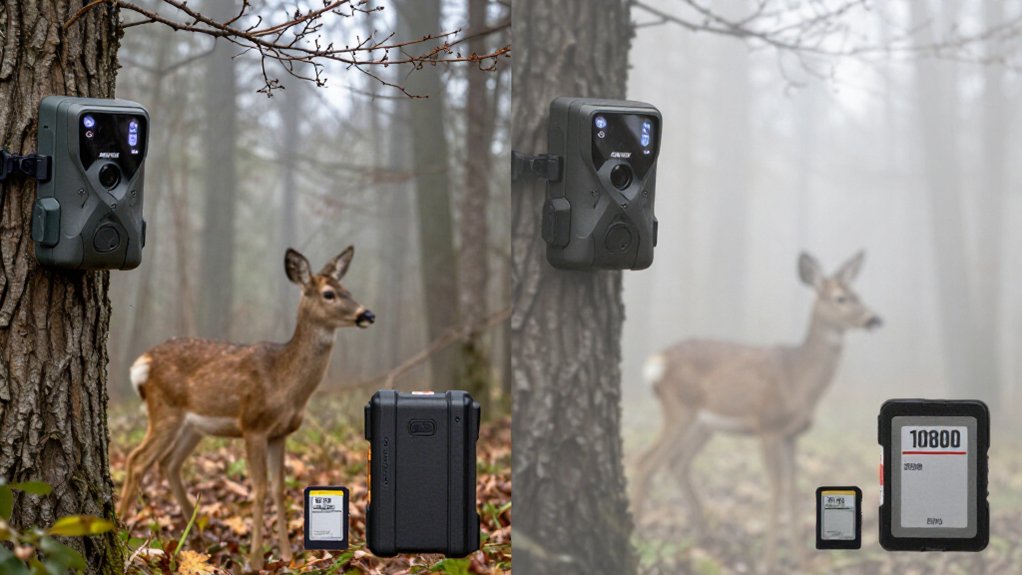
Choose 4K when you need maximum antler-identification detail: it records 3,840 × 2,160 pixels (8.3MP), versus 1080p’s 1,920 × 1,080 (2.1MP), giving you nearly four times the cropping latitude.
You’ll need larger SD cards, more processing, and potentially more power during frequent triggers; sustained recording also creates heat. Choose 1080p for routine 30-second clips, smaller files, faster wireless transfers, and longer retention.
Your setup, night footage, and playback hardware determine the best specification. The sections below explain the tradeoffs.
4K Needs Larger SD Cards
Because 4K records 3,840 × 2,160 pixels—roughly four times the pixel count of 1080p—it produces substantially larger video files and fills SD cards faster. You’ll want at least a 64GB card for extended high-resolution deployments. Your retention period depends on clip duration, recording frequency, and compression settings, so long or frequent captures require additional capacity.
| Deployment | SD-card guidance |
|---|---|
| Extended 4K use | 64GB or larger |
| Space conservation | Shorter clips or lower resolution |
Set a clip limit that matches your retrieval schedule, and verify available capacity before deployment. If the card approaches full, shorten clips or select lower-resolution recording; this preserves space and reduces the risk of losing later footage before collection. Review card status during each visit and replace media when planned recording demand increases.
8.3MP vs. 2.1MP Video
Storage demand reflects the large resolution gap: 1080p records 1,920 × 1,080 pixels, or about 2.1MP per frame, while 4K records 3,840 × 2,160 pixels, or about 8.3MP. That 4K frame contains nearly four times 1080p’s pixel data, which can help you inspect subjects more closely and fill large displays with greater spatial information.
- 1080p: 2.1MP per frame; baseline resolution for routine capture.
- 4K: 8.3MP per frame; fourfold sampling density.
- Review benefit: you can crop or enlarge frames with more source pixels.
- Quality limit: your sensor, lens, processor, and infrared system still determine usable footage.
Higher resolution doesn’t independently guarantee better video, and 4K’s larger files consume more SD-card capacity and cellular data than 1080p clips when transmitted off camera.
Daylight Detail Versus Night Noise
In daylight, 4K’s 3,840 × 2,160 frame captures about four times the pixels of 1080p, giving you more detail for identifying antler points, plumage, tags, or other wildlife features after zooming or cropping. That pixel advantage improves daylight evidence, but it doesn’t determine low-light image quality.
At night, sensor sensitivity, lens transmission, processing, and infrared flash output control exposure, motion definition, and usable contrast. A weak IR illuminator can produce blurred, underexposed 4K footage, whereas a capable sensor-and-flash system can deliver identifiable 1080p images. Higher resolution may also expose noise, compression artifacts, and uneven illumination more clearly. For dawn, dusk, and overnight scouting, prioritize clean, evenly exposed infrared sample footage over the 4K label. Compare real clips for subject distance, flash range, and detail retention.
Menu Setup and Clip Review
Set the video-resolution menu to 1080p for routine phone or laptop review, or select 4K when you need cropping latitude, fine-detail inspection, or playback on a larger display. Match that choice to your SD-card capacity, cellular-data allowance, and required subject detail. Before deployment:
- Record a daylight test clip; verify fur patterns, antler points, and motion rendering.
- Record an infrared test; assess focus, exposure, noise, and flash reach.
- Review both clips on your intended device and confirm usable wildlife detail.
- If 4K files strain card space or data limits, shorten clips or lower transmission resolution before deployment.
Resolution doesn’t independently determine clarity: sensor output, lens quality, image processing, and infrared illumination set the practical detail threshold. Use the setting that meets those measured requirements consistently.
4K TV and Computer Support
A 4K trail camera records 3,840 × 2,160 video, but you need a 4K-capable TV or computer display, plus compatible playback software or an app, to view that detail at native resolution. 4K contains four times the pixel count of 1080p, which records 1,920 × 1,080.
If you review 4K clips on a 1080p screen, your device scales the image down to 1,920 × 1,080, eliminating the visible resolution benefit. Before selecting 4K, verify that your TV, monitor, computer graphics hardware, operating system, and video player support 3,840 × 2,160 playback. Larger 4K screens make fine fur, antlers, tags, and distant movement easier to inspect. Without a compatible display and player, you can still watch the file, but 1080p may deliver the same viewable detail.
Warranty Length and Replacement Costs
Eligible trail cameras include a two-year in-house warranty, extending the standard one-year manufacturer warranty by one year. That 24-month term can materially affect your ownership-risk calculation.
- Confirm your exact model qualifies for the in-house extension.
- Compare the 12-month manufacturer term with the added 12 months.
- Read exclusions to determine whether a defective unit receives repair, replacement, or another remedy.
- Use the separate 90-day full-refund window if the camera doesn’t meet your requirements.
You can’t assign a reliable dollar value to warranty protection without stated fees and remedies. Before buying, request or review model-specific terms, including coverage limits, shipping responsibility, and any replacement-cost schedule. This helps compare ownership costs.
Heat Can Limit 4K Recording
Heat can constrain 4K trail-camera recording because larger files require more sustained processing and memory-card writes than 1080p clips. That higher workload generates heat across the image processor, encoder, and storage path during each recording.
In hot ambient conditions, repeated triggers or long clips can push your camera toward its thermal limits. It may stop a 4K clip early or reduce performance, depending on its control logic. No universal temperature threshold or recording-time limit applies, so check the manufacturer’s specifications and test the unit where you’ll deploy it. Use shorter clip durations and leave intervals between activations to reduce sustained load. Follow the camera’s operating guidance if it specifies stricter limits. This helps preserve recording stability during summer deployments under direct sun exposure outdoors.
1080p Enables Faster Wireless Transfers
With 1,920 × 1,080 pixels versus 3,840 × 2,160, 1080p typically produces smaller clips that your trail camera can upload faster. You’ll also use less cellular data, making 1080p a better fit for limited data plans and remote video checks. Network coverage and the camera’s connection still affect delivery speed, but shorter clips or lower transmission settings can reduce upload time further.
Smaller Files Transfer Faster
Because 1080p records far fewer pixels than 4K, it produces smaller video files that typically move faster over Wi‑Fi or cellular connections. 4K contains roughly four times as many pixels, so each minute generally demands substantially more encoded data. When your trail camera must send clips promptly, 1080p reduces the payload your connection must carry.
- Lower pixel load: 1080p captures 2.07 million pixels per frame; 4K captures about 8.29 million.
- Shorter uploads: Smaller files can finish sooner on limited-strength signals.
- Reduced transmission demand: Selecting 1080p, or a lower send resolution, decreases data sent per clip.
- More dependable delivery: Your camera can transfer practical clips when coverage fluctuates.
Resolution isn’t the only variable: upload time also depends on bitrate, clip length, camera performance, and available bandwidth.
Better Fit for Cellular Plans
For cellular trail cameras, 1080p usually offers a better balance of usable video detail and data-plan efficiency. A 1080p clip contains 1,920 × 1,080 pixels, while 4K delivers 3,840 × 2,160, roughly four times as many pixels. That added resolution increases file size, so your camera generally needs more time and cellular data to upload each 4K recording. When the camera sends frequent clips, this difference can push you toward plan limits or higher monthly charges.
Set 1080p for routine monitoring, especially if you review footage on a phone. You can further control usage by selecting shorter clip lengths and lower transmission resolution. Reserve 4K uploads for locations where you need maximum detail for identification or post-capture cropping. Otherwise, 4K files consume more allotted data.
4K for Antler Identification
With 3,840 × 2,160 pixels, 4K gives you four times the pixel count of 1080p, helping you inspect tine points and crop distant deer with less detail loss. You’ll benefit most when reviewing footage on a large display or enlarging animals near the frame edge. However, you shouldn’t rely on resolution alone—test low-light footage, since the camera’s sensor, lens, focus, and processing determine whether antlers remain clear.
Fine Point Detail
Resolution matters most when you need to count points or compare tine shape: 4K records 3,840 × 2,160 pixels, roughly four times the pixel count of 1080p. That 8.3-megapixel frame retains more visual data than 1080p’s 2.1 megapixels, helping you separate short points, forked tines, and irregular edges during close review.
- Choose 4K when individual-deer identification depends on antler configuration.
- Use a sharp lens and accurate focus; resolution can’t restore blurred tine boundaries.
- Check sensor performance, exposure, and infrared illumination, since low light reduces usable detail.
- Select 1080p for routine scouting when broad body size, movement, and presence matter more than point-level confirmation.
On large displays, 1080p may render fine antler features less distinctly. Reliable identification requires 4K, adequate lighting, optics, and consistent focus.
Distance And Crop Flexibility
Distance changes how much of the sensor the deer occupies, and 4K gives you more room to crop when antler identification depends on a small or edge-of-frame subject. A 4K clip contains 3,840 × 2,160 pixels, roughly four times the pixel count of 1080p. If you crop a distant buck to examine its rack, that larger source file retains more pixels for tine separation, beam shape, and point counts.
You can also reframe an animal entering along the frame boundary without enlarging it as aggressively. On a large review screen, this reserve resolution can make identification decisions more practical. With 1080p, general viewing remains adequate, but a small deer quickly becomes soft after enlargement. Don’t treat resolution as a guarantee: lens sharpness and sensor quality determine usable antler structure.
Low-Light Antler Clarity
At night, 4K’s 3,840 × 2,160 capture can retain more antler pixels than 1080p when you enlarge a buck’s head or crop an edge-of-frame subject. That pixel reserve can separate tines after cropping, but resolution doesn’t repair underexposure, motion blur, a weak infrared flash, or a poor lens.
- Prioritize sensor size: larger sensors gather more light per pixel, reducing nighttime noise.
- Verify infrared reach and exposure; uneven illumination can erase tine edges.
- Review native nighttime samples at your intended distance, not promotional daylight clips.
- Compare storage:
Choose 1080p for 30-Second Clips
Choose 1080p for 30-second clips when you only need clear wildlife viewing on a phone or laptop. A 1080p frame records 1,920 × 1,080 pixels, providing standard detail for identifying routine animal behavior. By comparison, 4K captures 3,840 × 2,160 pixels, which supports tighter crops and closer inspection.
If you’re not enlarging footage to examine antlers, tags, or distant subjects, the extra resolution offers limited practical benefit.
A 30-second 1080p clip also requires less storage than a comparable 4K recording. This reduces SD card consumption across extended deployments and delays card replacement or overwrite cycles. For cellular trail cameras, smaller files can also lower data use during transmission. Pair 1080p with short clips to keep capture volume manageable while preserving watchable, practical wildlife video.
Conclusion
Choose 4K when you need maximum daylight evidence: its 8.3MP frame captures four times 1080p’s 2.1MP detail, helping you identify antlers and distant features. Budget for larger SD cards, higher battery draw, heat limits, slower wireless transfers, and compatible 4K displays or computers. Select 1080p for dependable 30-second clips, faster review and sharing, smaller files, and longer field runtime. At night, sensor noise can reduce 4K’s practical advantage, so test both modes locally before deployment.