What Size SD Card for a Trail Camera? Capacity Chart for Photos and Video
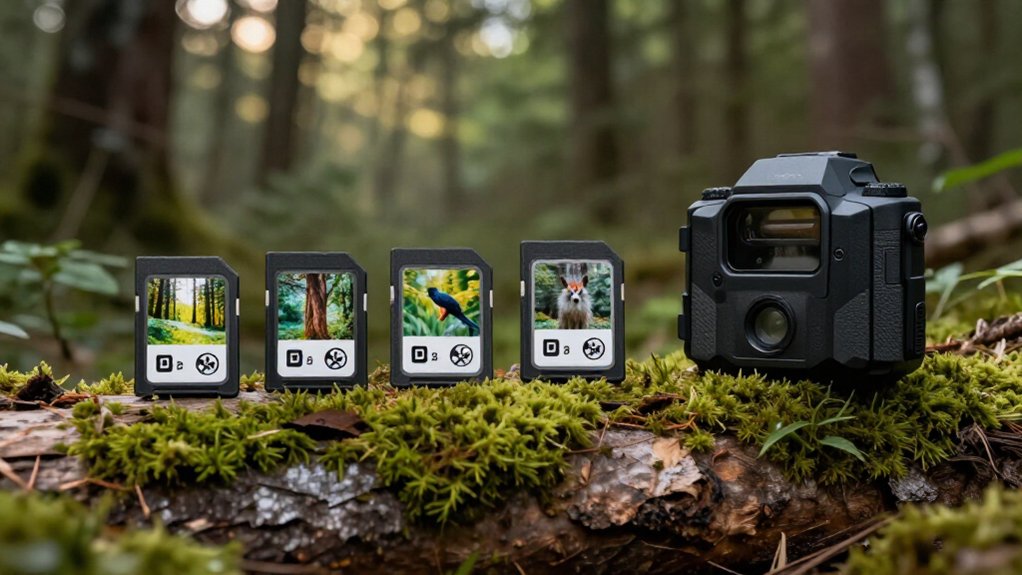
Choose a 32GB SDHC Class 10 card for most trail cameras: it offers about 29 to 30GB usable space, roughly 3,500 to 10,000 photos, or about 425 minutes of HD video.
Use 16GB for short, photo-only checks; choose 64GB only if your camera supports SDXC. At bait sites or with video, calculate daily use and leave headroom.
Format the card in-camera, and never remove it while recording. The guidance below explains compatibility, capacity, and card-care steps for your deployment.
32GB: Balanced Capacity Choice
A 32GB SD card offers a practical balance of storage, compatibility, and cost for moderate trail-camera use. You’ll typically get about 29–30GB of usable formatted space, enough for roughly 3,500–10,000 photos, depending on your camera’s resolution, compression, and image settings. It suits setups you inspect about once a week, including routine photo capture and standard video clips.
Select a Class 10 or UHS-I U1 model for photos and regular video; use U3 if your camera records 4K footage. Before purchasing, confirm the camera’s supported card capacity, because many older or budget models accept a maximum of 32GB. After installation, format the card through the camera’s menu. This clears existing files and creates the file structure your camera expects, reducing recording and recognition potential problems.
16GB–64GB Capacity Comparison
16GB to 64GB Capacity Comparison
Choosing between 16GB, 32GB, and 64GB depends on how often you check the trail camera and whether it records video. A 16GB card works for short deployments or frequent checks, storing about 4,310 JPG photos or 210 minutes of HD video.
| Capacity | Practical estimate |
|---|---|
| 16GB | 4,310 JPG photos or 210 minutes HD video |
| 32GB | 8,620 JPG photos or 425 minutes HD video |
| 64GB | Longer deployments; confirm SDXC support |
A 32GB card is the flexible default: it usually leaves 29 to 30GB usable after formatting and can hold roughly 3,500 to 10,000 photos. Choose 64GB when you record video frequently or can’t service the camera soon. Higher recording resolutions, especially 4K, consume capacity far faster than still images.
Match the card to your recording schedule, then verify your camera supports SDXC before buying 64GB. For remote sites, leave headroom rather than filling the card completely; a full card stops new captures until you replace it promptly.
Megapixels, Megabytes, and Gigabytes
Megapixels measure image resolution, while megabytes measure the storage consumed by each saved file, two specifications that affect SD-card capacity differently. You can expect a typical 20-megapixel trail-camera JPG to occupy about 6MB. A 10-megapixel image usually uses less space, so selecting higher resolution fills your available gigabytes faster.
Gigabytes describe total card capacity, but usable space is lower after formatting. For example, a 32GB card typically leaves roughly 29–30GB available. Depending on compression, resolution, and camera settings, that space may hold about 3,500–10,000 photos; rough estimates include 8,620 JPGs or 595 RAW files. Video consumes storage much faster: a 10-second HD clip is about 20MB, while 4K footage generally requires more. Check your camera’s formats and video mode before estimating card changes in field.
SDHC: 4GB–32GB
SDHC cards span 4GB to 32GB, and a 32GB model gives you about 29–30GB usable space for roughly 3,500 to 10,000 photos, though video fills it much faster. Check your trail camera’s manual, since many older and budget models support SDHC only and impose a 32GB maximum. Use a Class 10 or U1 card, then format its FAT32 file system in the camera before deployment.
SDHC Capacity Range
For trail cameras that support SDHC media, you can use cards from 4GB to 32GB, with 32GB as the format’s maximum capacity. SDHC cards use the FAT32 file system, which is why cameras designed only for SDHC media generally can’t accept cards larger than 32GB. Although a card is labeled 32GB, formatting and file-system overhead leave roughly 29GB to 30GB available for camera files.
For most compatible trail cameras, a 32GB Class 10, U1 card offers an appropriate balance of capacity and sustained write performance for image capture and short video clips. Lower-capacity SDHC cards can work when you check cameras often or want separate cards for different locations. Before buying, check your camera manual: manufacturers can impose a lower capacity limit by model.
Photo Storage Estimates
Photo capacity on a 4GB to 32GB SDHC card varies with each image’s actual file size, which typically ranges from about 3MB to 8MB in trail-camera JPG files. If you prioritize still photos, this range gives you flexibility. An 8GB card can store more than 2,000 images from a 10-megapixel camera under typical conditions. A 16GB card may hold up to 4,310 JPG photos, while a 32GB card may hold up to 8,620.
Expect a 32GB card to show roughly 29–30GB of usable space, supporting about 3,500 to 10,000 photos depending on resolution, compression, and scene detail. Choose the lower estimate when your camera produces 8MB files, and use higher estimates only for smaller files. Check your camera’s image-size setting and test a batch before leaving it unattended.
Video Recording Limits
Video fills a trail camera’s SDHC card much faster than still images, so plan capacity around resolution and bitrate. A 16GB card stores about 210 minutes of HD video, while a 32GB card stores roughly 425 minutes. For 4K, expect approximately 40 minutes on 16GB and 85 minutes on 32GB.
Those figures describe estimates, not guarantees. Higher bitrates, longer trigger clips, audio recording, and settings that increase detail consume space faster. A 32GB SDHC card typically yields only 29–30GB of usable space, not its labeled capacity.
Calculate your needs from the camera’s selected resolution and clip length, then leave headroom for extra activity and avoid losing later recordings when the card fills. Use shorter clips to capture more events before you retrieve the card again.
Camera Compatibility Checks
Confirm your trail camera’s supported card type and maximum capacity before you buy storage: a model rated for SDHC typically accepts 4GB to 32GB cards and won’t use larger SDXC cards. Check the manual, product specifications, or manufacturer support page for both the card standard and stated capacity limit. Don’t assume a 64GB or 128GB card will work simply because it fits the slot; SDXC cards exceed the SDHC range and commonly use exFAT, while SDHC-compatible cameras may expect FAT32.
For many older or budget trail cameras, a 16GB or 32GB SDHC card is the practical maximum. Match the card’s label to the camera requirement, verify the capacity before deployment, and test recognition at home. This prevents missed captures caused by an unsupported card issue.
Formatting SDHC Cards
For an SDHC card from 4GB to 32GB, format it in the trail camera before deployment so the camera creates the FAT32 file structure it expects. Use the camera’s Format command, usually under Setup or System, for new cards and cards you’ve reused. Formatting permanently erases stored files, so transfer any photos or video you need to a computer first.
If you must prepare the card on a computer, select FAT32 in Windows or MS-DOS (FAT) on a Mac. Don’t use exFAT or NTFS. When the camera displays a card error, power it off, inspect the write-protect switch, confirm the card is fully seated, then restart and run the in-camera format. This process clears incompatible folders and resets the card for reliable recording consistently.
Calculate Days Between Card Swaps
Estimate your swap interval by dividing the card’s usable capacity by your camera’s average daily storage use. A 32GB card typically leaves about 29–30GB available after formatting, so at 1GB per day, you’ll swap it every 29–30 days. Base the daily figure on field results: fifty 10-second HD clips at roughly 20MB each consume about 1GB.
Photos usually occupy 3–8MB, meaning 1GB stores approximately 125–330 images before other files. Video, burst mode, and time-lapse accelerate consumption. Check storage use after an initial deployment, calculate the actual daily average, and shorten or extend your schedule accordingly. For a reliable margin, plan visits before the calculated limit rather than exactly at it. Seasonal activity, placement near trails, and changing video settings can alter daily use substantially too.
Avoid Removing Cards Mid-Write
A planned swap schedule protects capacity, but safe handling protects the data already on the card. Never remove an SD card while your trail camera is saving a motion-triggered photo, burst sequence, video, or time-lapse file. Cutting power or ejecting the card during that write can corrupt the file and damage the card’s file system.
Before opening housing, confirm recording has ended and its status or access light is off. For a video clip or time-lapse, wait for the camera to finish processing. Then turn the camera off before removing the card, unless the manufacturer authorizes hot-swapping. If you accidentally pull a card mid-write, copy readable files to another device immediately. Next, format the card in the camera before returning it to service.
Bait Sites Need More Storage
Bait sites generate far more motion triggers than quiet trails, so they can exhaust SD card capacity quickly. You’ll capture repeated visits, feeding activity, and animal interactions, increasing both file count and total storage use. A 32GB card may store roughly 3,500–10,000 photos, but the actual total depends on image resolution, burst settings, and file size.
Video fills space faster: a 10-second HD clip can use about 20MB. If your bait site records photos and video, choose a 64GB card when your camera supports it. For long deployments or frequent clips, consider 128GB only after verifying compatibility. Check the card regularly and format it in the camera before redeploying. This routine keeps storage performance consistent and preserves reliable capture operation during intensive monitoring periods.
Resolve “Card Full” Alerts
When your trail camera displays “Card Full,” it may stop recording or overwrite the oldest files, depending on its overwrite-loop setting. Video, particularly 4K, consumes space rapidly; even a 10-second HD clip can use about 20MB. Work through these checks before returning the camera to service:
- Confirm whether overwrite is enabled; turn it on only if you’re comfortable replacing oldest captures.
- Back up wanted photos and clips before cleanup.
- Format the card in the camera; this erases everything but rebuilds its file structure.
- Don’t rely solely on computer-based deletion, which can leave camera-recognized file entries.
- Inspect the write-protect lock and reseat the card firmly.
Then power-cycle the unit, take several test images, and confirm its display clears before you leave the camera deployed.
Verify Camera Capacity Limit
Check your trail camera’s manual or product specifications for its maximum supported card capacity before you buy a replacement or upgrade. Limits depend on the model, not simply the card’s advertised storage. Verify these details:
- SDHC-only support: 32GB maximum, usually FAT32.
- SDXC support: 64GB, 128GB, or higher, if listed.
- Physical format: full-size SD versus microSD.
- Required file system and any recommended formatting procedure.
- Manufacturer confirmation when specifications omit capacity data.
Older and budget cameras often stop at 32GB, while newer units may handle larger cards. Don’t assume a 64GB SDXC card will initialize in an SDHC camera; it may be unreadable. Test one compatible card in the camera before deployment.
Conclusion
For most trail cameras, you’ll get the best balance with a 32GB SDHC card: it stores substantial photo or video activity without making swaps, backups, and card failures costly. Match capacity to your camera’s resolution, video length, trigger rate, and site activity. Use 16GB for light monitoring and 64GB only if your manual supports it. Give bait sites extra capacity, check cards before deployment, calculate recording days, and swap them safely after writing fully completes.