Bluetooth vs WiFi Trail Camera: Range, Speed and Battery Drain Compared
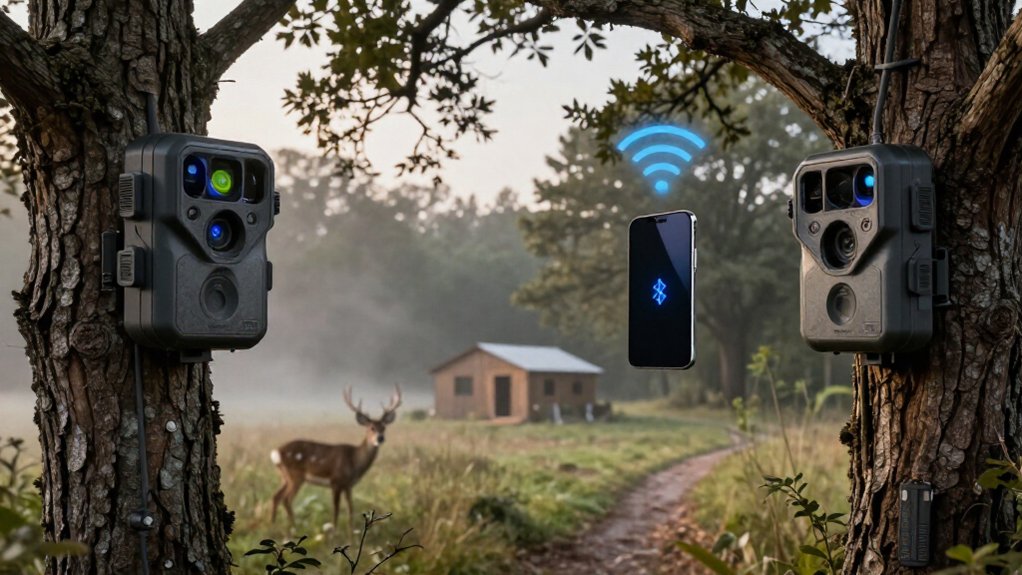
Choose Bluetooth when you’ll check settings or images nearby: pairing and wake-up usually work within about 30 feet, but it’s slow for long clips.
Choose Wi‑Fi for faster local photo and video downloads, typically at 20–50 feet and up to roughly 100 feet with a clear path.
Neither sends stored media remotely without internet-capable Wi‑Fi or cellular service. Both radios consume power during use, while cellular uploads and live view drain batteries fastest.
Range, transfer tests, and feeder setup details matter.
Bluetooth 30-Foot, WiFi 100-Foot Range
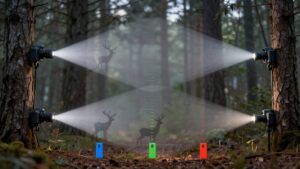
Bluetooth typically handles initial pairing or camera wake-up at roughly 30 feet, while the camera’s WiFi hotspot can support local photo and video downloads from up to about 100 feet under favorable conditions. Treat these figures as line-of-sight estimates, not guaranteed operating limits. Trees, terrain, walls, and dense vegetation reduce usable distance. Check the specification sheet because advertised WiFi often means a camera-created hotspot, not router access.
| Task | Range | Constraint |
|---|---|---|
| Wake | 30 ft | Obstacles |
| Downloads | 100 ft | Clear path |
| Retrieval | Close range | Verify specs |
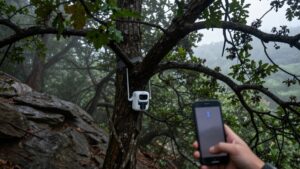
For reliable local retrieval, stand nearby, face the camera directly, and minimize foliage or structural barriers. Test range at the installation site; seasonal leaf growth and uneven ground can change results. Record your farthest stable distance before each field deployment.
Bluetooth Pairing vs WiFi Hotspots
Although both features support phone-based access, they serve different functions: Bluetooth typically wakes, pairs, or controls a nearby trail camera, while the camera’s WiFi hotspot transfers photo and video files.
Bluetooth pairing establishes a short-range control link; it doesn’t turn your camera into a remote image-delivery device. You can use it to wake the camera or adjust settings when you’re nearby, but it generally won’t send stored media to you at distance.
Most trail-camera WiFi systems create a temporary local hotspot, not a connection through your home router. Your phone joins that network directly, letting you preview or download files without consuming cellular data. In conditions, stay within roughly 20 to 50 feet; trees, terrain, and other obstructions reduce usable range. Remote delivery requires cellular.
1080p Download Times Compared
For a 1080p trail-camera clip, download time depends on file size and actual link speed, not resolution alone. A 10 MB clip needs roughly 8 seconds when your measured throughput is 10 Mbps, versus 80 seconds at 1 Mbps, before protocol and app overhead. This tenfold difference shows why nominal resolution is a weak predictor.
For large clip transfers, you’ll generally use the camera’s short-range Wi-Fi connection; Bluetooth commonly wakes or pairs the camera instead of carrying video. Test performance with the identical clip and phone at a fixed distance. Wi-Fi commonly reaches 20 to 50 feet, but foliage, terrain, and obstructions lower throughput, increasing transfer time. Record actual elapsed time, not just the connection label. This controls for bitrate, compression, and signal variation, enabling direct comparisons.
First-Time Setup Under 10 Minutes
A disciplined first-time setup can take under 10 minutes when you prepare the card, batteries, and app beforehand. Insert a compatible 32GB or 64GB SD card, then format it in the camera; this prevents file-system conflicts and establishes a recording baseline. Install fresh batteries, seal the weatherproof housing, and move the selector to setup mode.
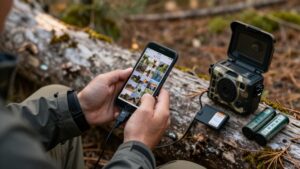
Enable your phone’s Bluetooth and pair through the camera’s app. Bluetooth wakes the unit or initiates the connection, after which you follow on-screen prompts to join the camera’s WiFi hotspot. That local link handles live viewing, file downloads, and configuration changes. Set date, time, and motion sensitivity before deployment. Finally, trigger a test photo, verify that it saves correctly, and mount the camera only after the test confirms operation.
Android and iPhone App Support
Before buying a Bluetooth or Wi‑Fi trail camera, verify that its companion app supports your Android version or iPhone’s iOS version. Compatibility determines whether you can view photos, adjust capture settings, and download clips through your phone. Many models use Bluetooth for pairing or waking the camera’s app, then switch to Wi‑Fi for higher-throughput local image and video transfers.
Treat Wi‑Fi app control as a near-camera feature, not remote access. Typical usable range is about 20 to 50 feet; some cameras specify 30 to 40 feet, while trees, hills, and other obstructions can cut that distance. If you need new photos delivered while you’re away, select a cellular trail camera. It requires compatible network coverage and an active data plan to send images to your Android or iPhone.
Battery Replacement Costs Over Time
Battery replacement cost rises with power demand: cameras that record to an SD card usually consume less energy than cellular models that repeatedly upload images over a mobile network.
Your Bluetooth or Wi-Fi trail camera typically uses radio power only during local pairing, viewing, or transfer, so its replacement interval depends more on capture volume than connectivity alone. Track costs by logging battery changes, clip settings, temperature, and trigger counts.
- Use lithium AA cells in cold conditions; they generally outlast alkaline cells and reduce service trips.
- Limit videos to 10–15 seconds; busy sites and longer recordings accelerate depletion.
- Verify NiMH compatibility before buying rechargeables, since some cameras won’t operate reliably.
Compare cost per month, not battery price alone, across seasonal deployments.
Signal Interference Through Dense Foliage
Beyond power planning, dense foliage can materially reduce the usable range of both Bluetooth and Wi‑Fi trail cameras. Leaves, branches, and trunks obstruct radio waves, lowering signal strength and increasing connection failures. Under favorable conditions, a camera’s Wi‑Fi link commonly reaches roughly 20–50 feet, but thick vegetation can cut that practical distance substantially. Bluetooth may still initiate wake-up or phone pairing, yet foliage can interrupt that control link before your phone establishes the Wi‑Fi connection needed for local photo and video transfers.
Don’t judge performance by advertised range alone. Test from the camera’s installed position, at the distances you’ll actually use.
Terrain, leaf density, and weather can change results. If the link drops, move closer and seek a clearer sightline; it improves reliability immediately.
WPA2 Passwords vs Bluetooth Pairing
You enter a WPA2 password in the camera app to authenticate its Wi‑Fi connection, whereas Bluetooth pairing usually requires only selecting the nearby camera and confirming a prompt. Bluetooth simplifies initial discovery, but many cameras switch to Wi‑Fi for faster media transfers within roughly 20 to 50 feet. Keep WPA2 credentials private and follow the manufacturer’s pairing workflow to limit unauthorized access.
WPA2 Password Setup
WPA2 setup authenticates your trail camera to a Wi‑Fi network, so enter the router’s exact password, including capitalization, spaces, and symbols. The camera compares your entry with the network credential; one incorrect character prevents association, even when signal strength is adequate.
- Select the intended SSID, then enter the WPA2 key exactly as printed or configured. Don’t substitute a Bluetooth code.
- Verify router compatibility before retrying. Cameras may reject unsupported security modes, mixed WPA/WPA2 configurations, or settings outside their documented requirements.
- If setup fails, recheck characters, keyboard case, and saved credentials, then confirm the camera supports the router’s active security setting.
This process authorizes Wi‑Fi access, not device-to-device identification. A successful entry lets the camera join the network for supported network functions.
Bluetooth Pairing Simplicity
Bluetooth pairing usually simplifies nearby trail-camera setup: you select the camera in its app and confirm the pairing prompt instead of locating a Wi‑Fi network and entering a WPA2 password. That eliminates a setup failure: you don’t need to read a label, retrieve a changed credential, or manually join the camera’s SSID.
For configuration, Bluetooth reduces input steps and credential errors, so you can connect faster nearby. It doesn’t provide a long-range advantage; you still need to approach camera. Short-range Wi‑Fi works at roughly 20–50 feet, with obstructions affecting results.
Many cameras use Bluetooth as the discovery and wake channel, then enable Wi‑Fi for faster transfers. That hybrid sequence preserves Bluetooth’s simpler onboarding while giving you Wi‑Fi’s throughput for photo batches and video files.
Backyard Feeder Monitoring Choice
For feeder checks within roughly 20 to 50 feet, you can use Bluetooth to pair or wake the camera, but it won’t provide remote alerts. Choose a home-router WiFi model such as the NatureSpy WiFi BirdCam Pro when you want app-based live viewing, HD perch-triggered video, and AI bird recognition. You’ll reduce maintenance by using a rechargeable battery and solar panel, while confirming that the camera’s WiFi supports internet-connected alerts rather than local-only downloads.
Bluetooth for Close Checks
A backyard feeder camera benefits from Bluetooth when you want to check images or change settings during regular, close-range visits. You pair your phone, review photos, and adjust capture parameters without pulling the SD card. Treat Bluetooth as a proximity tool, not a remote connection.
- Keep your phone within roughly 20 to 50 feet; trees, walls, and vegetation reduce usable range.
- Use Bluetooth primarily to pair or wake the camera. Transfer performance may be limited, so it suits quick checks rather than long clip retrieval.
- Set video clips to 10 to 15 seconds. Frequent recording increases battery drain, and cold weather accelerates losses.
For a feeder you inspect often, this setup avoids a cellular data plan while preserving control. It won’t place images on your phone when you’re away.
WiFi for Live Alerts
WiFi is the better backyard-feeder option when the camera can join your home router and maintain a reliable signal at the mounting location. With router-based connectivity, you can receive motion-triggered photos and app alerts remotely without paying for a cellular data plan. Verify the connection architecture before buying: many “WiFi” trail cameras create only a direct, short-range phone link, so they can’t send notifications while you’re away.
For useful feeder monitoring, select live view or remote playback, letting you confirm visits rather than relying only on triggers. Dedicated bird cameras may add close-focus optics and HD recording when a bird lands. Test alert delivery at the feeder under normal conditions. Direct WiFi links commonly reach 20 to 50 feet, but walls, foliage, and trees reduce range.
Power Needs at Feeders
Power often determines whether a feeder camera remains useful between maintenance visits. At a busy backyard feeder, each recorded video and wireless upload draws energy. WiFi lets you send footage through your home network, whereas Bluetooth normally pairs with a nearby phone and can’t deliver clips remotely. Match your power plan to traffic, weather, and network reliability.
- Record 10 to 15-second clips to limit sensor, processor, and radio runtime while still capturing visits.
- Use a rechargeable battery with a solar panel to reduce recharge intervals; check battery status in the app when supported.
- Verify reliable WiFi before mounting. In freezing conditions, choose lithium AA cells over alkaline batteries, since cold reduces available battery life.
This setup gives you measurable control over maintenance frequency and missed remote observations.
Prioritize Live View Needs
If real-time framing or animal activity matters, verify that a trail camera lists an explicit live-view function rather than assuming Bluetooth or Wi‑Fi enables video. Bluetooth may wake or pair the camera, but Wi‑Fi typically carries the live feed or local video transfer; some models use both. On standard Wi‑Fi cameras, you must remain roughly 20 to 50 feet away, and trees, terrain, and interference can reduce that range. If you need remote observation, select a cellular model with live streaming. It requires usable mobile coverage, while reliability varies with signal strength and available power.
Stream selectively: continuous live video draws substantially more battery energy than periodic photo checks. Compare the manufacturer’s streaming runtime, battery capacity, and external-power options before deployment in long unattended field monitoring.
Conclusion
You’ll get roughly 30 feet from Bluetooth and about 100 feet from a WiFi hotspot under clear conditions, but foliage and interference reduce both. Bluetooth uses less power and simplifies quick pairing, while WiFi transfers 1080p clips faster and supports more practical live view. You should choose Bluetooth for close-range feeder checks and maximum battery life. Choose WiFi when you need faster downloads, broader app control, and frequent monitoring near your home for daily use.