How Cold Weather Affects Trail Camera Batteries (and Which Survive Below Freezing)
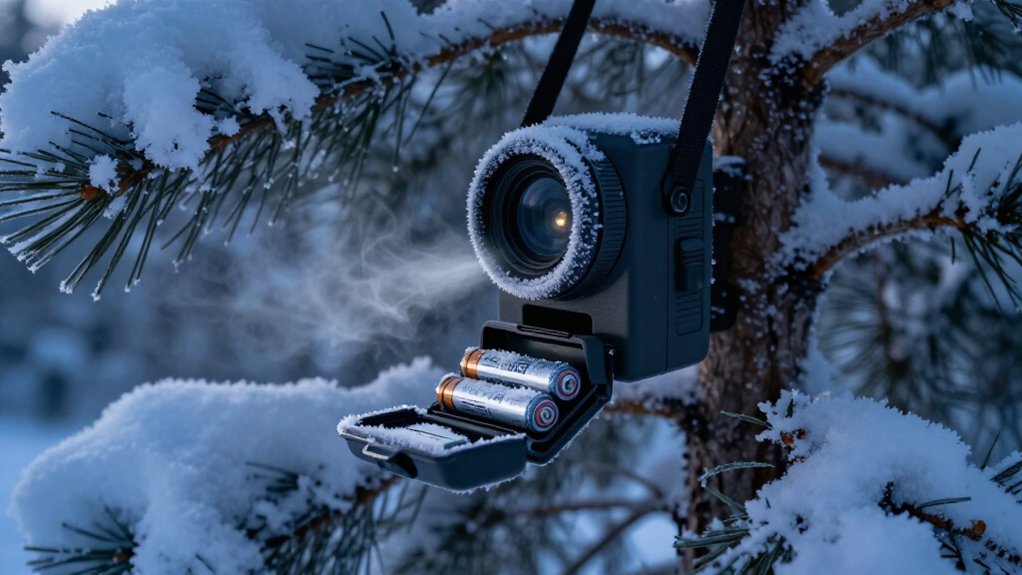
Below freezing, you’ll get the most reliable trail-camera runtime from fresh lithium primary AA cells, not alkalines.
Cold slows chemistry, raises internal resistance, and causes voltage sag during IR flash, recording, and cellular uploads.
Alkalines often weaken near 32°F, while lithium generally holds usable voltage closer to 0°F.
Set longer upload intervals, use matched cells, and replace marginal packs before January deployments.
The details ahead explain winter settings, rechargeables, solar limits, and moisture checks too.
Lithium Batteries Win Below Freezing
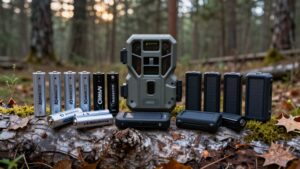
Lithium AA batteries deliver the most reliable trail-camera performance once temperatures fall below freezing. You should choose them over alkaline cells when you expect winter exposure, because they retain usable capacity far longer in cold conditions. Alkalines often show degradation near 32°F (0°C); lithium cells generally avoid a major performance decline until temperatures approach 0°F.
Field results support that difference. At roughly −1 to −2°C, XTAR CLR 4300 lithium AAs remained at 100% after two weeks and recorded 123 videos, while alkaline batteries could be fully depleted. Near −30°C, an XTAR AA 4150 setup captured 1,186 thirty-second clips before depletion, exceeding alkaline performance. Lithium isn’t immune to cold: expect about 15% capacity loss at −20°C under a 0.5A load. Still, it’s your sub-zero choice.
Cold-Induced Voltage Drop
Cold triggers a voltage sag as battery chemistry slows and internal resistance rises, so your trail camera may interpret usable cells as dead under load. Your camera measures terminal voltage during IR illumination, recording, and transmission, when current demand exposes this resistance.
Alkalines drop most sharply approaching 32°F/0°C and can become nonfunctional near −20°C. Lithium cells hold voltage closer to 0°F/−18°C, so they better avoid an undervoltage cutoff. In one subfreezing comparison, XTAR CLR 4300 lithium cells retained 100% charge and recorded 123 videos over two weeks, whereas alkalines failed completely. Gauge calibration also produces false low-battery alerts in cold.
| Cell type | Near freezing behavior | Camera result |
|---|---|---|
| Alkaline AA | Sharp sag near 32°F | False low-battery alert |
| Lithium AA | Steadier output toward 0°F | Fewer shutdowns |
January Deer-Season Deployments
For January deer-season deployments, start with fresh lithium AA cells before sustained subfreezing weather arrives, since alkaline AAs can lose usable capacity quickly below 32°F/0°C and may no longer power the camera after prolonged exposure.
Lithium cells maintain steadier voltage and available capacity as temperatures fall, giving you more margin during idle periods and nighttime triggers. In testing near -30°C, XTAR AA 4150 lithium cells recorded roughly 1,186 thirty-second video clips before depletion, a result alkaline setups couldn’t approach. Set your camera’s Picture Delay to at least one minute. This reduces repeated triggers, lets cells recover between events, and lowers the chance that a voltage sag interrupts operation. Check the camera, then replace any questionable cells rather than relying on a marginal battery indicator.
AA Versus Rechargeable Packs
You’ll see disposable alkaline AAs lose voltage and usable capacity near freezing, with failures becoming more likely in deeper cold. NiMH rechargeable packs often retain usable charge better, but your camera may flag them as low because it expects alkaline voltage levels.
For dependable sub-freezing operation, choose rechargeable lithium AA packs, which hold voltage more consistently than either alkaline or NiMH cells.
Disposable AA Cold Performance
Battery chemistry determines whether a trail camera keeps operating below freezing. Alkaline AA cells lose runtime rapidly as temperatures near 0°C because cold increases internal resistance and limits deliverable current. Your camera may show a low battery, miss nighttime triggers, or fail to start; at roughly −20°C, alkalines can be effectively dead. Some controlled comparisons found alkaline cells nonfunctional even near −1 to −2°C.
Lithium primary AA cells provide the stronger disposable option. They retain voltage and usable capacity more consistently below 0°C, so you get steadier triggering and substantially more clips during unattended deployments. In sub-zero tests, XTAR CLR 4300 lithium AAs retained 100% capacity and continued recording heavily. If you choose disposable AAs, use lithium below freezing; reserve alkalines for mild conditions.
Rechargeable Pack Temperature Limits
Rechargeable options require a different cold-weather calculation than disposable lithium AAs. NiMH AAs outperform alkaline cells in cold, yet their 1.2V nominal output can make cameras calibrated for alkaline-like voltage report a false low-battery condition. As temperatures approach 0°C, usable NiMH capacity declines; near 10°C to 0°C, reduced capacity and higher internal resistance can prevent the current bursts needed for processing and IR illumination.
| Pack type | Below-freezing behavior |
|---|---|
| NiMH AA | Better than alkaline, but voltage warnings and shorter runtime remain likely. |
| Lithium rechargeable AA | More stable voltage; verified XTAR Li-ion cells recorded 123 videos at 1 to 2°C after two weeks. |
Use verified lithium rechargeables below freezing, or shelter the camera from wind. You should still expect declining output as temperatures fall well beyond that threshold.
Choosing Power for Winter
When winter temperatures fall below 32°F (0°C), choose lithium AA cells for the most dependable standalone power: they retain voltage and usable capacity far better than alkaline AAs, which can become unreliable near freezing. Cold conditions slow electrochemical reactions and raise internal resistance. At −30°C, XTAR AA 4150 cells retained full capacity and recorded 1,186 thirty-second clips.
Avoid alkalines: tests show some cameras fail around −1 to −2°C. NiMH rechargeables outperform alkaline in cold, yet their 1.2V nominal output can cause misleading low-battery alerts in cameras calibrated for alkaline voltage.
Select external lithium pack or battery belt for remote deployments; insulation or a thermal cover limits exposure. Choose replaceable lithium AAs for inaccessible sites; choose rechargeable packs only when you can swap them often.
Cellular Transmission Frequency
Each cellular upload creates a high-current burst, so more frequent transmissions drain your batteries faster than event-driven or longer-interval schedules.
In sub-freezing conditions, voltage can sag during an uplink, causing failed alerts and power-hungry retries even when your camera still detects movement. You’ll often improve winter reliability more by reducing upload frequency than by adding batteries, although lithium cells still outperform alkaline options in the cold.
Transmission Frequency Drives Drain
Cellular transmission frequency directly determines how quickly a trail camera drains its batteries below freezing. Each LTE/4G upload demands a substantial current peak, and cold batteries supply those peaks less efficiently as voltage sags and internal resistance rises. If you schedule more pings or uploads per day, you shorten winter runtime more sharply than you would in mild conditions.
The effect compounds after dark: IR illumination already raises consumption, so frequent reporting can trigger earlier low-battery cutoffs. Set fewer check-ins when rapid updates aren’t essential; you’ll reduce the transmission-driven load while leaving standby demand largely unchanged. To measure the benefit, compare schedules using identical camera settings and the same temperature window. Otherwise, normal cold-related variation can obscure whether lower reporting frequency extended your runtime.
Cold Signal Retries
Below freezing, weak cellular signal can drain a trail camera faster than its scheduled transmission rate suggests because failed uploads trigger repeated retry cycles. Each retry wakes the modem, searches for a network, and draws another high-current burst. In contrast, a photo-only camera may miss captures or shut down without repeatedly powering a cellular radio.
Cold compounds the problem: rising internal battery resistance causes deeper voltage sag during transmit spikes. Your camera can then fall below the modem’s operating margin, abort a send, and attempt it again even though it initially appeared functional. Images may remain undelivered until the battery warms or cellular activity declines.
You can limit this drain by choosing cold-stable lithium AA cells or a lithium pack rated for sub-zero operation.
Optimize Upload Intervals
Why does upload cadence matter more in freezing weather? Cold raises electrical resistance, so each cellular transmission draws harder against reduced battery voltage. You should lengthen upload intervals from rapid sends to several minutes, keeping the camera asleep between high-power events.
| Setting | Winter approach |
|---|---|
| Trigger activity | Measure day/night volume |
| Upload interval | Extend to minutes |
| Media payload | Send key frames; shorten clips |
Match cadence to IR and trigger workload: heavier cold-weather night activity demands fewer uploads. If your camera allows it, transmit only relevant event images.
Then run a warm-up self-test after any cold failure. Normal uploads indoors but failures outside indicate that your current schedule exceeds winter battery output; extend the interval before replacing batteries and recheck performance once the camera returns to freezing.
Monitoring Elk at Remote Feeders
Remote elk feeders demand a battery plan that accounts for cold-driven voltage sag and capacity loss, which becomes noticeable below 32°F (0°C) and severe near 14°F (−10°C). Choose lithium AA cells rather than alkaline batteries: alkalines often become unreliable at or below freezing, whereas lithium cells hold voltage steadier and operate deeper into sub-zero conditions. In testing to −30°C, XTAR AA lithium (AA 4150) recorded about 1,186 thirty-second video clips before depletion; no alkaline setup matched that result.
For feeder video, set clips to five to 10 seconds and extend trigger or picture delay. This reduces wake, processing, and infrared LED loads. For prolonged sub-zero deployment, pair the camera with an external lithium pack or winter-rated pack; cold raises internal resistance and drains power.
Snow-Covered Solar Panel Limits
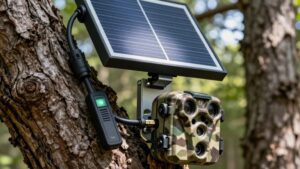
Snow cover can reduce a trail camera solar panel’s output to near zero, so don’t treat the panel as dependable winter power unless you can keep it clear. Even with batteries installed, your camera may receive no solar charging when snow blocks the cells. Compare a low winter mounting angle with a steeper setup: the low angle collects less of the sun’s shallow light and retains snow longer.
Tilt the panel toward roughly 60 degrees where practical. This orientation improves exposure to the low horizon sun and encourages snow to slide off. Inspect and reposition the panel after storms at sites that remain snow-covered for days. REVEAL systems use a dedicated solar port and included cable, making an unobstructed panel necessary for top-off power.
Never Mix Old and New Batteries
Don’t combine old and new batteries in the same trail camera: the older cells lose voltage and current capacity first, causing low-battery shutdowns while newer cells still hold charge. Cold temperatures magnify that mismatch: weakened cells experience sharper voltage sag and can’t deliver the peak current required for trigger activation, nighttime illumination, or image and video processing.
In an eight-cell pack, treat the batteries as one matched system:
- Install cells from the same batch, chemistry, and purchase date; freezing amplifies cell-to-cell imbalance.
- If a few cells decline mid-season, replace the entire set rather than topping it up with fresh cells.
- Refresh every battery group before winter, and reserve older usable cells for noncritical warm-weather devices, where their output creates fewer problems.
Check Seals for Moisture Intrusion
Even a matched set of cold-capable batteries can appear dead when moisture enters the camera housing. Before blaming winter chemistry, inspect the compartment door and gasket. You should find them flush, clean, and free of cracks, pinholes, or trapped debris. Thaw/freeze cycles move air through small gaps, drawing humidity inside and corroding contacts.
| Inspection point | What it indicates |
|---|---|
| Lens fogging | Internal condensation |
| Damp contacts | Seal breach or water bridging |
| White corrosion | Higher resistance, faster voltage sag |
After a cold night, check for staining or condensation inside the compartment. Dry and clean terminals, then replace suspect seals. Test the camera at room temperature before reinstalling it; persistent failure suggests damaged electronics, while restored operation shows moisture, not battery capacity, caused the apparent cold-weather shutdown in your unit.
Conclusion
To keep your trail camera operating through freezing weather, choose lithium AAs over alkaline cells or rechargeable packs when compatible. You’ll see less voltage sag, longer runtime, and steadier cellular performance, especially during January deer or remote elk monitoring.
Reduce transmission frequency, avoid relying on snow-covered solar panels, and never mix battery ages or chemistries. Before deployment, inspect seals and compartments for moisture. These steps give you reliable winter captures and fewer mid-season service trips.