How Long Do Trail Camera Batteries Last? Months by Battery Type and Settings
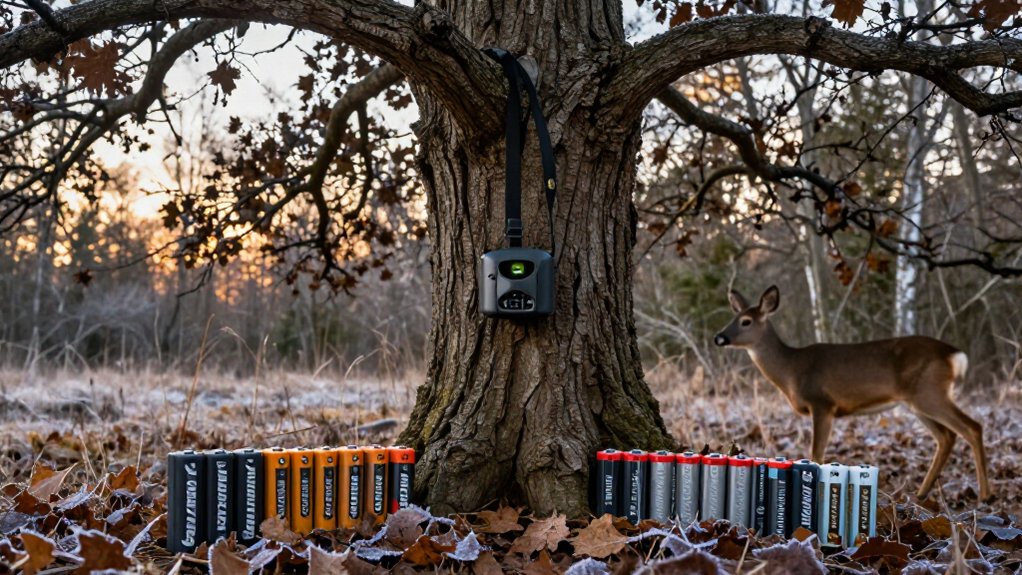
Your trail camera usually runs 1 to 3 months on eight AA alkaline batteries under moderate use, while real-world life can range from 3 to 12 months.
Photo-only settings, low trigger counts, warm weather, and strong cellular signal extend runtime.
Frequent video, night captures, weak 4G, and cold shorten it; heavily used cellular cameras may last 1 to 2 months.
Lithium AAs handle cold and voltage spikes better.
Continue for setup-specific estimates and maintenance tips.
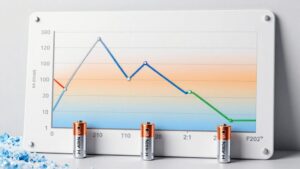
Typical Runtime: 3–12 Months
Trail Camera Battery Life typically ranges from 3 to 12 months, but the actual runtime depends on battery chemistry, temperature, and trigger volume. On a low-traffic site, photo-only operation commonly lands near the middle or upper portion of that range because the camera wakes and captures less often. Heavy animal movement, repeated false triggers, and extended nighttime sessions shorten deployment sharply. Video recording and cellular uploads impose the highest load: expect roughly one to two months when recording frequently or transmitting often, especially after dark when infrared illumination runs.
You can extend runtime by lowering resolution, limiting burst count, tuning PIR sensitivity, and reducing transmission schedules. Cold weather reduces energy. Check reports early; they show whether trigger volume or settings push runtime below plan.
Eight AA Cells: The Baseline
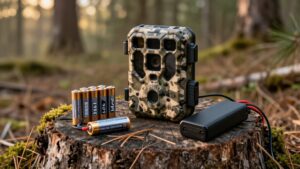
Eight AA cells provide a practical baseline for trail-camera planning, typically delivering about 1–3 months with standard alkaline batteries. Your actual result hinges on cellular transmission, trigger count, and capture mode: 4G uploads consume more energy than SD-only storage, while long video clips raise demand quickly. In cool weather, alkaline performance often lands near the low end.
You’ll stretch eight-cell runtime by selecting photo-only, reducing resolution and burst count, lowering PIR sensitivity, and choosing stable signal coverage to limit failed-upload retries. Use these planning ranges before you deploy the camera:
| Setup | Expected runtime | Main drain |
|---|---|---|
| Alkaline, moderate use | 1 to 3 months | Cold weather |
| Lithium, moderate use | 1 to 3 months | Better cold voltage |
| Lithium, video/uploads | ~1 to 2 months | Long clips |
| Any cells, photo-only | Longer runtime | Fewer triggers |
30-Day High-Traffic Test
A 30-day high-traffic test reveals how quickly frequent triggers and cellular uploads can drain a camera: with hundreds of photo events, many 4G models consume a meaningful share of their typical 2 to 3 month battery budget in one month.
Under photo-only operation, this predicts about two to three months runtime, but extreme activity can pull the low end toward 7 to 10 days. Video raises load sharply: clips and transmissions may limit life to one or two months, so cameras can die before day 30. Cold-weather alkaline cells may last only three to four weeks.
Compatible lithium AAs usually provide one to three months and better voltage stability. To complete the test with margin, lower PIR sensitivity, reduce resolution and burst counts, and restrict uploads to essential events.
Rechargeable NiMH Trade-Offs
NiMH AAs can power your trail camera for roughly 1 to 3 months, but their 1.2V nominal output can trigger low-battery alerts before the cells are empty. Cold weather, video capture, and frequent cellular uploads shorten usable runtime further, so you’ll need to check and swap batteries more often.
You save money through recharge cycles, but compare that savings against the added charging, monitoring, and field-service time versus lithium cells.
Lower Voltage Performance
Although rechargeable NiMH AAs can reduce ongoing battery costs, their roughly 1.2V nominal output, versus about 1.5V for alkaline or lithium cells, can make a trail camera flag “low battery” before the cells have exhausted their usable capacity.
Voltage mismatch affects the camera’s monitoring threshold, not necessarily remaining energy. In deployments, expect NiMH sets to run one to three months, often near alkaline performance and below lithium runtime. They lose charge faster in storage, so install charged cells. Use identical NiMH batteries from the same brand and charge cycle; don’t mix types, ages, or partial charges. Replace the set together. Matched cells maintain consistent pack voltage, reducing instability and low-battery alerts. Check your camera’s manual or test a charged set, since cutoff thresholds vary by model.
Cold Weather Limitations
Cold weather magnifies NiMH’s voltage and capacity limitations: below freezing, these cells sag sooner than lithium batteries, so a trail camera may reach its low-battery cutoff with usable energy still remaining. Even when you install freshly charged cells, the camera can report low battery early because cold raises internal resistance and reduces usable voltage under load.
Cellular models amplify the problem: wake-ups and upload attempts draw extra power precisely when cold performance is degraded. Expect winter NiMH runtime near the low end of typical ranges, about one to three months, depending on traffic, video use, and cold severity.
If you need dependable months-long operation in freezing conditions, choose lithium batteries; they retain voltage and capacity better, reducing premature shutdowns and service trips in remote locations.
Recharge Cycle Economics
Rechargeable AA cells can lower your battery costs when you can service the camera regularly, but their typical 1 to 3 month trail-camera runtime means you’ll recharge and swap them more often than lithium AAs. NiMH delivers less usable energy, and its lower nominal voltage can make a fully charged set register “low battery,” shortening practical runtime.
The math favors NiMH only if your charger is reliable, replacement trips are inexpensive, and you can tolerate frequent checks. In cellular cameras, heavy trigger traffic, video capture, wake cycles, and transmissions accelerate drain, eroding per-cycle savings. Cold conditions worsen voltage sag and can force earlier swaps. Use NiMH for accessible, low-traffic cameras; choose lithium AAs when you need longer unattended deployment, especially in winter or high-activity locations. Track battery swaps carefully.
Weak Signal, Faster Drain
Weak 4G coverage makes your trail camera use extra power hunting for a network and retrying failed uploads. Frequent triggers and cold weather compound this transmission overhead, shortening runtime on marginal signal.
Test reception at the installation spot and adjust the camera’s height or position to reduce retries and extend battery life.
Signal Hunting Uses Power
A poor 4G connection can drain a trail camera’s batteries faster because the modem repeatedly wakes, scans for service, and retries failed uploads. During each search, the cellular radio draws more current than it does in standby.
In marginal coverage, you may see battery life fall toward the low end of a cellular camera’s expected range: roughly two to three months, or less with frequent triggers. Cold temperatures compound the problem by reducing available battery output while the modem needs extra time to find a usable tower.
Check the signal indicator at the site. Move the camera several yards, raise or lower it, and avoid terrain or dense cover that blocks the signal. A stable 4G link reduces modem wake cycles and preserves capacity.
Transmission Retries Add Drain
Failed uploads can shorten a cellular trail camera’s battery life even when it captures few photos. With weak 4G, your camera may wake, attempt a network handshake, send image data, time out, and repeat the process. Each retry keeps the modem active longer than a successful transmission, increasing communication time and battery draw. That means photo count alone won’t predict runtime: a low-traffic camera in poor reception can drain faster than expected. Published estimates of roughly 4 to 6 months for low traffic generally assume dependable connectivity; repeated failed uploads push performance toward the shorter end. Cold conditions compound the problem. Lower battery voltage can prevent the transmitter from completing a handshake or upload, triggering additional retries. Failed sends and long uploads often indicate drain.
Placement Improves Reception
Camera placement directly affects battery life because stronger, steadier 4G reception shortens tower searches and upload attempts. Mount your camera higher and adjust angle. Move it away from trees, hills, and buildings to improve line of sight. Test signal at points; even a short move can produce a stable connection.
| Placement check | Expected effect | Battery result |
|---|---|---|
| Higher, clearer mount | Fewer retries | Longer runtime |
| Marginal signal, busy trail | Repeated failed uploads | Faster drain |
In weak coverage, each trigger can start a connect, transmit, fail, and retry cycle. On a high-traffic trail, cellular power use can dominate recording consumption. Lithium cells won’t eliminate this penalty: a camera planned for 2 to 3 months of busy photo-only use may last substantially less. Prioritize consistent reception over the closest tree.
Match Batteries to Deployment Length
Match your battery setup to the time between site visits, then adjust for trigger volume, mode, and weather. For 1 to 3-month checks, alkaline AAs can serve low-activity, photo-only cameras. Plan shorter intervals on cold sites or busy trails, where frequent captures consume capacity quickly.
For 2 to 6-month deployments, use AA lithium cells. They perform better in winter and typically support roughly 1 to 3 months or more, depending on captures and cellular uploads. Treat that range as a planning baseline, not a guarantee.
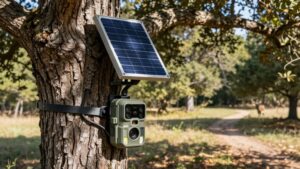
For 6 to 12+ months, install solar with an internal lithium battery or compatible external pack. Adequate sun can help cover cellular transmissions and repeated wake cycles. If you run video or record dozens to hundreds of triggers daily, size every option for the shortest expected runtime.
Battery Voltage Drops Under Load
A trail camera can report a low battery when voltage sags during a high-current event rather than when the cells are fully depleted. When your camera powers its PIR sensor, processor, and 4G modem for a transmission, burst current can pull cell voltage below the camera’s cutoff. Low alerts reflect load voltage, not remaining capacity. Cold weather worsens alkaline sag, causing more brownouts and shorter runtime.
Lithium AAs hold a higher, flatter voltage during triggering, image processing, and uploads, so they better resist these dips. NiMH rechargeables start at lower nominal voltage and may trigger warnings earlier despite retaining charge. High event rates multiply these load cycles, reducing effective runtime. Check alerts against trigger frequency, temperature, and upload activity before assuming batteries are exhausted.
Mixing Old and New Cells
Replace every AA in the tray as a matched set rather than mixing old and new cells. An older cell has higher internal resistance and less remaining capacity, so it sags first during trigger, infrared, and cellular-transmission loads. That weak cell pulls pack voltage below the camera’s cutoff sooner, shortening usable field life.
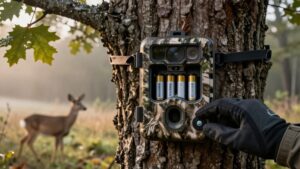
- Install eight identical, new cells from one battery type.
- Don’t combine lithium, alkaline, and NiMH AAs; their voltage curves and chemistries differ, causing unstable runtime and leakage risk.
- In cold deployments, use lithium AAs consistently; alkaline voltage and capacity decline sharply under load, exposing older cells first.
Refresh the entire set when indicated. Replacing one or two cells won’t restore balanced power delivery and can cause erratic triggers or failed uploads.
Clean Battery Contacts Quarterly
Clean battery contacts about every three months to limit oxidation, dirt, and moisture-related resistance that can increase voltage drop and trigger false low-battery warnings.
Inspect terminals before reinstalling batteries. Use a dry, lint-free cloth or soft brush first. For stubborn buildup, apply battery-contact cleaner sparingly, then let surfaces dry completely. Cold or humid deployments speed corrosion and can disrupt voltage for cellular wake and trigger cycles.
Confirm each battery is seated; a resistance gap can reduce runtime even with fresh lithium cells. Replace batteries the same day. It prevents warnings masking healthy battery capacity. Install a matched set of new batteries, and don’t combine old and new cells or different chemistries. Uneven voltage under load can imitate contact failure and produce misleading low-battery alerts.
Conclusion
Your trail camera’s battery life depends less on the label and more on traffic, temperature, signal strength, and settings. With eight lithium AAs, you’ll typically get 6 to 12 months; alkaline cells often deliver 3 to 6 months, while NiMH rechargeables may require earlier swaps.
For high-traffic or weak-signal sites, plan around 30-day checks. Use matched cells, avoid mixing old and new batteries, and clean contacts quarterly to maintain voltage under load and prevent missed captures in the field.