WiFi vs Cellular Trail Cameras: Range, Cost and Which One You Need
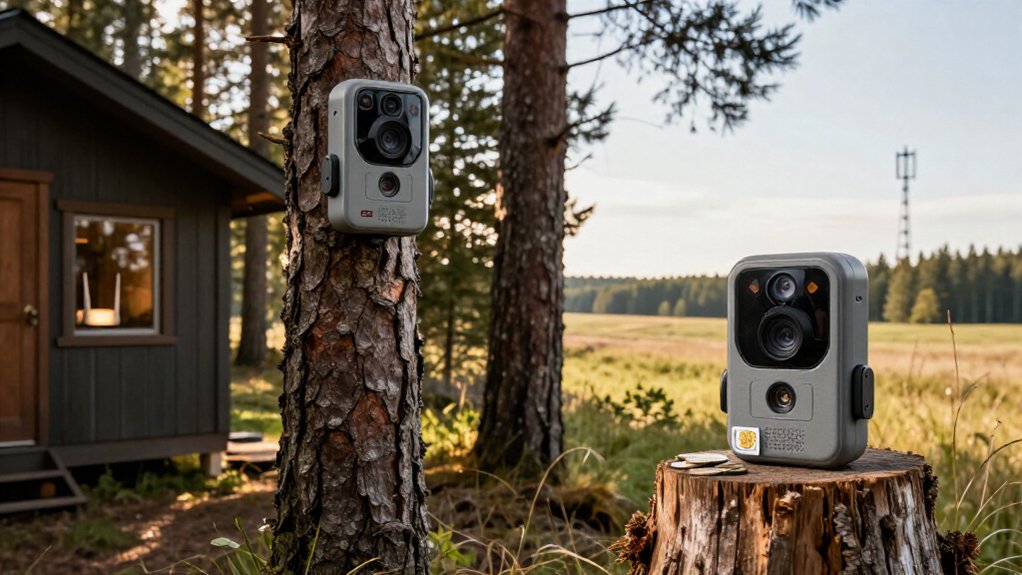
Choose a Cellular Trail Camera if you need photos and motion alerts from a remote site: it uses a SIM and data plan, typically $5 to $20 monthly, wherever compatible LTE coverage exists.
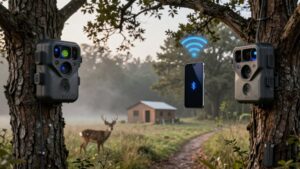
Choose WiFi if you can visit the camera; its hotspot usually works only within 30 to 40 feet but avoids service fees. Both save footage to SD cards.
The details below help you test signal, assess theft risk, and verify local rules before you buy one.
4G Uploads vs WiFi
4G trail cameras send photos and videos to your app over a cellular network, letting you check footage remotely wherever the camera has compatible coverage. You receive uploads and alerts without visiting the camera, which suits.
That convenience needs an active data plan and increases battery draw. WiFi models create a hotspot: you connect nearby to view or download files, without cellular fees. They don’t provide remote uploads. Both types record to an SD card, so footage remains available when a 4G signal drops, although alerts stop.
| Feature | Practical result |
|---|---|
| 4G transfer | App-based remote viewing |
| WiFi transfer | Local phone access |
| 4G cost | Data plan required |
| Power use | 4G is higher |
Choose 4G for remote updates; choose WiFi for direct retrieval and lower ongoing costs.
SIM Cards and WiFi Range
Cellular trail cameras need a compatible SIM card or built-in cellular service, plus an active data plan, to transmit photos and alerts over the mobile network. You’ll need to verify three variables before installation:
- Carrier coverage at the exact mounting site; a strong signal elsewhere doesn’t guarantee service there.
- Regional compatibility and supported network bands; your camera must match the local carrier’s infrastructure.
- Plan terms, including data allowances and any activation requirements.
WiFi models typically create a local hotspot for your nearby phone, so they don’t require a SIM, home router, or internet connection. Their practical range may be about 30 to 40 feet, but trees, terrain, and walls can shorten it. Test cellular reception on-site or confirm the hotspot’s reliable phone-to-camera distance before buying one.
Trigger Speed and Image Quality
Trigger speed measures the delay between motion detection and image capture, so a faster camera is more likely to catch a deer or other animal before it exits the frame. Connectivity doesn’t determine trigger speed or image quality, so compare each model’s specifications instead of assuming WiFi or cellular is inherently faster or clearer.
Check sample photos and videos, resolution, and trigger-speed results for wildlife that moves quickly. Headline resolution alone won’t show how reliably a camera captures detail. For example, NatureSpy’s WiFi WildCam 3 records 2K video, while the cellular Camojojo Trace sends 1080p. A cellular model may transmit compressed or reduced-resolution files even when it saves higher-quality originals to its SD card. Prioritize fast response, sample footage, and detail over connection type.
App Setup and Retrieval
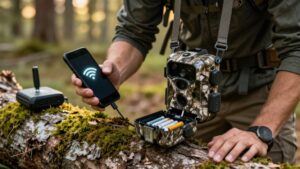
Setup differs mainly in how each camera reaches its app. You’ll install the manufacturer’s app, verify that it supports your phone’s operating system, and follow its pairing prompts. A cellular unit generally connects through your account, activated service, and its SIM or built-in connection. A WiFi unit instead creates a local hotspot for your phone.
- WiFi retrieval: Move within roughly 30 to 40 feet to preview images, change settings, or download files; trees, terrain, and walls can shorten that distance.
- Cellular retrieval: Receive photos and motion alerts remotely when the camera has coverage and an active data plan, so you don’t need a site visit.
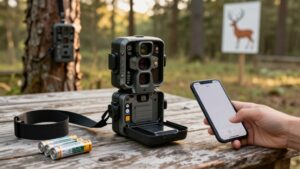
- Offline backup: If either connection fails, the camera can save files to its SD card. Retrieve them in-app or at camera.
AT&T/Verizon Carrier Compatibility
AT&T and Verizon compatibility depends on more than inserting a SIM card: the camera must support that carrier’s LTE bands and hold approval for use on its network. Before buying, check the model’s carrier support, band list, and approved country or region. A camera marketed for AT&T may not activate on Verizon, and a Verizon model may lack the frequencies AT&T uses locally.
You should verify signal at the mounting site. Map coverage can look while trees, terrain, and buildings weaken LTE service. Determine whether the unit accepts a carrier-specific SIM or uses built-in cellular service. It needs active service to transmit photos and alerts. If compatibility or reception fails, it can still record to its SD card, but you’ll retrieve it in person.
Annual Data Plan Costs
Once you’ve confirmed carrier compatibility and site signal, factor recurring service into the camera’s total cost. Cellular plans typically run $5 to $20 monthly, or $60 to $240 annually, while WiFi models usually avoid data fees by connecting to your nearby phone. Your actual cellular spend depends on carrier, selected tier, and the number of images or videos you transmit.
- Low use: A limited basic plan can suit occasional still-image checks.
- Moderate use: Verify the included image allowance before you commit.
- High use: Frequent photos or video may trigger higher-tier pricing or overage charges.
Add the annual service estimate to the camera’s purchase price. A cellular unit costs more to operate but delivers remote uploads; a WiFi camera keeps ongoing costs lower when you can reach it locally.
Public-Land Camera Theft
Public-land trail cameras face a higher theft risk because other visitors can often see and reach them. A cellular model can send an activity alert before removal, but it can’t stop someone from taking it. WiFi cameras offer no warning when you are network range, so recovery may depend on site checks.
Use a cable lock, lock box, and mounting bracket to increase removal time, not to make theft impossible. Mount either camera discreetly, away from trails and easy hand reach, while following rules. Check the managing agency’s regulations first; restrictions on camera placement and unattended equipment vary. Compare the replacement exposure: camera price, batteries, and, for cellular units, plan costs. On public land, a lower-cost unit may limit your loss.
Battery-Life Trade-Offs
You’ll usually get 1 to 6 months from a cellular camera because mobile-network image uploads draw substantial power. A WiFi model can last 3 to 12 months when its hotspot stays inactive, since it uses wireless power mainly when you connect. Frequent uploads, video, live viewing, weak signal, and solar-panel support can shift either camera’s real-world runtime.
Cellular Transmission Power Draw
Cellular trail cameras draw more power than WiFi models because they must register on a mobile network and transmit each image or video file over that connection. That radio activity makes battery life depend heavily on your reporting settings, file size, and signal quality. You’ll typically see one to six months of service, versus roughly three to twelve months for WiFi units.
- Frequent uploads: More triggers mean more network sessions, so reduce transmission intervals if you need longer deployments.
- Video and live viewing: These data-heavy features drain batteries faster than still-image delivery; reserve them for specific monitoring needs.
- Weak signal: Your camera works harder to maintain and use a marginal connection, accelerating battery loss.
A compatible solar panel can substantially extend runtime at remote sites.
WiFi Standby Battery Impact
WiFi trail cameras typically run for about three to 12 months on batteries, since many hotspot models activate their WiFi radio only when your phone connects rather than transmitting files continuously over a cellular network.
This setup can reduce standby drain compared with a cellular camera, which uses power to send images over the network. However, your habits determine real-world longevity. Frequent connections, bulk downloads, and live-view sessions wake the radio and shorten battery intervals. Poor phone signal compounds the loss because repeated connection attempts consume additional energy. Place the camera where you can establish a reliable link quickly. If you check footage often, add a compatible solar panel to offset access-related drain and extend unattended operation between battery changes in remote locations overall.
Cabin Driveway Surveillance
For a driveway within reliable WiFi coverage, you can use a WiFi trail camera without paying for a cellular data plan. If the camera sits beyond that range and you need alerts while away, a 4G model can transmit images over usable carrier coverage. Check signal at the mounting point, and weigh remote alerts against the cellular plan’s ongoing cost.
Distance From Reliable WiFi
Reliable network range should determine your driveway camera choice: a WiFi trail camera needs a stable connection at the exact mounting point, not merely inside the cabin. Test signal strength where you’ll install it: trees, hills, walls, and vehicles can reduce reliability despite strong indoor coverage. A hotspot-style WiFi camera often limits phone access to roughly 30 to 40 feet; walls, trees, terrain, and conditions can shorten that practical distance considerably in practice.
- Use WiFi when the camera reaches the cabin router from its mounting position.
- If the link fails, it can still save footage to an SD card, but you can’t access it remotely through WiFi.
- For a farther driveway, compare cellular models after confirming compatible carrier coverage at the mounting spot.
Cellular Alerts Beyond Range
A cellular trail camera can send motion alerts and images from a cabin driveway well beyond your router’s range, as long as it receives usable signal from a supported carrier.
Unlike a WiFi camera’s nearby hotspot, cellular service lets you check the driveway remotely without driving to the camera or connecting your phone locally. Test signal at the exact mounting point: trees, terrain, and the cabin itself can weaken reception. Verify the camera’s carrier support and compatible cellular bands before you buy.
For a remote driveway, cellular operation also changes power planning: frequent triggers, image transmissions, and weak signal increase battery drain. Choose a battery capacity that matches expected traffic, and consider a solar panel when mounting conditions allow. This setup provides off-grid surveillance.
Ongoing Data Plan Costs
Cellular coverage enables remote driveway alerts, but it also adds a recurring data-plan cost. You’ll typically pay $5–$20 monthly, beyond the camera price, for a compatible plan. Brand plans differ in image allowances, network access, and video support.
- Check carrier signal at your exact driveway, not just the cabin’s address; weak coverage undermines alerts.
- Match the plan to activity: frequent photos, rapid uploads, and video consume more data and drain batteries faster.
- Keep an SD card installed. If service fails or you pause the plan, the camera can record locally, but you won’t receive uploads or alerts.
A WiFi- or hotspot-only camera eliminates cellular fees, but usually requires you to be nearby to retrieve footage. For remote surveillance, weigh that convenience against the annual cost.
Check Local Trail-Camera Regulations
Before deploying a WiFi or cellular trail camera, check your state or provincial wildlife agency’s current regulations and the specific land manager’s rules. Requirements can change by location, season, and property type. A WiFi camera may face the same placement and unattended-equipment limits as a cellular model, but cellular transmission can trigger additional restrictions during designated hunting periods. Public-land rules are stricter than private-property rules, so don’t assume permission on one applies to the other.
Verify where you can mount the camera, whether it must be labeled or removed by a deadline, and whether images may be used to locate or aid hunting. Review agency updates before every season: opening dates, restricted areas, and transmission bans can shift. When rules conflict, follow stricter rules.
Conclusion
Choose WiFi if your camera stays within your home network and you want lower ongoing costs, fast local retrieval, and simple driveway coverage. Choose 4G cellular if you need remote uploads beyond WiFi range, especially on hunting land or isolated cabins. You’ll pay for a SIM plan and manage battery use, but gain access anywhere. Before buying, confirm AT&T or Verizon compatibility, app reliability, theft protection, image settings, and local trail-camera regulations before you deploy.