Trail Camera vs Security Camera: Which Watches Your Property Better?
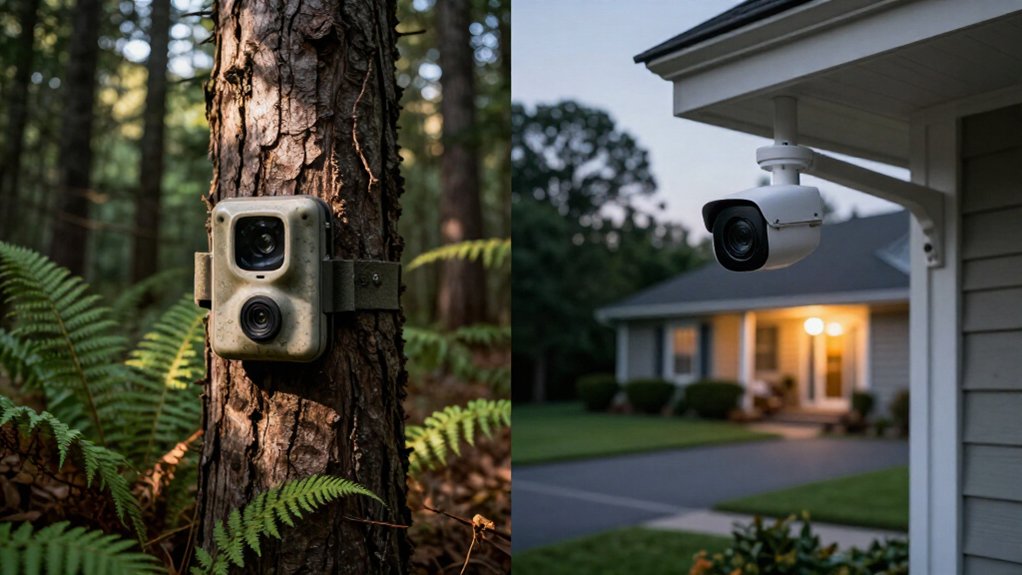
You’ll watch property better with a security camera at powered entrances and a trail camera in remote, hidden locations.
Security cameras provide live viewing, faster network alerts, wider coverage, and often two-way audio for deterrence. Trail cameras use PIR motion triggers, batteries, and infrared night vision, but may miss activity outside their fixed capture zone and usually require SD-card retrieval.
Continue for guidance on combining them, placement, power, alerts, and coverage at vulnerable access points.
Battery Life and Power
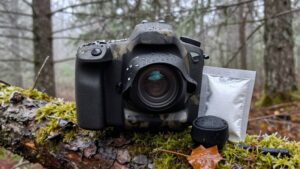
Trail cameras run on batteries, so they can monitor remote gates, sheds, and property boundaries where household power isn’t available. That independence lets you position coverage where an intruder may avoid wired equipment. Motion-triggered recording conserves energy because your camera captures events rather than recording continuously.
Actual runtime depends on model, temperature, settings, and local activity, so inspect battery status routinely and replace cells before outages create blind spots. Carry spares or attach a compatible solar panel to reduce service visits and extend uptime. By comparison, security-camera power designs differ: you may need a wired connection, which can provide steadier operation but limits placement during extended deployments.
| Power factor | Your security impact |
|---|---|
| Batteries | Check regularly |
| Motion triggers | Saves energy |
| Spare cells | Reduce outages |
| Solar panel | Extends uptime |
Infrared Sensors vs IP Streaming
Because detecting motion matters more than streaming it, trail cameras rely on passive infrared (PIR) sensors that sense heat changes and trigger a photo or short burst of video when a person or animal crosses the detection zone.
That event-driven design preserves battery power and SD-card space, while infrared night vision records activity in darkness without continuous filming. By contrast, an IP security camera streams footage over your network, letting you view live scenes, monitor remotely, and receive remote alerts when supported. You trade capture for immediate network access.
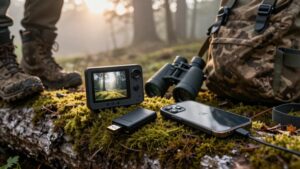
Without Wi-Fi or cellular service, your trail camera stores evidence on an SD card, but you’ll retrieve it for review. Cellular trail cameras add remote viewing and alerts, yet they prioritize PIR-triggered recording over constant streaming.
Detection Range, Trigger Speed
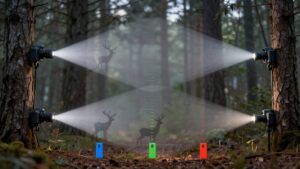
Since your detection zone extends only about 60 to 100 feet on most models, you’ll want to know exactly where that range starts to thin out before you mount the camera. Trail cameras rely on passive infrared sensors: a person, vehicle, or animal must move across the zone to trigger capture. Someone standing still may not generate an alert or image.
Trigger speed determines whether the unit records a subject before it exits the sensor field; slower models can miss fast intruders. By contrast, a security camera that continuously streams can preserve activity within its viewing area without waiting for a PIR trigger, although motion alerts still depend on coverage. Compare detection distance, trigger time, and field of view, then walk-test each camera’s coverage to confirm response.
Mounting Height and Placement
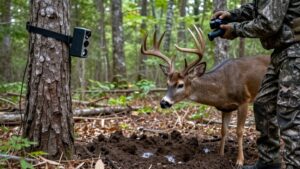
Mount a trail camera high enough to deter tampering but low enough to identify a person, animal, or vehicle clearly. Prioritize entrances, driveways, paths, gates, and boundary approaches, where intruders must cross the detection zone. Trail cameras typically provide a 40° to 60° field of view, so position each unit for the specific corridor rather than trying to monitor an entire yard.
Walk through the target area to verify trigger coverage, image framing, and blind spots, then adjust the height or angle. Camouflage the housing with vegetation or natural features, but keep its lens and sensor completely clear. By comparison, security cameras work best at fixed access points and broader viewing angles. You can mount them visibly for deterrence or discreetly for evidence, but test coverage.
Cellular Coverage and Wi-Fi Access
Most non-cellular trail cameras rely entirely on an SD card, so they’ll work without Wi-Fi but require you to pull the card to review footage. Cellular trail cameras skip that step, pushing motion-triggered alerts and images over a mobile network, but only if the mounting site has reliable signal. Weak coverage means delayed or dropped transmissions, so test signal strength before committing to a cellular model. Some newer trail cameras offer Wi-Fi file transfers instead, but you’ll need to stay within range of the camera to pull data, limiting their use on distant or sprawling properties.
Security cameras depend on Wi-Fi or wired PoE connections for remote viewing and alerts; lose that connection, and you lose visibility entirely. Before choosing either system, audit cellular and Wi-Fi availability at the exact mounting location, particularly for remote or off-grid property.
SD Card Swaps and Resale Value
Beyond network access, you’ll need to account for how each camera stores and retrieves evidence. Non-cellular trail cameras typically write motion-triggered photos and clips to an SD card, so you must visit the unit to review, retrieve, or swap media. Set a card-check schedule around trigger volume and capacity; busy locations fill cards quickly.
Security cameras can provide remote playback, which shortens evidence review time, but local-storage models may still require physical retrieval. For resale, don’t assume one camera class holds value better. Compare exact models, working condition, included accessories, and current market listings. Keep SD cards, mounts, power gear, and manuals with the camera; a complete package can attract buyers and simplify their deployment. Erase personal footage before sale and document device operation.
Blind Spots and False Triggers
Coverage geometry creates a key security tradeoff: trail cameras typically view about 40° to 60°, while some security cameras cover 180° or more. You can miss approach paths outside that narrow frame, and most trail cameras can’t pan or tilt to recover coverage. A few advanced models rotate, but fixed placement remains critical.
Their PIR sensors respond to heat changes, not every movement, so activity outside the detection window may never trigger recording. Range also matters: many models detect reliably only within roughly 60 to 100 feet. Mounting one too far away creates another blind spot. Walk through each intended route during setup, then adjust height, angle, and position to expose missed zones and reduce unwanted PIR activations from heat sources or off-axis movement near the boundary line.
Two-Way Audio and Deterrence
Security cameras with two-way audio let you challenge a visitor or warn a trespasser in real time, while trail cameras typically only record the event. You gain stronger active deterrence from visible cameras, instant alerts, and remote audio response. A trail camera can document suspicious activity, but it usually can’t help you interrupt it.
Two-Way Audio Capabilities
Two-way audio marks a major functional divide between trail and security cameras: most trail cameras can’t let you speak through the device or hear a response, while many security cameras pair a microphone and speaker with their live-view app. That architecture lets you address visitors or warn off intruders remotely, straight from your phone. A verbal warning can discourage unwanted activity on your property, though it’s never a substitute for calling emergency services when you’re facing an immediate threat.
Don’t assume every model performs the same way, though. Feature sets vary widely, and trail-camera apps often ship with fewer monitoring tools than their security-camera counterparts. If live, two-way conversation matters to your setup, verify the spec sheet directly: choose a security camera that explicitly lists two-way audio support rather than hoping a standard trail camera will cover that gap.
Active Deterrence Features
Beyond the audio question itself lies a broader deterrence strategy, and that’s where visibility plays its part. A visible security camera signals active monitoring, discouraging intruders before they act. A camouflaged trail camera does the opposite, it’s engineered to stay hidden, capturing wildlife or activity without alerting anyone to its presence. That design difference defines each device’s deterrence capability.
Most trail cameras lack two-way audio, so you can’t speak to or warn someone remotely. Cellular models send motion alerts to your smartphone, letting you respond quickly, but you’re still limited to notification, not confrontation. Security cameras, by contrast, more commonly offer two-way communication, letting you issue verbal warnings in real time, though capabilities vary by model.
If active deterrence matters, choose a security camera with two-way audio rather than relying on a trail camera’s motion-triggered captures.
Driveway Monitoring and Package Theft
For basic driveway detection, you can use a trail camera’s PIR sensor to capture motion without Wi-Fi or wiring. A security camera gives you wider, continuous coverage of the delivery area, faces, and license plates, improving package-theft evidence. Cellular trail cameras can alert your phone quickly, but security cameras usually provide faster live viewing and more reliable real-time response.
Driveway Detection Range
A trail camera can monitor a driveway from roughly 60 to 100 feet, but its practical coverage depends on the model’s motion sensor, mounting angle, and the driveway’s width. You’ll want to test the unit at your intended mounting position, since real-world range rarely matches spec-sheet numbers exactly.
Field of view matters just as much as distance. Most trail cameras offer a 40° to 60° field of view, which can leave gaps on a wide driveway. A security camera, by contrast, often delivers up to 180° or more, giving you edge-to-edge coverage without repositioning.
If your driveway curves or widens near the street, you’re better served by a security camera’s broader lens. For narrow, straight driveways, a well-aimed trail camera’s detection range can still provide adequate, budget-friendly coverage.
Package Theft Coverage
When you aim a trail camera at the driveway or front path, it can document deliveries and suspected package theft with motion-triggered photos or short clips. Walk through the frame during setup to confirm it captures the drop-off zone, since coverage typically spans only 40° to 60°. Footage saves to an SD card, and most non-cellular models won’t alert you, so theft gets documented rather than stopped in the moment; cellular versions add notification capability.
Infrared night vision extends capture after dark, and weather-resistant housing holds up through rain or snow. A security camera, by contrast, offers continuous recording and a wider field of view, giving you fuller driveway coverage without manually pulling a card to review what happened.
Real-Time Alert Speed
Real-time alerts create the clearest divide between trail cameras and security cameras for driveway and package monitoring. A connected security camera can notify your phone the moment motion appears, letting you check a car at the gate or react while a porch visitor remains nearby. A non-cellular trail camera usually records the event to an SD card, so you learn about theft afterward.
- Alert delay: Security cameras generally deliver faster Wi-Fi notifications.
- Coverage: Cellular trail cameras can alert you, but weak signal or app delays can slow delivery.
- Capture window: Trail cameras trigger on motion; activity outside that window may disappear.
- Recording mode: Some security cameras continuously watch the driveway, preserving context before and after motion.
Before choosing, test coverage and tune motion settings.
Hybrid Setup: Best of Both
Because remote spots often lack power or Wi-Fi, you’ll get the best results by pairing a security camera’s continuous, wide-area coverage with a trail camera’s motion-triggered recording. Install security cameras near entrances for live viewing, instant alerts, and pan-and-tilt tracking, then place camouflaged trail cameras along property boundaries or wildlife paths where running cables isn’t practical.
Match capabilities to each camera’s limits: security cameras cover up to 180° or more, while trail cameras typically span 40 to 60° with a 60 to 100-foot detection range. Overlap both at vulnerable zones like gates or tree lines to eliminate blind spots.
Remember that non-cellular trail cameras only save clips to an SD card—choose a cellular model if you need remote access. Test angles regularly, and keep batteries fresh or add a solar panel for uninterrupted coverage.
Conclusion
Trail cameras give you long battery life, concealed placement, and reliable coverage where Wi-Fi and power don’t reach. Security cameras give you live IP video, faster alerts, two-way audio, and stronger deterrence near entry points. You’ll protect your property best by matching each system to the threat: use trail cameras on remote boundaries and driveways, security cameras at doors and high-traffic zones. For layered coverage, combine both, then test angles, triggers, connectivity, and retention regularly.