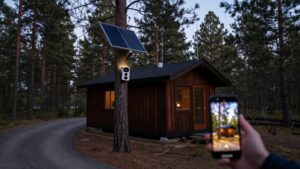
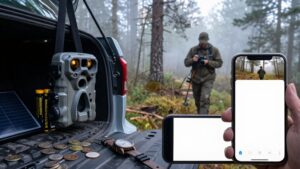
Do Cellular Trail Cameras Work Without Service? What Happens With Zero Bars
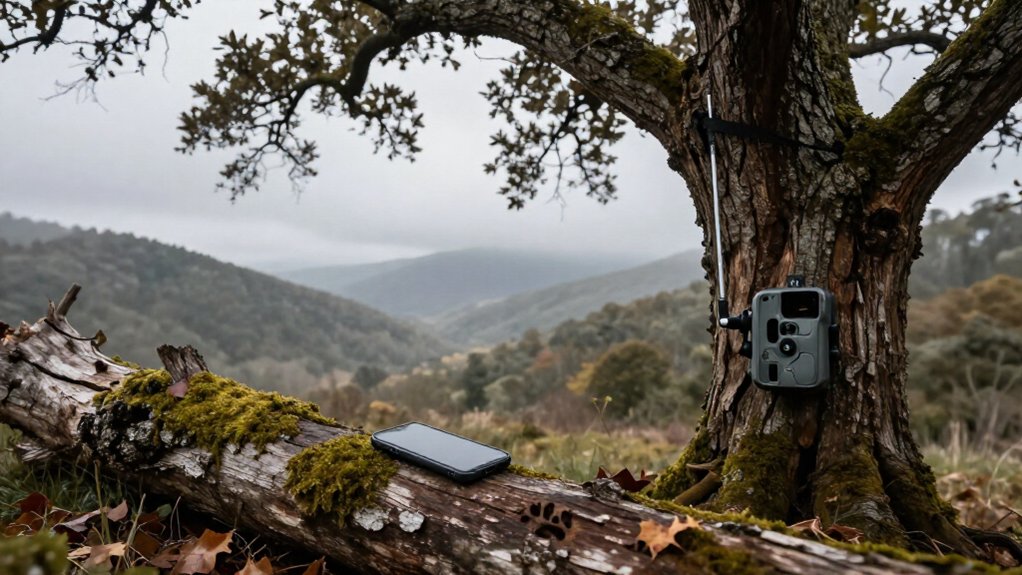
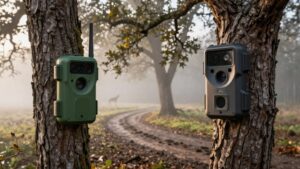
With zero cellular bars, your trail camera can still detect motion and save photos or video to its compatible SD card.
You won’t receive app alerts, uploads, live views, or remote firmware updates until it regains a supported connection. Some models may queue images and send them later, but test that behavior at the site.
Check card capacity, battery life, carrier bands, and exact mounting-position coverage. The details below help you plan reliable offline monitoring.
Zero Bars: SD Recording Continues
Even with zero cellular bars, your trail camera can still detect motion and record photos or videos to a compatible SD card. That local recording function runs independently of the modem, so a no-service location doesn’t prevent the camera from documenting activity. You won’t receive images or motion alerts in your mobile app while coverage is unavailable.
Before deployment, install the card specified by the manufacturer and verify its available capacity; a full card stops new recordings. Also check battery level and cold-weather performance because a depleted battery ends capture. Use a formatted SD card and test the camera’s trigger and playback at home before placing it in the field. Depending on your model, you’ll need to remove the card to review saved files.
Queued Photos Send Later
When your Cellular Trail Camera regains a usable signal, it may upload photos captured while it was offline, but this depends on the model’s queue-and-retry behavior.
| Check | What you may see | Field action |
|---|---|---|
| Signal returns | Delayed delivery | Wait for retry |
| Queue enabled | Some images transmit | Read manual |
| No retry | Nothing arrives | Pull SD card |
| Weak coverage | Partial batch | Keep card installed |
Your camera still records at zero bars to its SD card, but transmission waits for reconnection. Manufacturers handle backlogs differently: some retry automatically, some send files, and some don’t retain a queue.
Test before deployment: block signal, trigger several photos, restore coverage, and compare app deliveries with the card. Keep compatible card installed; it’s backup if coverage fails or queued uploads never retry.
Backcountry Scrape Monitoring
A cellular trail camera can track deer activity at an active scrape or rub line in the backcountry, but you need compatible carrier coverage at that exact location for remote alerts and uploads. Before leaving it, test signal and transmit a sample image from the mounted position; terrain can change reception within a short distance. At zero bars, it still triggers and records photos or video to a compatible memory card, but it won’t send alerts or upload footage.
Return in person to inspect the card and battery after a no-service period, because signal searching can consume extra power. If the scrape stays in a dead zone, use a traditional non-cellular camera and schedule manual card checks during regular scouting trips to that area.
External-Antenna Camera Models
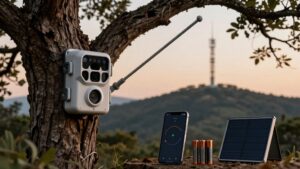
Choose a compatible camera with an external antenna to strengthen weak carrier signal at your setup site. You’ll still need coverage from a supported network, because zero bars prevent uploads, alerts, and live viewing. Test transmission in place, aim the antenna as directed, and confirm the camera saves images locally when service drops.
How External Antennas Help
External-antenna trail cameras can pull in a weak usable signal more reliably by placing the antenna where reception is better, but they can’t create cellular service where no compatible network exists. Your camera’s results depend on its modem, supported carrier bands, antenna design, and the signal at the mounting site. Verify carrier coverage at the exact location, not only on a map; terrain, timber, and cuts can produce local dead zones.
Test bars and actual image uploads before final installation. Move the camera or antenna a few feet, higher, or toward an opening, then retest. If coverage is truly zero, it’ll usually keep photos and videos on a compatible memory card, but it can’t send them to your app until network service returns locally.
Compatible Camera Models
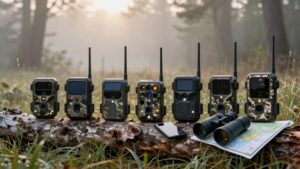
Not every cellular trail camera accepts an external antenna, so verify your model’s antenna port, connector type, and supported antenna frequency bands before you buy one. Match the antenna’s connector to the camera’s external-port specification; don’t force adapters or substitute a standard cellular whip for a model-specific connection.
| Check | What you confirm |
|---|---|
| Port | External antenna connection |
| Connector | Matching camera and antenna fitting |
| Bands | Supported carrier frequencies |
At the mounting site, confirm coverage from carriers your camera supports. Install the antenna, then test signal strength and image uploads where you’ll strap the unit.
Terrain, canopy, and antenna height can change results, so test before leaving it deployed. A compatible camera may store images locally when reception drops, but its remote features need a usable network connection.
Limits in Zero Bars
Even with a compatible external antenna, your camera can’t connect, upload photos, send alerts, or support app-based live viewing where the supported carrier has true zero coverage. An antenna boosts usable signal but can’t create service where none exists. You won’t get uploads, alerts, or app live viewing. Many models still capture images and save them to a compatible SD card, but verify your model’s local-storage specifications.
Network searching can drain batteries faster, shortening time between changes. Field-test at the exact mount using its supported carrier. Shift it a few yards and retest; terrain, trees, height, and networks vary sharply. A nearby location may gain enough signal for transmission, while the original spot stays unusable. Confirm results before leaving the camera unattended for weeks.
Carrier Coverage and Network Bands
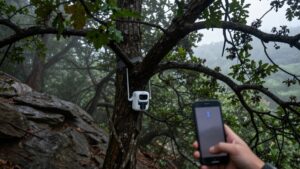
Your camera needs usable coverage from a carrier and LTE bands it supports, not just a coverage map showing service somewhere nearby. If you use a roaming SIM, it may switch among supported AT&T, Verizon, or T-Mobile networks, but it can’t connect where none reaches your site. Test signal at the exact mounting location before deployment, since zero or weak bars stop uploads and can drain batteries during repeated network searches.
Carrier Footprint Matters
Carrier footprint determines whether a cellular trail camera can transmit from its exact mounting spot. You need to check coverage where the camera sits, not at the nearest town or along the main road. Ridges, timber, draws, and property-level terrain can turn a usable signal into zero bars within a short distance.
Your camera uploads only when its SIM or data plan reaches a carrier the camera supports at that location. Before permanent installation, power it up at the intended height and send test photos. If it supports multiple carriers or uses auto-roaming, confirm which local networks it can access and test each option on-site. With no service, it can still save captures to its memory card, but it can’t deliver alerts or images.
Network Band Compatibility
Coverage at the camera site is only half the equation: its modem must also support the frequency bands used by the available carrier. A camera can sit inside a carrier’s footprint yet remain offline if its LTE modem lacks that carrier’s bands. Match the model’s band list and carrier options to the network serving your property. AT&T, Verizon, and T-Mobile cameras aren’t automatically interchangeable; a roaming SIM helps only when its hardware supports the network it finds.
| Field condition | Camera result |
|---|---|
| Supported carrier and bands | Uploads images and alerts |
| Unsupported bands or zero bars | Stores footage locally if a card is installed |
Compatibility failure stops remote functions when the camera still triggers normally. Weak signals force repeated searches and drain batteries faster while awaiting transmission.
Verify Signal Before Deployment
Before you mount the camera, test cellular service at the exact installation point, not just at the property address. Coverage maps provide a starting point, but hills, timber, and buildings can change reception within a few yards. Check maps for every carrier your camera supports, then confirm its LTE technology and frequency bands match the available network.
At the site, install the camera’s SIM with an active data plan and send a test image to the app. If it roams or accepts multiple carriers, verify the eligible networks, bands, and plan permissions first. A nearby signal is useless if the camera can’t use it. Treat zero bars as unreliable service: the camera may record to its memory card, but uploads and alerts won’t work reliably.
Monitoring Livestock Water Troughs
A cellular trail camera at a livestock water trough will still trigger and save images or video to its memory card in a zero-bar area, but it can’t send alerts or footage to your phone.
Treat the card as your backup: retrieve it on a regular schedule to confirm cattle visits and identify low-water conditions before they become a problem. Test signal and image delivery at the trough location before you depend on checks; terrain, trees, and carrier coverage can change across one ranch. With no service, connection retries can consume battery power, so inspect power and fit a solar panel if exposure is reliable. If the site stays offline, use a standard SD-card camera or a system that relays images to a hub instead.
Firmware Updates Need Connectivity
Reliable image capture in a dead zone doesn’t mean the camera can update itself there. Firmware downloads generally need a cellular network or Wi-Fi connection. With zero bars, your camera may continue taking photos and storing them on its memory card, but it can’t pull an over-the-air update.
Before you deploy it, check for current firmware. If the manufacturer releases an update, move the camera to a location with a compatible connection, or use the supported update method in its instructions. Some models may accept updates through Wi-Fi or a memory card; others require cellular service.
Verify the exact procedure, back up settings if advised, and keep power stable throughout the installation. Don’t assume saved images prove it has the connectivity needed for updates.
Signal Boosters Cannot Create Service
Signal boosters can improve a weak existing cellular signal, but they can’t create service in a true dead zone. If your camera shows zero bars, the booster has nothing usable to amplify, so it can’t send photos, alerts, or live video.
Use a booster only after you confirm marginal coverage from the camera’s supported carrier at the exact setup point. Test it there; reception can change across a property.
- Verify compatible carrier coverage.
- Confirm an active data plan.
- Mount and test the camera where you’ll run it.
- If uploads fail, let the camera keep capturing images locally for later retrieval.
A booster improves a weak link; it doesn’t replace network coverage or service. Relocate it to an area with coverage.
Check SD Card Capacity
Before leaving a cellular trail camera in a no-service area, check that its SD card has enough free space for the time between visits. Confirm the manual’s supported card type and maximum capacity, because compatibility differs by model. Install a compatible card, format it as the manufacturer specifies, and verify available space before deployment. Estimate demand from expected trigger volume: high-traffic locations, burst photos, and especially video consume storage quickly.
Check the camera’s full-card setting, too. Some models loop-record by overwriting oldest files; others stop recording until you clear the card. If you can’t make frequent card runs, size the card for the entire deployment window with margin for unexpected activity. Test local recording first and confirm it saves files correctly at your settings.
Conclusion
With zero bars, your cellular trail camera still records to its SD card, but it can’t transmit until it finds usable service. You’ll retrieve images locally, or queued photos may send when coverage returns. For remote scrapes, troughs, and backcountry sets, choose adequate SD capacity, test carrier bands, and consider an external antenna where marginal signal exists. Don’t expect a booster to create service. Keep firmware current before deployment, and verify coverage at your site.