Are Cellular Trail Cameras Worth It? Real Costs vs Time Saved in the Woods
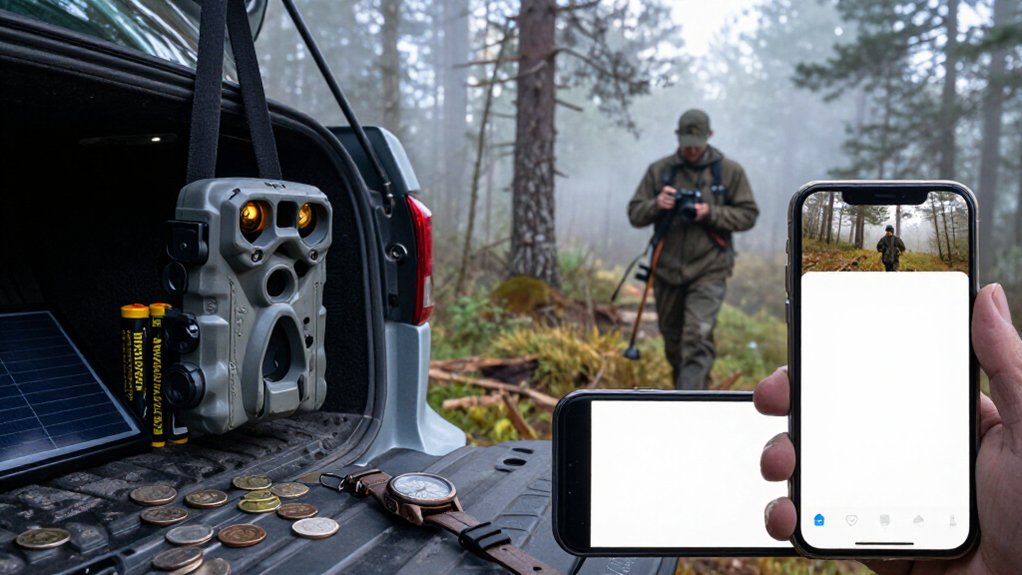
Cellular trail cameras are worth it when you’d otherwise spend more than $10 to $30 monthly on fuel, drive time, and disturbing a productive area.
You get remote photos through an LTE plan, but only if the exact tree has dependable carrier signal.
Keep video use limited, watch upload caps, and budget for batteries and theft protection.
For remote properties or frequent checks, savings often win; next, placement, data settings, and coverage determine whether yours pays off.
Cellular Data Cost Snapshot
Cellular trail cameras usually add $10 to $30 per month to your scouting budget, but that fee pays for remote access instead of repeated trips to pull SD cards. You’re paying for data transmission, not cloud storage: a SIM card, usually on a 4G LTE or LTE-M network, sends photos and videos to your app. That changes the arithmetic.
Compare the monthly plan against fuel, drive time, and the disruption entering a hunting area. A $10 plan can be cheaper than one round trip; $30 makes more sense when several cameras cover distant ground or send activity frequently. Still, verify carrier coverage before subscribing. Weak signal can delay uploads or stop them, reducing near-real-time alerts. The camera records locally, but reliable remote delivery depends on service.
Map Your Camera Check Frequency
Start by mapping each camera and assigning a check interval based on what that location can tell you. Mark food sources, travel routes, bedding areas, and pinch points on one map. Give high-value travel routes and pinch points tighter review intervals; let lower-priority food or bedding cameras run longer.
For standard cameras, estimate a card-check trip every seven to 14 days. Count every trip, round-trip drive time, and minutes spent swapping cards and handling cameras. That produces a seasonal time and fuel budget you can compare with a cellular plan, typically $10 to $30 monthly, plus purchase cost.
If you hunt multiple states or can’t visit regularly, make cellular updates your planning baseline. Deploy cameras a couple of weeks before opener, so you can react immediately.
Signal Strength at Camera Sites
Signal strength determines whether a cellular camera saves trips or simply adds a monthly bill. A camera can capture deer perfectly yet send nothing promptly if its site lacks usable LTE. Test the exact tree with a phone on the camera’s carrier before you buy a plan; nearby ridges, hollows, and timber edges can perform radically differently.
| Site condition | Likely result | Cost choice |
|---|---|---|
| Open ridge | Faster, steadier alerts | Verify carrier first |
| Heavy canopy | Delays or missed sends | Move toward an edge |
| Deep hollow | Weak or unusable service | Choose another location |
Mount higher, aim antenna as directed, and recheck after setup. Distance, weatherproof housing, weather, and interference can change performance. Two cameras on one plan may behave differently, so don’t judge coverage by maps alone.
Photo vs. Video Upload Limits
You’ll usually get a fixed monthly photo or video allowance, so match the plan’s cap to your expected daily triggers.
Videos burn through data far faster than stills, especially when you use high resolution or long clips. Keep costs predictable by shortening clips, lowering quality, and checking overage charges before a busy deer season pauses your uploads.
Photo Upload Allowances
Upload allowances often decide whether a cellular trail camera saves money or quietly adds recurring cost. Most plans run on a monthly credit or data pool, and “unlimited” uploads can still carry practical limits. Because photos use relatively little data, your photo quota usually stretches much farther than a mixed-media setup.
You’ll stay within that allowance longer by choosing photo-only uploads, reducing resolution when identification doesn’t require maximum detail, and limiting needless triggers. Wind, shifting light, or poorly aimed vegetation can consume credits fast. Check when your allowance resets, and adjust detection settings before a busy late-season stretch leaves you without timely images. Motion or AI filters help prioritize meaningful captures, so you pay for scouting information rather than false alerts from your camera.
Video Data Consumption
Video changes the cost equation because each clip uses vastly more cellular data than a trigger photo. A few 1080p or 2.5K clips can outweigh dozens of stills, especially when movement keeps an active scrape firing after dark. Cellular systems commonly measure what you upload by data volume, so duration and resolution matter more than clip count.
You should treat video as a selective scouting tool. Use short clips and modest resolution where behavior matters, identifying a buck, confirming travel direction, or checking a suspected intrusion. Run photo mode for routine surveillance, and usually use video only when saved trips justify its data cost. Weak service can delay large files or leave uploads incomplete. Test settings early in the season before hunts begin.
Plan Caps And Overages
Most cellular trail camera plans look inexpensive until a high-activity location pushes past the included upload cap. You’ll commonly pay $10 to $30 monthly, but the headline price may limit uploads, megabytes, or gigabytes. Still photos usually stretch that allowance much farther, and some plans effectively include them under a low cap; video uploads can trigger overages fast.
Treat a busy bait site, scrape, or feeder as a billing test, not a normal-use assumption. Weak signal also matters: failed transfers and retries can consume data you didn’t expect. Before deploying, check the carrier map at the camera site, choose photo-first delivery, moderate motion sensitivity, and watch the app’s remaining-data meter weekly. If activity climbs, reduce transmissions before the billing cycle closes. It controls costs.
Resolution And Clip Length
Resolution and clip length determine how quickly a cellular camera burns through the cap you’re monitoring. Unlike an SD-card camera, it must push files through cellular service in small bursts. A 2.5K photo setting and long video clips can sharply reduce the number of alerts you receive before monthly data runs low.
In the field, use photos for scouting and reserve video for locations where movement details matter. Photos usually arrive quickly on marginal signal; video needs dependable 4G/LTE or LTE-M and may fail before it finishes uploading. Set a lower photo resolution and short clips when coverage is weak.
You’ll get faster, more reliable alerts on a $10 to $30 plan. Longer clips drive delays and data drain, so test before placing cameras in woods.
Choose Cellular for Remote Properties
For remote land beyond Wi-Fi, cellular cameras send updates over LTE and save you repeated SD-card trips. You’ll need usable signal and a power plan; a $10 to $30 monthly plan can cost less than fuel, drive time, and missed scouting information.
They work best on distant pinch points, travel routes, and bedding-to-food edges you can’t check often.
Remote Coverage Beyond Wi-Fi
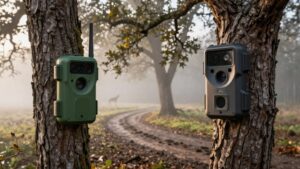
When your cameras sit beyond reliable Wi‑Fi, cellular models replace distance-limited local access with carrier-based remote reporting. Rather than relying on a house router or a hotspot’s reach, you use 4G LTE or LTE-M service to send captures to your phone or cloud account. That makes scattered food sources, travel routes, bedding areas, and security points practical without Wi‑Fi repeaters or separate local internet service.
Before buying, test each carrier at camera height and in the season you expect to use it. Strong signal supports quicker image delivery and better live-view performance on compatible models; weak signal can delay or block uploads. Choose the carrier with proven coverage, not the one with the cheapest advertised plan. SD-card cameras can’t match remote alerts and updates.
Fewer Trips, Lower Costs
Cellular trail cameras earn their keep on remote properties by replacing routine SD-card runs with 4G LTE photos and status updates sent directly to your phone. That change matters when each check requires fuel, a long walk, or a weekend you’d rather spend hunting. Instead, you can monitor movement throughout the season and leave productive stands and pinch points alone until a visit makes sense.
A quality camera may start near $100, but service usually adds $10 to $30 per month. Setup takes some time: you link each unit to its app and plan. Once configured, you manage cameras remotely. If you’d otherwise make frequent trips to hard-to-access ground or travel from out of state, saved mileage, time, and disturbance can often outweigh the monthly bill.
Signal And Power Planning
Choose a cellular trail camera for ground beyond dependable Wi‑Fi, but verify carrier coverage at the exact mounting location before you buy. Test reception with the carrier’s phone or a trial device, because weak signal can stop uploads and live viewing. Cellular models send photos or videos through LTE/4G or LTE‑M to your phone, but require a SIM and service plan. Expect roughly $10 to $30 monthly, a recurring cost that replaces SD-card retrieval trips.
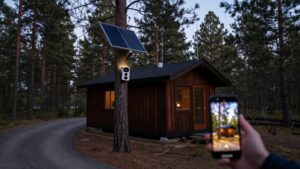
Plan power as carefully as signal. Solar panels reduce battery swaps, yet you’ll still need periodic checks for battery packs, panel exposure, and connections. Reliable alerts depend on both power and signal, plus a properly aimed motion trigger. If either fails, you’ll miss events and lose the time-saving advantage you bought.
Best Uses For Remote Land
For large, hard-to-reach properties, a cellular trail camera can save far more time than it costs by sending photos or videos to your phone without SD-card runs. That matters when a camera sits behind gates, across rough terrain, or hours from home. Instead of burning fuel and a weekend checking cards, you can monitor food sources, travel routes, and bedding areas remotely, then change your scouting plan before making the trip.
You’ll pay more upfront and typically $10 to $30 monthly for data, so prioritize cameras covering decision-making locations rather than every trail. Select models add app controls and live viewing, useful for confirming current activity where coverage exists. Check cellular signal first, and verify your state’s hunting-season rules: some restrict or prohibit cellular cameras outright.
Verify Carrier SIM Compatibility
Before you buy, confirm that the camera’s LTE/4G or LTE-M modem supports a carrier with reliable coverage at your exact stand location. Coverage maps help, but woods, ridges, and hollows can weaken or block one network while another works. Compare AT&T, Verizon, and T-Mobile signal and usable data speeds, not just bars.
Then verify the SIM requirement: prepaid or contract, locked or *unlocked*, and whether the model requires a carrier-specific SIM. Some cameras use a bundled plan, yet that service still rides on an underlying carrier.
Before committing, run a short field trial at the planned mount site and time actual photo or alert delivery. A cheap plan isn’t cheap if delayed uploads force extra trips to check it when you need timely intel.
Battery Replacement Over Three Seasons
Over three hunting seasons, budget for at least one battery change, often a mid-cycle swap, and a fresh set before the next major hunt, because cellular uploads drain power far faster than SD-card-only cameras. Treat that schedule as a baseline, not a guarantee.
Weak signal forces your camera to work harder, while blocked terrain, frequent triggers, higher-resolution video, and AI settings shorten runtime. If you move cameras, inspect charge levels before each relocation rather than trusting the app’s estimate. Solar panels can cut replacement costs, but winter shade, short days, and aging battery capacity still leave you needing backup power.
Track each camera’s signal bars, upload volume, and battery decline for one season. Then buy reliable batteries or rechargeables your model supports locally before activity peaks.
Skipping Theft-Prevention Hardware
Battery planning protects runtime, but it won’t protect a camera left exposed on public land or an accessible trail. Cellular service cuts card-check trips, yet it doesn’t stop someone from taking or damaging the unit. If you skip protection, a lost camera can erase the time savings and leave you paying plan fees for gear you can’t use.
- Use a lockable bracket to prevent quick removal.
- Add a cable lock where a bracket alone won’t deter theft.
- Mount it discreetly and record its exact location before season.
A camera may cost more upfront, plus $10 to $30/month; a theft turns those costs into a recurring replacement expense. Cloud status can’t guarantee warning: weak signal or relocation may silence uploads, leaving you blind until you notice photos.
Compare Trigger Speed Ratings
Trigger speed determines whether your cellular camera captures the deer or only its hindquarters as it crosses the frame. Ratings are measured in milliseconds, so a 0.2 to 0.5-second model generally fires sooner and loses less of a moving buck. Because transmission happens after capture, trigger speed, not the cellular link, gets the full body into that first image.
- Favor 0.2 to 0.5s ratings for pinch points, trail edges, and other fast crossings.
- Check recovery time too; slow resets create gaps between consecutive photos.
- Compare photo or video ratings under matching conditions, since warm-weather marketing tests can flatter specs.
You don’t need elite speed at a bait site or slow feeder. Pay for it where deer enter at angles or run past the sensor. There, speed preserves antler detail clearly.
Conclusion
Cellular trail cameras pay off when you manage data, match carrier coverage, and place them where a drive costs more than a monthly plan. You’ll save scouting time, reduce disturbance, and react faster to animal movement, but only if signal, upload settings, and batteries hold up.
Check cameras selectively, favor photos over routine video, and budget for locks and power. Compare total three-season costs, not sticker prices, before you commit to a full setup today.
Solar Trail Camera Battery & Panel Sizer
Estimate how long a trail camera battery lasts and the minimum solar panel watts it needs, from your own battery, current draw and sun-hour figures.
Cellular Trail Camera True Cost Calculator
Add plan fees, overage and activation to the camera price to see the true total cost, cost per camera-year and break-even of a cellular trail camera.