Cellular Trail Camera Carrier Compatibility Chart: Verizon, AT&T and T-Mobile by Model
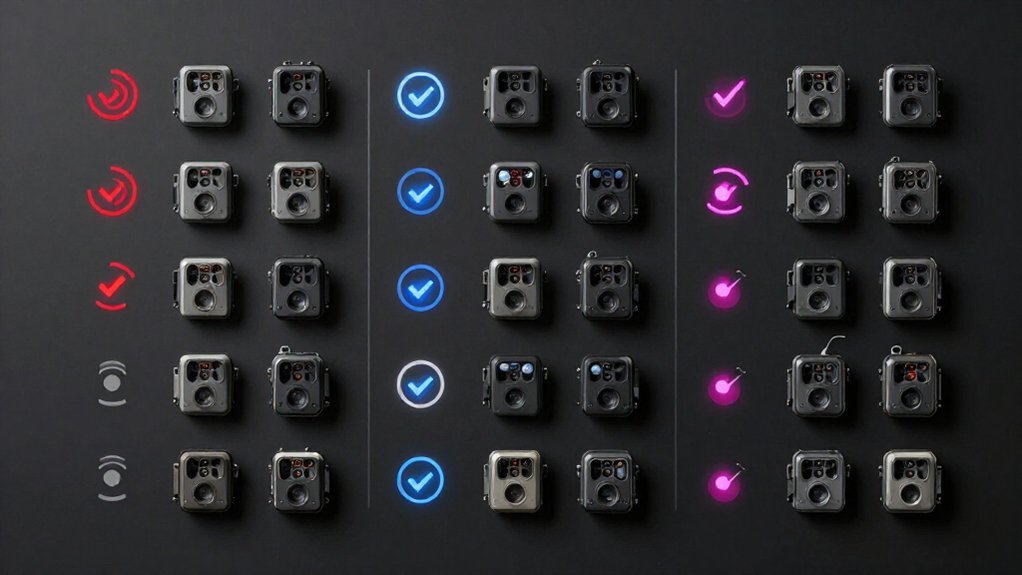
Cellular Trail Camera Carrier Compatibility Chart: Verizon, AT&T and T-Mobile by Model
Match each cellular trail camera by exact model, IMEI or ICCID, SIM type, and LTE bands before you choose Verizon, AT&T, or T-Mobile service.
Verizon-, AT&T-, and T-Mobile-specific models may be locked, while eSIM cameras require the manufacturer-supported carrier profile.
Check bands against coverage at each mount, not just your property address.
Use a separate activated SIM per camera, then select a thumbnail or high-resolution plan that fits uploads.
Continue for swap, APN, roaming, and guidance.
Verify IMEI Carrier Support
Before you activate a plan, identify the exact trail camera model and determine whether it uses a built-in eSIM/SIM or a removable carrier SIM. Then check the model’s carrier designation and network lock status. For a Verizon-, AT&T-, or T-Mobile-specific camera, give the provider the IMEI; some locked units instead require the ICCID or SIM ID. The carrier can confirm whether its activation system accepts that device.
Don’t rely solely on a brand’s “Verizon/AT&T compatible” label: the model may need an approved carrier SIM or a particular carrier profile. If your removable-SIM camera displays “no service” after activation, verify that profile before troubleshooting the plan. When no official compatibility chart exists, contact the manufacturer with the model number and IMEI, and directly confirm carrier support.
LTE Bands by Camera Model
After the carrier accepts the IMEI, compare that camera model’s LTE band list with the bands Verizon, AT&T, or T-Mobile deploys at your camera location. Verify the manual or spec sheet, then check each carrier’s address-level LTE deployment. Low-band 12, 13, 17, or 5 improves rural reach; mid-band 2, 4, or 25 can improve upload speed. A narrow-band model may register but transmit unreliably where its supported band isn’t deployed.
| Carrier | Model band priority | Location check |
|---|---|---|
| Verizon | 13 plus 4 | Confirm deployed bands |
| AT&T | 12, 17 plus 2, 4 | Confirm deployed bands |
| T-Mobile | 25 plus 2, 4 | Confirm deployed bands |
This model-focused comparison prevents strong-looking signal from masking a missing LTE band and improves your camera’s photo and video delivery reliability consistently throughout season.
Embedded SIM Versus Physical SIM
An eSIM comes built into the trail camera and activates through a supported Verizon, AT&T, or T-Mobile carrier profile, while a physical SIM must be inserted, activated, and seated in the model’s SIM slot. On an eSIM model, you select the carrier profile the manufacturer supports; you can’t assume it will switch freely among Verizon, AT&T, and T-Mobile. On a physical-SIM model, you install the carrier-specific card in its battery-compartment or side-slot tray before registration.
Each camera requires its own activated SIM; you can’t share one card across several cameras. When a model shows no service after a carrier change, verify the eSIM is provisioned for the new network. For physical-SIM units, confirm the correct SIM is active, correctly oriented, and fully seated securely.
Data Plan Price Ranges
For LTE models on AT&T, Verizon, or T-Mobile, you’ll typically see monthly tiers from free or $5 to $10 thumbnail plans to $10 to $100 high-resolution plans. Compare each camera brand’s per-image overage rates, unlimited-style tiers, often about $13 to $15 monthly, and full-resolution transmission limits.
If you run several compatible cameras, multi-camera bundles can lower your per-unit cost.
Monthly Plan Cost Ranges
Monthly cellular trail-camera costs span from free thumbnail tiers to roughly $100 per month, depending on the carrier, camera model, and image-delivery settings. A Verizon-connected camera typically fits near the $10 per month basic-service average when you transmit thumbnails or compressed images. AT&T models can land around $5 to $20 monthly for manufacturer subscriptions that support low-resolution viewing.
Your cost rises when a Verizon, AT&T, or T-Mobile model sends full-resolution captures frequently. A 16-MP photo may consume about 10 MB, so 50 GB covers only more than 500 high-resolution photos, versus thousands compressed near 100 KB. For high-volume delivery, budget roughly $10 to $100 monthly; premium high-resolution service can approach $1,000 annually. Check whether your specific carrier-certified model transmits originals automatically or on request; that setting often determines your monthly total at each location.
Carrier Data Plan Tiers
Carrier data tiers determine what your Verizon, AT&T, or T-Mobile-connected trail-camera model can upload and how much you’ll pay beyond the base service. Verizon-compatible models typically place you in $10 to $100-per-month tiers, with cost rising as you select larger upload allowances or high-resolution delivery.
AT&T-compatible cameras commonly fit $20 to $60 monthly tiers, making them a midrange choice when your model sends regular cloud uploads. T-Mobile-compatible models often start lower, at roughly $5 to $50 monthly, but their premium tiers still increase for higher-quality transfers. Budget manufacturer plans generally cover about 100 to unlimited low-resolution thumbnails for $5 to $20 monthly.
If you need frequent high-resolution images or video, choose a tier sized for that workload; intensive service can approach $100 monthly or about $1,000 annually on supported carrier models alone.
Pay-Per-Image Pricing
Pay-per-image pricing usually starts near $5 per month for roughly 100 to 250 uploads, then rises to about $10 for 1,000 images and $13 to $20 for unlimited compressed-photo tiers. On Verizon, AT&T, or T-Mobile versions of a given camera model, the displayed plan price often reflects the manufacturer’s image-delivery service rather than the carrier’s standalone phone-data rate. You should compare each model’s included upload count, thumbnail resolution, and overage rules before selecting a network variant.
A $5 to $10 thumbnail subscription can suit a camera sending low-resolution previews, but it may not cover frequent full-resolution requests. Transmission format matters: a 16 MP photo can approach 10 MB, while a compressed preview may use about 100 KB. Consequently, identical monthly photo caps produce very different real-world costs across carrier-compatible models today.
Unlimited Data Plan Costs
Unlimited plans change the cost equation because Verizon, AT&T, and T-Mobile camera variants can send far more than the compressed thumbnails included with entry-level subscriptions. For a compatible model, you’ll usually see manufacturer tiers from $5 to $20 monthly for 100 images through nominally unlimited low-resolution sends; typical service averages roughly $10. True high-resolution delivery costs more: carrier-backed or manufacturer data options commonly run $10 to $100 per month, and heavy-use unlimited tiers may approach $1,000 annually.
Check what each model’s “unlimited” label covers. It may permit unlimited thumbnails while restricting original 16MP files, which are about 10MB each. At that size, 50GB supports only about 500 full-resolution photos. Verizon, AT&T, and T-Mobile radio compatibility doesn’t make data identical, so compare each model’s image-resolution rules and transmission frequency.
Multi-Camera Bundle Savings
Multi-camera plans can cut the recurring cost of a Verizon-, AT&T-, or T-Mobile-compatible trail-camera deployment, especially when each model sends thumbnails rather than frequent full-resolution files. You’ll typically see lower-use pricing around $5 to $20 per camera monthly, while high-resolution image tiers can reach $10 to $100. Check whether your model’s carrier activation uses the manufacturer portal: Spypoint’s 250-, 1,000-, and unlimited-photo levels cost $5, $10, and $15 monthly. Tactacam Reveal tiers run $5 for 250 photos, $8 for 500, and $13 unlimited; added cameras may receive bundle discounts.
Covert starts at $5 for 100 images and can charge roughly $5 for each extra camera. Limit video and 10 MB photos: 50 GB only carries about 500 such images when you use Verizon, AT&T, or T-Mobile activation options.
Match Coverage to Camera Location
Start with a coverage check at the exact camera mount, not a nearby address, because Verizon, AT&T, and T-Mobile signal can differ sharply within the same property.
Use each model’s carrier option only after you compare coverage maps with on-site tests at that mount. A Verizon-specific camera may outperform an AT&T model at one feeder, while T-Mobile may provide the usable link on another ridge. If reception is weak, select the camera and plan tied to the strongest carrier there; otherwise, photo uploads won’t reliably reach the app or cloud. For marginal service, configure lower-resolution or thumbnail transmissions and less frequent reporting. Models with multi-carrier choices or carrier-switching capability give you a practical advantage when the best signal varies by mounting spot across the same property.
Roaming and Network Sunset Limits
Roaming can keep a cellular trail camera online when its home carrier’s signal is weak, but it doesn’t guarantee the same speed, reliability, or data treatment as a native Verizon, AT&T, or T-Mobile connection.
On Verizon models, confirm modem bands and plan terms permit roaming; weak-signal roaming can slow uploads, reduce priority, or change data accounting. Apply the same test to AT&T and T-Mobile models: access depends on the brand’s service arrangement, SIM, and carrier agreement. Managed-service cameras may select partner networks automatically, but locked models require their designated carrier/SIM.
Verify sunset support before deployment. A 3G-only unit won’t work after shutdown; choose a model with supported 4G LTE or 5G bands. For Spartan, check current carrier roaming and sunset policies before activation carefully.
Verizon-to-AT&T Camera Swap
When you replace a Verizon trail camera with an AT&T version, activate the AT&T-compatible SIM and matching AT&T data subscription assigned to the replacement model.
Don’t reuse the Verizon SIM: each camera depends on credentials provisioned to its own SIM, and one SIM can’t serve two cameras. If your Verizon unit used a connected-device plan, cancel or suspend its line after confirming the AT&T camera reports. The replacement needs its own AT&T line; shared data works only if plan supports multiple cameras in one pool. Confirm the model is an AT&T variant, if it offers Verizon versions. Fixed-network AT&T models require AT&T activation for image transmission. Test uploads onsite. AT&T signal may differ from Verizon coverage, affecting upload speed, consistency, and overall photo transmission.
APN Configuration Error Codes
Although the camera may show usable signal and an active data plan, an APN configuration error can block photo or video uploads if its carrier profile doesn’t match the installed Verizon, AT&T, or T-Mobile SIM. Check the model-specific menu against the provider’s SIM instructions; error labels identify the failed data-session step.
- APN not found: Your Verizon variant may hold an AT&T or T-Mobile APN.
- Authentication failure: You selected an unsupported authentication type or omitted required credentials.
- No PDP context: A required APN field is blank, preventing the camera from establishing mobile data.
- APN/auth mismatch: A multi-carrier model uses the wrong network profile despite a seated SIM.
After correction, save settings, reboot the camera, verify data registration, then send a thumbnail before attempting higher-resolution media.
Carrier Support Phone Numbers
Start with the support number supplied for your camera model’s cellular plan, not your personal phone carrier: the plan provider can confirm Verizon, AT&T, or T-Mobile compatibility, the correct SIM/profile, and whether uploads use a single-device or shared-data allowance. Use its published contact line when model-specific activation or data questions arise; the camera subscription, rather than your handset account, authorizes image uploads.
- For Verizon connected models, ask about 500MB-to-1GB single-device tiers versus shared pools.
- For AT&T/Verizon SIM conflicts, call the manufacturer’s cellular provider, not retail phone support.
- For multi-network subscriptions, verify Verizon, AT&T, or T-Mobile eligibility and required SIM swaps.
- For “Wi-Fi hotspot” claims, confirm whether your model needs cellular service or a local router.
Record the case number before changing APN settings.
Conclusion
Before you buy or activate a cellular trail camera, verify its IMEI and LTE bands against Verizon, AT&T, or T-Mobile requirements for that exact model. You can’t assume a SIM swap will work: embedded-SIM cameras often lock provisioning, while physical-SIM models may need a carrier-approved APN. Compare plan costs, coverage at your camera site, roaming limits, and sunset status. If you’re moving a Verizon model to AT&T, confirm certification first and resolve APN errors promptly.
Cellular Trail Camera True Cost Calculator
Add plan fees, overage and activation to the camera price to see the true total cost, cost per camera-year and break-even of a cellular trail camera.