How Do Cellular Trail Cameras Work? From Trigger to Your Phone in Seconds
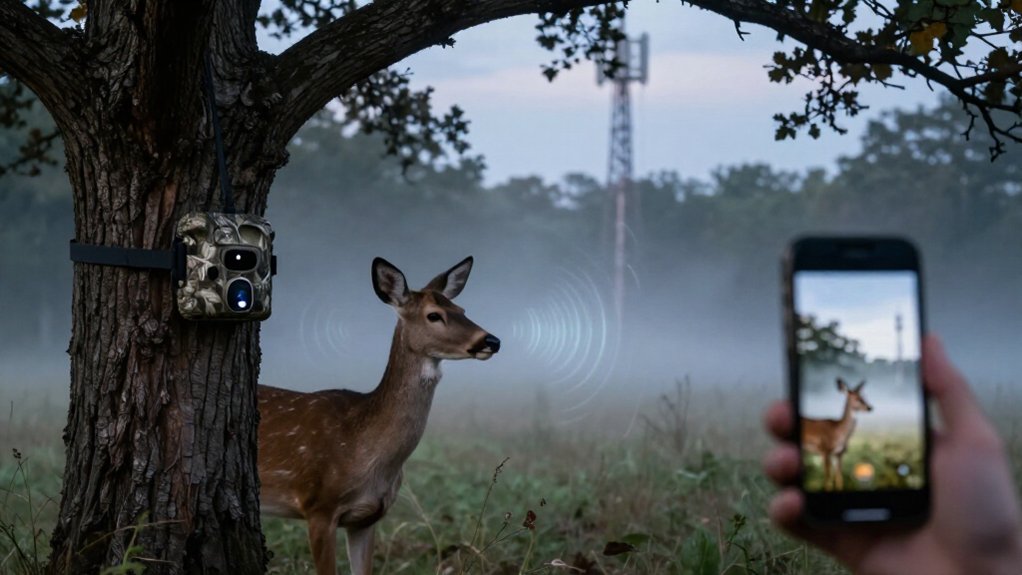
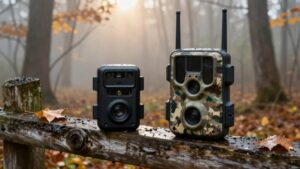
Your Cellular Trail Camera’s PIR sensor detects motion and temperature contrast, then triggers a photo or short video capture.
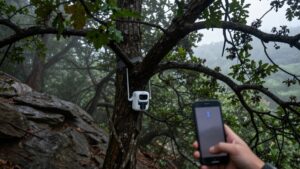
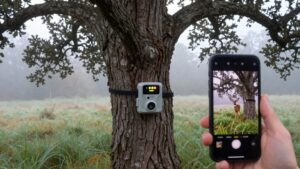
It saves each file to its microSD card and uses a SIM-connected LTE modem to upload a preview or image to your app.
With an active compatible plan and strong coverage, alerts can arrive within seconds.
Weak signal, large files, or plan limits delay uploads, but local capture continues.
Next, you’ll see how setup affects reliability.
LTE Sends Images to Apps
When the camera detects motion and captures a photo or video, its SIM card uses an available LTE network to upload the file to the companion app or cloud account. With coverage and an active data plan, you can receive an image alert on your phone within seconds. Actual delivery latency depends on LTE signal quality, file size, network congestion, and the camera’s upload configuration. Many systems transmit a compressed preview or standard-resolution image first, conserving bandwidth and power.
You can then request an HD version when you need finer detail. Supported apps also let you review media remotely. If the camera can’t establish LTE service, it typically writes captures to its microSD card, preserving them for local retrieval after you reach the device.
SIM-Enabled Cameras Transmit Photos
A SIM-enabled trail camera sends a captured photo over a compatible cellular network, typically 4G LTE, after its motion sensor triggers. Its SIM authenticates your device on the carrier’s network and enables packet-data service under an active, compatible plan. The camera then uploads the image to your paired app, email address, or cloud account, often within seconds when coverage is available.
Without a data plan, you can still capture images, but you can’t transmit them remotely. A local SD or microSD card retains backup files and continues storing photos during signal loss. Delivery performance depends on three linked variables: the camera’s supported network bands, local signal strength, and image file size. Larger files require more upload time; weak or incompatible coverage can delay uploads.
Deer Crosses at Dusk
At dusk, a deer entering the camera’s detection zone creates a moving heat signature that triggers the passive infrared sensor. The sensor detects both motion and a temperature contrast against the background, then signals the camera’s controller to begin its capture sequence. Your unit records a still image or, if you’ve enabled that setting, a short video.
As ambient light falls, infrared LEDs illuminate the scene so the camera can record usable detail without visible flash. When service and an active data plan are available, the camera transmits the file through its cellular connection to your paired app, often within seconds. Your phone alert shows deer crossings without visiting. If reception is weak or absent, the camera saves the capture to its memory card.
Single-Carrier and Multi-Carrier Models
With a single-carrier camera, you must verify that its supported network covers your exact placement location. Multi-carrier and dual-SIM models can use more than one network, and some automatically select the strongest usable signal. Choose a model whose SIM, cellular hardware, and supported service bands match local coverage, then test transmission on-site before relying on alerts.
Single-Carrier Network Compatibility
Cellular trail cameras depend on network compatibility: a single-carrier model transmits only through its designated carrier, so you must verify usable coverage at the deployment site before buying. Coverage maps provide an initial screening, but they don’t measure the camera’s actual radio-frequency conditions at its mounting point. Terrain, vegetation, building materials, antenna orientation, and network congestion can reduce signal quality even inside a mapped service area.
Confirm that the camera’s modem, carrier certification, and installed SIM match the required network. Then activate the device at the intended location and send test images to your phone. If transmission fails or becomes intermittent, reposition the camera or select a site with stronger verified service. This validation prevents missed alerts and unreported captures during critical monitoring periods.
Multi-Carrier Signal Flexibility
Single-carrier trail cameras rely on one designated network, so you must verify that carrier’s usable signal at the planned installation point. Their modem registers only with that carrier, making coverage and network availability limiting transport path. Multi-carrier cameras can select among their supported networks, increasing the probability that the camera establishes a session in variable terrain.
For example, SPYPOINT LTE cameras automatically connect to the strongest available supported network when signal exists. SIM services may support AT&T, T-Mobile, and Verizon, but your camera must support the SIM profile and the network technology there. This flexibility doesn’t create coverage: if no supported network reaches the site, images can’t transmit. At mounting location, test signal registration and image delivery; conditions can differ across one property.
Choosing the Right Model
Network availability should drive your trail-camera model selection: choose a single-carrier unit only when its supported carrier delivers reliable service at the mounting site, or select a multi-carrier or dual-SIM model when coverage varies across carriers.
Verify exact supported bands and network compatibility before purchase; carrier labels don’t confirm operation. At planned mounting point, test signal strength rather than rely on regional coverage maps. Weak reception can lengthen uploads, delay image delivery, and increase battery consumption.
Multi-carrier design improves selection options, not radio reach: it can’t transmit where no supported carrier has service. SPYPOINT LTE cameras automatically select the strongest available network, making all-carrier coverage useful in remote areas with intermittent signals. Match the device architecture to measured site conditions, monitor performance after installation.
Carrier Signal Determines Delivery
Your camera’s carrier signal strength and available upload speed determine how reliably it sends captures. If coverage drops or disappears at the deployment site, uploads can stall while the camera retains images on its SD card. You’ll also need compatible network bands, because carrier coverage and band support vary by location and camera model.
Signal Strength And Speed
Signal strength governs whether, and how quickly, your cellular trail camera delivers a triggered photo or video. After capture, its SIM authenticates on a compatible carrier network, often 4G LTE, and transfers the file to your app or cloud account. Strong, stable radio conditions support faster session setup and higher effective throughput; weak or fluctuating signal slows transmission.
Check carrier coverage at the camera’s exact placement, not only the provider’s regional map: AT&T, Verizon, or T-Mobile compatibility doesn’t guarantee usable performance on-site. Dual-SIM hardware can select another compatible network, while an external antenna may improve link quality. High-resolution images, video clips, and frequent uploads consume more data and extend transfer time, especially under low signal conditions. Configure resolution and upload frequency for your measured link capacity.
Coverage Gaps Delay Uploads
Even without cellular service, a trail camera can capture and store triggered photos or video on its SD card; it can’t deliver those files until it reconnects to a compatible carrier network. Delivery depends on usable coverage at your camera’s exact location and the network your model supports, whether AT&T, Verizon, or T-Mobile. A coverage gap leaves files queued for a later synchronization; if it never reconnects, you must retrieve them from the SD card.
Weak service can lengthen transmission time and increase battery drain because the camera retries uploads. Cameras with dual-SIM or multi-carrier capability may locate an alternate service, but they still require usable coverage. Check signal status and send a test image on-site before deployment. Record results before final camera placement.
Network Bands Matter
Cellular delivery depends on the camera’s supported LTE bands and its ability to register on a compatible carrier network at the mounting site. Before deployment, verify that your camera and SIM support a carrier serving the property, such as AT&T, Verizon, or T-Mobile. Signal availability varies by terrain, tower placement, foliage, and band compatibility; a visible phone signal doesn’t guarantee that the camera can attach or upload reliably.
Cameras that select the strongest supported network, use Dual-SIM service, or accept an antenna can improve connection resilience. Still, you need an active data plan. Test registration, signal and image transmission at the exact mount point. If the network is weak or unavailable, uploads may queue or fail, although it retains captures on its SD card.
Monitoring a Remote Gate
A cellular trail camera mounted with a clear view of a remote gate can detect approaching people or vehicles and capture the event automatically. Its motion sensor triggers the capture sequence, and, with an active plan and usable signal, uploads images or short clips to your paired app, often within seconds.
| Check | System condition | Result |
|---|---|---|
| Signal test | Reliable coverage | App delivery |
| Notifications | Movement enabled | Remote review |
| SD card | Upload fails | Local backup |
Enable movement notifications, so you can review gate activity without driving out to retrieve the memory card. Test image delivery at the gate after installation; weak or unavailable coverage can block uploads while the camera still records locally. Check rules, mount safely, and avoid direct sunlight to protect exposure and detection performance.
Cold Weather Drains Batteries
Cold temperatures reduce battery capacity and raise internal resistance, so your trail camera may run for far less time in winter than it does in mild weather. Cellular transmission draws substantially more power than saving photos locally, so frequent uploads compound cold-weather losses. Weak reception adds another load: your camera spends more energy attempting to register and transmit.
Place the unit where signal is stronger, and tune its workload for winter. Reduce burst counts, lengthen the capture delay, lower image quality, and decrease app-sync frequency. Use remote battery reporting to identify declining capacity before the camera stops reporting. For extended deployments, choose a robust compatible battery system or add a compatible solar panel to offset demand and lengthen service intervals in the field reliably.
Ignoring Data Plan Limits
Ignoring a data plan’s transfer limits can stop photo delivery even while your camera continues capturing images locally. Cellular service requires an active plan; without one, your camera records events but can’t transmit them to your phone. Check both photo-transfer and data-volume allowances before deployment. A free SPYPOINT plan, for example, provides 100 photo transfers monthly, which frequent triggers can exhaust quickly.
- Estimate 50–100 MB monthly for typical operation.
- Expect higher consumption from HD images, frequent uploads, and video.
- Monitor usage in the camera app throughout each billing cycle.
- Size your plan for camera count and expected activity.
When you reach a cap, transmission may pause although detection, triggering, and local capture continue. Configure upload behavior to match your allowance, then review usage trends.
Format Your 32GB microSD Card
Even with an active data plan, your camera needs a properly prepared 32GB microSD card to store captured media and support reliable operation. Turn it off before you remove or insert the card. Back up retained photos and videos; formatting permanently erases files. Use the camera menu whenever possible, because it configures the card for its recording workflow.
| Stage | Required action | Verification |
|---|---|---|
| Power state | Turn camera off | Prevents card-write faults |
| Format method | Use camera menu | Native configuration |
| Computer fallback | Select supported file system | Safely eject |
| Final check | Review storage display | Card ready to record |
Computer formatting is acceptable only when the selected file system matches the manufacturer’s specification. Reinstall the safely ejected card, then confirm available capacity and recording readiness on the storage display.
Conclusion
Your cellular trail camera detects motion, captures an image, writes it to the microSD card, and uses its SIM and LTE modem to send a compressed copy to your app. Delivery speed depends on carrier coverage, network load, camera settings, and your data plan. You’ll get reliable remote monitoring when you select compatible carrier hardware, maintain battery capacity in cold weather, stay within plan limits, and format the 32GB card regularly for consistent local storage.