Is 4K Worth It on a Trail Camera? Real Sensor vs Upscaled Video
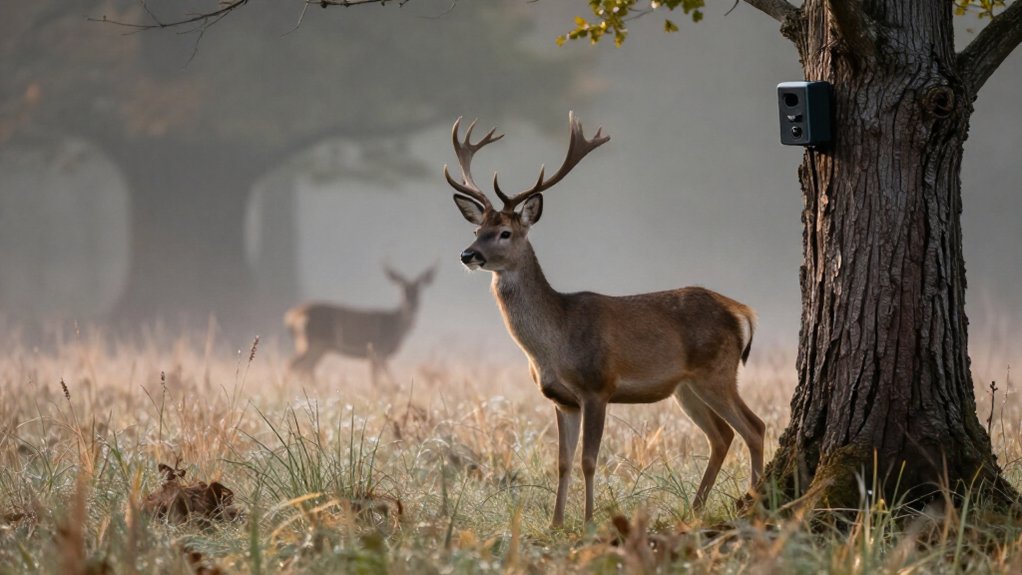
Is 4K Worth It on a Trail Camera? Real Sensor vs Upscaled Video
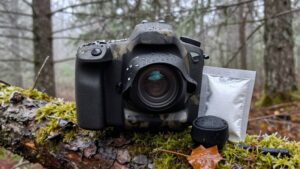
4K is worth it when you’re buying a trail camera with a native 3840 × 2160 sensor, a sharp lens, sufficient bitrate, and strong night IR. An upscaled 4K file from a 1440p sensor adds pixels, not antler or motion detail.
You’ll often get clearer nighttime movement from well-lit 1080p at 60 fps than poorly illuminated 4K at 20 fps. Check sensor model, bitrate, storage demands, and sample clips before paying more. The tests follow.
Check Native Sensor Resolution
Before treating a trail camera’s 4K label as a meaningful upgrade, verify that its image sensor natively captures 3840 × 2160 pixels—about 8.3 megapixels per frame. A sensor with native 2560 × 1440 resolution records only about 3.7 megapixels. When that camera produces a 3840 × 2160 file, its processor may upscale the source image, interpolating new pixels rather than capturing additional scene detail.
You can’t confirm native 4K from output setting alone. Instead, identify the exact sensor model in the camera’s documentation, then compare its effective pixel count and maximum native resolution with the sensor manufacturer’s official datasheet. Don’t rely on “Sony STARVIS 2” claims: STARVIS 2 identifies a technology family, not an individual sensor model. Native sensor data directly determines whether 4K can preserve real fine detail during recording under stated operating conditions.
Available SD Card Storage
4K recording consumes substantially more SD-card space per minute than comparable 1080p recording, so card capacity can determine whether the added resolution remains practical on an extended deployment. Because 4K files are larger, they can fill a card quickly and reduce the number of later wildlife captures retained before service. For extended use, choose a 64GB or larger SD card.
However, don’t estimate capacity from resolution alone: clip duration, codec compression, and the camera’s image-processing pipeline also affect file size. If storage is limited, shorten clips to preserve recording opportunities while still documenting animal activity. Match card capacity to your trigger frequency and service interval, then verify the camera’s card specifications. This approach lets you weigh 4K detail against the risk of overwriting footage.
Nighttime Motion Clarity
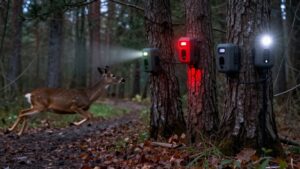
Storage capacity determines how long 4K footage remains available, but nighttime image quality determines whether that footage captures usable wildlife behavior. Don’t judge nighttime performance by 4K or megapixels alone. You need sufficient sensor sensitivity and infrared output to freeze a deer crossing the detection zone; otherwise, a high-resolution file records dim, blurred motion.
| Field test result | What it tells you |
|---|---|
| 1080p, 60 fps | Often resolves faster movement |
| 4K, 20 fps | May smear moving subjects |
| Weak infrared | Produces underexposure and blur |
Compare sample clips recorded under field illumination and animal speeds. Inspect lens transmission, exposure behavior, and processing, since each alters apparent detail. A 1080p recording at 30 or 60 fps can show you clearer movement than 4K footage at 20 fps or lower.
H.265 Compression Versus Detail
H.265 reduces 4K file sizes, helping you conserve SD-card capacity and cellular data, but it can’t create detail beyond the sensor’s native capture. When you use a low bitrate or aggressive compression, motion may produce artifacts that obscure antler points, markings, and distant subjects despite the 3840 × 2160 label. Compare real footage at different quality settings to balance manageable file sizes against the fine detail you need.
How H.265 Compresses Video
HEVC, commonly called H.265, encodes video more efficiently than H.264, often reducing file size while maintaining similar apparent image quality. It analyzes image regions and adjacent frames, records repeated visual information efficiently, and preserves only the changes needed to reconstruct each frame. This approach matters on trail cameras because 4K contains about 8.3 million pixels per frame, roughly four times the pixel count of 1080p.
Even with HEVC, those additional pixels can demand substantial storage. Compression doesn’t create captured information: if your camera uses a 2560 × 1440 sensor and upscales its output to 3840 × 2160, HEVC can’t supply native 4K texture or distant markings. To assess, compare footage and file sizes at resolution and scene conditions; processing and encoder settings affect detail survives.
Bitrate and Fine Detail
A 4K UHD file holds 8.3 million pixels per frame, but its resolution label alone doesn’t establish that the camera captured or preserved 8.3 million pixels’ worth of detail. H.265 can encode a 4K stream efficiently, yet bitrate determines how much information it allocates to fine textures and edges.
You should judge recorded sample clips at their actual settings, not by the resolution field. Inspect license plates, road signs, text, and distant vehicles at full size. A 1080p clip at 30 or 60 fps may retain clearer detail than 4K at 20 fps or less.
Compare what remains legible against storage cost: higher-bitrate 4K files consume SD capacity faster. Choose settings when retained detail justifies the added capacity for your monitoring needs in daily use.
Compression Artifacts in Motion
Fine detail also has to survive compression from frame to frame. H.265 can make 4K recording practical, but it achieves files by predicting changes between frames and discarding information less important. When its bitrate is too low, motion overwhelms those predictions. A walking deer may show smeared fur or unstable markings; wind-blown grass, leaves, and rain can break into blocks or flicker.
These artifacts reduce the value of 4K output because resolution alone doesn’t establish detail. Sensor quality, image processing, compression settings, and bitrate determine what remains visible. You should compare sample clips during animal movement rather than relying on frames. Check whether fur texture, coat patterns, movement, and behavior remain distinct across frames. If they don’t, the camera’s 4K label offers evidence benefit.
Balancing File Size and Detail
Although 4K UHD captures about 8.3 million pixels per frame, roughly four times 1080p, it fills storage far faster unless efficient compression controls the bitrate. H.265 can preserve comparable perceived quality at smaller files than older codecs, extending SD-card capacity and reducing cellular transfers. However, compression efficiency doesn’t eliminate the trade-off: aggressive bitrate limits discard image data and can soften antler points, fur texture, and distant animals.
Judge recordings at size, especially in motion, rather than relying on resolution labels. For extended 4K deployment, use a 64GB or larger SD card and set shorter clips to limit accumulation. If your camera uses cellular service, transmit lower-resolution previews while retaining high-resolution originals locally. That setup lets you control data costs without sacrificing detail you need for identification.
4K for Antler Analysis
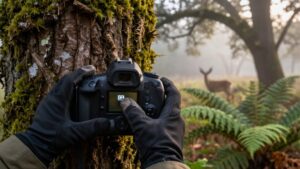
Native 4K gives you roughly 8.3 million pixels to identify points and tines, judge beam length, and crop a deer without discarding as much usable detail. You’ll benefit only when the camera records true 3840 × 2160 footage and its lens, exposure, and compression preserve that detail. At night, limited illumination and image noise can still obscure antlers, so 4K doesn’t guarantee a reliable count.
Identifying Points And Tines
When you’re counting points or evaluating tine length, genuine 4K UHD capture (3840 × 2160) gives you roughly 8.3 million pixels to inspect, which can preserve small antler edges during zooming and cropping. Sampling can help you separate a short tine from foliage, branch overlap, or compression blur. By comparison, a 2K sensor records about 3.7 million pixels; aggressive cropping can leave tine tips ambiguous.
Don’t assume a camera marketed as “4K” supplies this evidence: upscaling enlarges existing pixels but cannot recreate unrecovered antler detail. Verify the sensor’s official native resolution and effective pixel count. Then assess footage under realistic conditions, because lens sharpness, exposure control, encoding bitrate, image processing, and infrared illumination determine whether individual points remain distinct clearly especially in low light.
Judging Beam Length
Accurately judging main-beam length requires enough image detail to trace the beam’s curve from burr to tip against a known reference, and native 4K can retain that edge definition better than 2K after moderate cropping. You’ll get the most defensible estimate when the deer presents a near-broadside head angle and the full beam remains visible. Compare the curved beam with stable anatomical references, such as ear length or skull width, only when perspective distortion is limited.
Native 4K retains more edge information than 2K only when the camera uses a genuinely native sensor. Verify model and listed resolution, not label. Distance, soft focus, motion blur, low light, and weak infrared obscure endpoints. Review nighttime samples; if burr or tip isn’t distinct, don’t classify it.
Cropping Without Losing Detail
Because antler points often occupy only a small part of the frame, native 4K’s 3840 × 2160 image (about 8.3 million pixels) gives you substantially more usable information for cropping than 2K’s roughly 3.7 million pixels. That margin lets you isolate tine tips, forks, and beam edges while retaining more source pixels in the selected area. Cropping still enlarges only recorded data; it can’t recover detail absent from the original capture.
Before buying, verify whether the camera’s sensor actually has native 3840 × 2160 resolution and sufficient effective pixels. A lower-resolution sensor can interpolate a 4K-sized file, but interpolation doesn’t create antler structure. Finally, assess lens sharpness, exposure, processing, bitrate, and compression: each can preserve or discard fine boundaries before you crop the footage.
Nighttime Antler Detail Limits
At night, a 4K label alone won’t guarantee readable antler points: infrared output, sensor sensitivity, shutter behavior, and noise reduction determine whether the camera records real tine edges or smears them into the background.
Weak IR illumination forces longer exposures or higher gain, blurring moving deer and fine antler contours while noise reduction erases contrast. Native 4K UHD records 3,840 × 2,160 pixels—about 8.3 million—giving you cropping latitude only if the sensor resolves tine edges. Upscaled 2K video enlarges pixels; it can’t reconstruct a fork, brow tine, or beam separation absent from capture.
Review nighttime field samples at full resolution before using footage for antler analysis. Verify the sensor’s exact model and native resolution, then compare IR range, exposure, and processing across cameras carefully.
Mounting Thread and Strap Fit
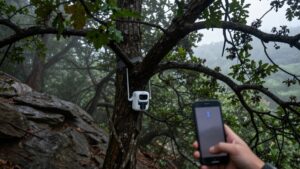
A 4K trail camera can only deliver consistently useful footage when its mounting thread or strap holds it stable and correctly aimed. Before deployment, verify that the camera’s threaded socket matches your bracket or mounting hardware; a mismatch can prevent engagement and allow movement. If you use the included strap, confirm it fits the tree, post, or other mounting surface and tightens without the housing rotating or slipping.
Aim the lens at the monitored zone, then test it under directional pressure. A firm mount preserves framing between triggers, so you can compare animal paths and movement across clips without position-induced variation. Recheck thread engagement, bracket tightness, and strap tension after installation and during extended outdoor deployment, as weather or site settling can alter alignment.
Firmware Updates and Warranty
Firmware support and warranty coverage affect a 4K trail camera’s long-term value as much as its stated video specification. Before you buy, verify that the manufacturer publishes firmware updates and gives installation guidance. Updates can correct operational faults, improve stability, and sustain field use, although available evidence doesn’t show that they can alter a camera’s native or upscaled 4K capability.
Assess support infrastructure as well: how-to videos, troubleshooting guides, and product assistance can reduce downtime when faults occur. Compare warranty terms and duration. In the UK, Browning, Bushnell, and SpyPoint provide two-year warranties, whereas Reconyx provides five years. Longer coverage doesn’t guarantee better performance, but it indicates how long the maker backs it. Check exclusions, claim procedures, and support accessibility before committing financially.
Misleading Interpolated Resolution Claims
Not every trail camera labelled “4K” records native 4K detail: true 4K UHD footage measures 3840 × 2160 pixels, or roughly 8.3 million pixels per frame, but some cameras upscale lower-resolution sensor output to that file size.
Check claims carefully:
- Identify the exact sensor model, then compare its manufacturer-listed native resolution with 3840 × 2160.
- Treat a 2K sensor, about 3.7 million pixels, as lower-detail capture even when the camera creates an 8.3-million-pixel file.
- Inspect distant plates, signs, and text; generated pixels can’t recover edges or characters absent from sensor data.
Interpolation enlarges the image, but it doesn’t add information. If the sensor’s native resolution falls below UHD, regard “4K” as an output format rather than evidence of native detail alone.
Verify Video Bitrate First
Video bitrate provides the next check after confirming native sensor resolution: measured in Mbps, it shows how much data the camera allocates to each second of footage. A 4K label can’t preserve detail when a low bitrate forces heavy compression; foliage, antlers, and motion edges become smeared.
Compare files at identical resolution and frame rate:
- 4K needs more data than 2K or 1080p for comparable detail.
- Check specifications or inspect original-file metadata.
- If bitrate isn’t disclosed, judge downloadable samples, not marketing claims.
Higher rates increase file sizes, so calculate SD-card runtime before choosing a setting. On cellular models, they also raise transmission use and cost. Favor the camera that supplies bitrate for your identification distance, then match its storage demands to your deployment plan.
Conclusion
4K is worth choosing only when you get a native sensor, adequate bitrate, H.265 encoding, and enough card capacity to preserve meaningful detail. You’ll see the strongest benefit when you review antlers, identify animals, or assess daytime movement; it won’t automatically improve nighttime footage. Check for interpolation claims, test motion clarity, and confirm firmware support, mounting fit, and warranty. If those factors fall short, a well-tuned 1080p or 2K camera delivers better evidence per gigabyte.